How to Create TikTok Ads That Convert for E-commerce

To get started with TikTok ads, you'll need a TikTok For Business account and the TikTok Pixel installed on your site.To get started with TikTok ads, you'll need a TikTok For Business account and the TikTok Pixel installed on your site. From there, you'll jump into the Ads Manager to build your campaign, choose your goal, define your audience, and upload your creative.
The goal is to scale without dubious shortcuts and without hurting your credibility.
Setting the Stage for Winning TikTok Ad Campaigns
Before you even think about launching a campaign, you have to get one thing straight: TikTok is its own world. It’s not just another ad platform you can copy and paste your Facebook ads onto. This is an entertainment-first universe where authentic, creative, and sometimes slightly chaotic content wins every time.
Forget polished, corporate-style ads. They stick out like a sore thumb here. Success on TikTok isn't about having the biggest budget; it's about understanding the culture and what makes people stop scrolling.
Your ads must feel native. I can't stress this enough. They need to blend seamlessly into a user's "For You" page, looking and feeling just like the organic videos they’re already watching. That means leaning into user-generated content (UGC), embracing lo-fi production, and jumping on trending sounds and effects. If your ad screams "I'm an ad," it's getting swiped away in a heartbeat.
Why TikTok Is an E-commerce Goldmine
The opportunity on TikTok is just massive. It’s far more than a hub for viral dances; it's a legitimate engine for product discovery and sales. For e-commerce brands, and especially for anyone in the dropshipping game, this platform can completely change your trajectory.
When you create TikTok ads, you’re tapping into an audience that makes up 13.6% of the world's population. That's not a typo. As of 2025, TikTok has 1.59 billion monthly active users globally, solidifying its spot as the fifth-largest social network.
Better yet, the numbers actually back it up. On average, TikTok ads pull in a 2:1 return on ad spend. Think about that—for every dollar you put in, you can expect about $2 back in revenue. That's an efficiency that gets any marketer's attention.
Your Essential First Steps
Alright, let's get into the nuts and bolts. A winning campaign is built on a solid technical foundation. Getting these first few steps right ensures your ads are powered by accurate data, which is crucial for tracking, optimizing, and retargeting later on.
Set Up a TikTok For Business Account: This is your mission control. It keeps your ad activities separate from any personal profile and unlocks the Ads Manager, creative tools, and all the juicy analytics you'll need. The setup is quick and connects directly to your business profile.
Install the TikTok Pixel: I like to think of the Pixel as the translator between your e-commerce store (like Shopify) and TikTok. It’s a tiny bit of code that tracks what people do on your site—adding to cart, starting checkout, or completing a purchase. Running ads without it is like flying blind. You won't know your return on ad spend (ROAS) or be able to build powerful retargeting audiences.
Pro Tip: Don't just install the base Pixel and call it a day. Take the extra 10 minutes to set up specific conversion events for each key step in your sales funnel. This feeds the TikTok algorithm much clearer signals about what a valuable customer action looks like, which helps it find more people like them.
And don't forget about timing. Understanding the Best Time to Post on TikTok Australia (or whatever your target region is) gives you a huge advantage. It helps you align your ad schedule with when your audience is most likely to be scrolling.
Nailing these fundamentals—getting the culture, setting up your account correctly, and installing the Pixel—is what separates the campaigns that burn cash from the ones that build a profitable advertising machine.
Building Your First Campaign in TikTok Ads Manager
Jumping into the TikTok Ads Manager for the first time can be a bit overwhelming, but this is where your strategy gets real. Getting these initial steps right is about more than just checking boxes; it’s about making smart decisions from the jump that will set your ads up for success. Every setting you choose here directly impacts who sees your ad, what you pay, and ultimately, your results.
Let's walk through this with a real-world example. Imagine we're launching a campaign for a new sustainable fashion brand. The goal? Drive sales for a fresh line of organic cotton t-shirts. With that in mind, we'll dive into the two core layers of any ad setup: the Campaign and the Ad Group.
Defining Your Campaign Objective
The very first decision you have to make is your campaign objective. This is critical. It tells TikTok's algorithm exactly what you want to achieve, and it will then work to find users most likely to take that specific action. Don't just gloss over this step—picking the wrong objective is like giving your GPS the wrong address. You’ll end up somewhere, but probably not where you wanted to go.
For our fashion brand, we want sales. Simple as that. So, the obvious choice is the Website Conversions objective, which you'll find under the "Sales" category. This tells TikTok to hunt down people who aren't just likely to click, but who are also likely to follow through and complete a purchase on our site.
Of course, there are other objectives you might use in different situations:
- Traffic: Great for when you just need to send a high volume of visitors to a landing page or a new blog post.
- Video Views: Perfect for building brand awareness and getting your video in front of as many eyeballs as possible.
- Lead Generation: Use this when you want to collect contact info (like email addresses) directly within the TikTok app using an Instant Form.
By choosing "Conversions," we’re telling the algorithm that our main KPI is the sale itself. Clicks and views are nice, but they don't pay the bills.
This diagram breaks down that initial flow—from getting your account and tracking in order to selecting the objective that will guide the entire campaign.
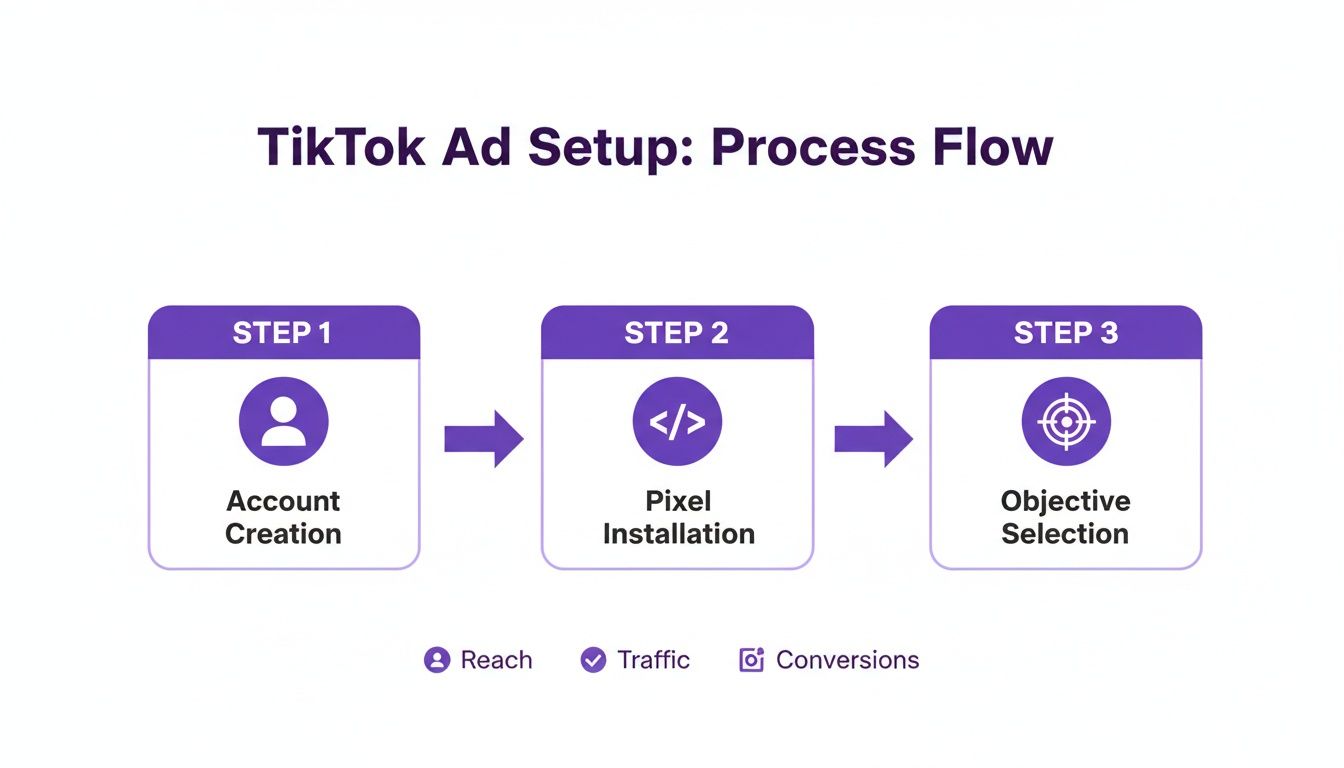
It’s a great reminder that a successful campaign is built on a solid technical foundation (your account and pixel) before you can really start chasing your business goals.
Configuring Your Ad Group Settings
Once your campaign objective is locked in, you’ll move down to the ad group level. I like to think of the ad group as the "who, where, and how" of the campaign. This is where you'll define your audience, placements, budget, and schedule. It's worth noting that one campaign can have several ad groups, which is a fantastic way to test different audiences or creative approaches against each other.
For our t-shirt brand, we'll start with just one ad group targeting a fairly broad audience. The goal here is to gather some initial data and see what works.
Here’s what we need to set up:
Placements Selection TikTok offers "Automatic Placements" or lets you pick them manually. Automatic is easy, but it often includes placements in TikTok's partner network (like Pangle), which might not be the best fit for a new e-commerce brand looking for high-intent buyers.
My Advice: For a first campaign, I almost always recommend selecting Manual Placement and choosing only TikTok. This gives you way more control and ensures your ads appear right in the main TikTok feed, where users are most engaged. You can always expand to other placements later once you have some solid performance data to work with.
Ad Details and Format Next up, you decide how your ad will actually look and function. For an e-commerce brand like ours, the two main choices are Spark Ads and standard In-Feed Ads.
- Spark Ads are a game-changer. They let you boost an existing organic post from your own TikTok profile (or even a creator's profile). They feel super native and authentic because they carry over all the existing social proof like likes, comments, and shares.
- In-Feed Ads are your more traditional ad format. You create them from scratch in the Ads Manager, and they don't live on your profile. These are great for pure direct-response ads where you just want to drive an action.
For our launch, a Spark Ad is a no-brainer. It lets us leverage the authenticity of a real TikTok video, making the whole thing feel less like a disruptive ad and more like a genuine recommendation from a creator or the brand itself.
Budget and Bidding Strategy Finally, it's time to talk money. You can set either a Daily Budget or a Lifetime Budget. A daily budget gives you consistent, predictable spending, while a lifetime budget gives the algorithm more freedom to spend more on days when it spots better opportunities.
For a brand new campaign, I've found that starting with a Daily Budget of $50 is a great baseline. It's enough to get you meaningful data quickly without having to risk a huge chunk of your marketing budget right out of the gate.
As for the bid strategy, stick with Lowest Cost to begin. This tells TikTok to get you the most conversions possible for your budget. It's the perfect strategy when you're just starting out and don't yet have a clear idea of what your target cost-per-acquisition should be.
Finding Your Ideal Customer on TikTok
Alright, you’ve got your campaign structure sketched out. Now for the most critical part of the entire setup: your audience.
You could have an Oscar-worthy ad, but if you show it to the wrong people, your budget will disappear without a single sale to show for it. This is where we shift from broad strokes to surgical precision.
TikTok's algorithm is an incredibly powerful tool, but it's not a mind reader. You have to feed it the right ingredients to get the results you want. A common rookie mistake is piling on dozens of specific interests, thinking you're being super targeted. In reality, you're often better off starting a bit broader and letting the initial data tell you who's actually biting.
Let's stick with our direct-to-consumer skincare brand. The product is a new Vitamin C serum for dull skin, and we’re trying to reach women aged 25-45 who are into clean beauty. This scenario is perfect for walking through TikTok's core targeting tools.
Layering Your Core Targeting Options
First things first, you need to build a foundational audience. This is where you use TikTok’s standard demographic, interest, and behavior filters to create your initial customer hypothesis. You're essentially making an educated guess about who you think will buy, and the campaign data will either prove you right or wrong.
For our skincare brand, a solid starting point would look something like this:
Demographics: We’ll set the gender to "Female" and select the age brackets "25-34" and "35-44." We can leave the location set to our primary market, like the United States.
Interests: This is where you can start getting more specific. We’ll add interests like "Skincare," "Beauty," and "Cosmetics." It’s tempting to go wild here, but keeping it focused gives the algorithm a much cleaner signal to work with.
Behaviors: This is where the real power lies. You can target people based on how they've recently interacted with video content on the platform. For our campaign, we’ll target users who have recently watched, liked, or commented on videos in the "Beauty & Personal Care" category.
This setup gives us a relevant audience that isn’t so narrow it suffocates the algorithm. It leaves enough breathing room for TikTok to find pockets of high-converting users you might never have thought of.
This screenshot from TikTok's Ads Manager shows exactly where you'll be plugging in these settings.
As you can see, the interface lets you build out that audience profile step-by-step, blending broader demographic data with those more granular interest and behavioral signals.
Unlocking Advanced Audiences for Scale
While core targeting is how you get your foot in the door, the real growth happens when you start feeding TikTok your own data. This is how you go from guessing who your customers are to knowing who they are. The two most important tools for this are Custom Audiences and Lookalike Audiences.
A Custom Audience is exactly what it sounds like—it’s a group you create from your own sources, like people who have already engaged with your brand. This is your low-hanging fruit.
For our skincare brand, we’d immediately create Custom Audiences for:
- Website Visitors: Anyone who hit our site in the last 30 days.
- Add to Carts: People who added the Vitamin C serum to their cart but bailed before buying. This is a goldmine for retargeting.
- Purchasers: A list of every single person who has bought from us.
Running a retargeting campaign just for that "Add to Carts" group with a testimonial video or a small discount code can be ridiculously profitable.
A Lookalike Audience is how you really scale. You give TikTok a source audience (like your list of past purchasers), and its algorithm goes out and finds millions of new users who look and act just like them. Creating a Lookalike from your best customers is one of the single most effective strategies for finding new, high-intent buyers.
Getting your audience targeting right is more important than ever, especially with TikTok projected to hit 1.9 billion global users by 2025. With a staggering 45.5% of US users expected to make in-app purchases next year, you want to make sure your ads are landing in front of the right eyeballs. You can find more of these eye-opening stats in this deep dive into TikTok's user base on sproutsocial.com.
Budgeting and Bidding for Profitability
Okay, let's talk money. You need to tell TikTok how much you're willing to spend and what you're willing to pay for a result. You’ll have two main options for setting your budget: a Daily Budget or a Lifetime Budget.
- Daily Budget: Spends a fixed amount each day. It’s predictable and perfect for controlling costs while you're in the testing phase.
- Lifetime Budget: Spends your total budget over the entire campaign flight, giving the algorithm the freedom to spend more on days when opportunities are high.
For any new campaign, I always recommend starting with a daily budget of at least $50. This is enough to get data flowing in quickly without breaking the bank.
When it comes to your bidding strategy, your two main choices are Lowest Cost and Cost Cap.
| Bidding Strategy | When to Use It | Example Scenario for Our Skincare Brand |
|---|---|---|
| Lowest Cost | When you're just starting out and want to get as many conversions as possible for your budget. | Let TikTok find the cheapest conversions for the new Vitamin C serum to gather initial performance data. |
| Cost Cap | When you know your target Cost Per Acquisition (CPA) and need to maintain profitability. | If we know we need to acquire a customer for under $20 to be profitable, we set that as our cap. |
My advice? Start with Lowest Cost to let the algorithm learn and find its footing. Once you've clocked around 30-50 conversions and have a clear idea of your average CPA, you can switch to a Cost Cap strategy. This allows you to scale your ad spend with confidence, knowing your profitability is protected. It’s this data-driven approach that turns a speculative campaign into a predictable sales engine.
Creating TikTok Ads People Actually Want to Watch
On TikTok, your ad is the content. Let that sink in. The old rules of advertising just don't apply here. If you're thinking about slick, high-budget corporate videos, you're already on the wrong track. Success on this platform comes from creating ads that feel organic, entertaining, and completely at home on the "For You" page. If a user can spot your ad from a mile away, they've already swiped past it.
The entire game is won or lost in the first three seconds. This is your tiny window to deliver a scroll-stopping hook that grabs attention and makes someone curious enough to stick around. Your creative has to blend in while standing out—a tricky balance that demands a totally different mindset than you'd use for any other platform.

The Anatomy of a High-Converting TikTok Ad
A winning TikTok ad isn't just one thing; it's a perfect mix of key ingredients working together to feel authentic and drive action. Think of it less like a commercial and more like a mini-story that just so happens to feature your product.
Here’s a breakdown of what you absolutely need:
- A Killer Hook (0-3 Seconds): This is non-negotiable. Start with a bold claim, a surprising visual, or a relatable problem. A skincare brand, for instance, might open with "This is the biggest mistake you're making with your skin" instead of a boring product shot.
- A Clear Problem/Solution Arc: After you’ve hooked them, quickly introduce the problem your product solves. Show the "before" and then the "after." It's a classic storytelling structure that works incredibly well in short-form video.
- Authentic Presentation: Shoot on a phone. Use natural lighting. Don’t be afraid of slight imperfections. Overly polished ads feel out of place and can actually tank your performance. Authenticity builds trust, and trust drives sales.
- A Strong Call-to-Action (CTA): Tell people exactly what you want them to do next. "Shop Now" or "Learn More" are standard, but you can also get creative with a verbal CTA in the video itself, like "Tap the link in my bio to get yours!"
To really nail this, understanding how to make viral TikTok videos is a game-changer. The same principles that make organic content pop are what make ads convert.
Leveraging UGC and Trending Sounds for Trust
User-generated content (UGC) is your secret weapon on TikTok. It’s content made by real customers, which makes it feel like a genuine recommendation from a friend, not a sales pitch from a brand. Sourcing and running UGC as your ad creative is one of the fastest ways to build social proof and crush your conversion goals.
Along the same lines, trending sounds and music are the lifeblood of the platform. Using a popular audio track can instantly make your ad feel more relevant and native. The TikTok algorithm often favors videos using trending sounds, which can give your ad an extra boost in reach.
Pro Tip: Don't just slap a trending sound onto any video. Find one that genuinely fits the vibe of your brand and creative. The goal is to participate in the trend, not just hijack it. A mismatched sound can come off as awkward and inauthentic.
Spying on Competitors for Proven Ideas
Why reinvent the wheel? Before you even think about scripting your own ads, you should be deep-diving into what your competitors and other successful brands in your niche are doing.
Ad-spy tools are invaluable for this. Platforms like Pipiads or the TikTok Creative Center's "Top Ads" feature let you see the best-performing ads out there. You can filter by industry, country, and campaign objective to get a curated feed of what’s actually working right now.
When you're analyzing these ads, don't just watch them—deconstruct them.
- What hook did they use in the first three seconds?
- What kind of format is it (UGC, a product demo, a testimonial)?
- What trending sounds or effects are they using?
- What’s their call-to-action, and how is it presented?
By studying dozens of successful ads, you'll start to see patterns emerge. This isn't about copying anyone. It's about building a blueprint for your own creative strategy based on what is demonstrably resonating with the TikTok audience. This data-driven approach removes so much of the guesswork and dramatically increases your chances of launching a profitable ad from day one.
How to Analyze and Scale Your Ad Performance
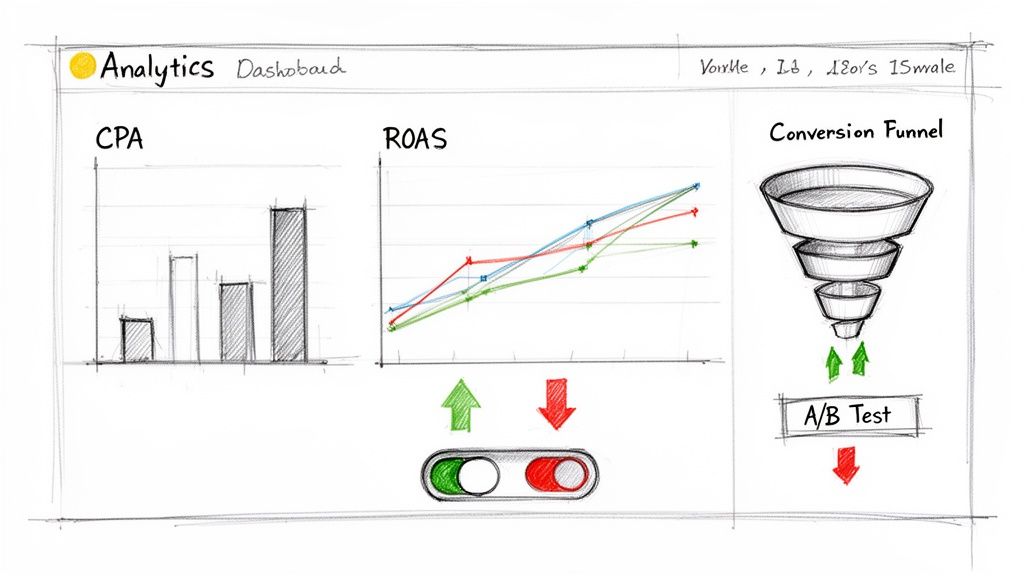
Getting your campaign live isn't the finish line—it’s the starting block. The real work, and the real profit, starts the moment your ads begin to run. This is where you roll up your sleeves and live inside your TikTok Ads Manager dashboard, turning raw data into a predictable sales engine.
It’s easy to get lost in a sea of numbers. Too many advertisers get sidetracked by vanity metrics like video views or impressions. For an e-commerce brand, those metrics are nice, but they don't pay the bills. You have to cut through the noise and focus on what truly moves the needle.
E-commerce Metrics That Truly Matter
To really understand how your ads are performing, you need a laser focus on the numbers that tie directly back to sales and profit. These are the Key Performance Indicators (KPIs) that tell you if your investment is actually paying off.
Let's get straight to it. These are the three non-negotiable metrics for any e-commerce brand on TikTok:
- Cost Per Acquisition (CPA): This is your total ad spend divided by the number of purchases. It's the bottom-line cost to get a new customer. If you don't know your target CPA, you're flying blind.
- Return On Ad Spend (ROAS): This is the total revenue your ads generated divided by how much you spent. A 3:1 ROAS means for every $1 you put in, you got $3 back. It's the ultimate report card for your campaign's financial health.
- Conversion Rate: This is the percentage of people who clicked your ad and actually bought something. A weak conversion rate can be a huge red flag, pointing to issues with your landing page, your offer, or even your targeting.
Keeping a close eye on these three will help you diagnose the health of your campaigns quickly and make decisions based on data, not gut feelings.
To give you a clearer picture, I've put together a table of the most critical metrics you should be tracking.
Essential TikTok Ad Metrics for E-commerce
Focus on these key metrics to accurately measure campaign success and make smart, data-driven decisions for your e-commerce business.
| Metric (KPI) | What It Measures | Why It Matters to You |
|---|---|---|
| Cost Per Acquisition (CPA) | The average cost to acquire one paying customer from an ad. | This is your North Star for profitability. If your CPA is higher than your product margin allows, you're losing money on every sale. |
| Return On Ad Spend (ROAS) | The total revenue generated for every dollar spent on advertising. | This tells you if your ad spend is a profitable investment. A low ROAS means your campaigns aren't financially sustainable. |
| Conversion Rate (CVR) | The percentage of ad clickers who complete a desired action (e.g., purchase). | A low CVR signals a disconnect. It could be poor ad-to-page relevancy, a confusing checkout process, or an unappealing offer. |
| Click-Through Rate (CTR) | The percentage of people who saw your ad and clicked on it. | This measures how compelling your ad creative and copy are. A low CTR means your ad isn't grabbing attention. |
| Cost Per Mille (CPM) | The cost to show your ad to 1,000 people. | CPM reflects the cost of your audience. High CPMs can eat into your budget quickly, affecting your overall CPA and ROAS. |
By building your reports and dashboards around these KPIs, you can stop guessing and start making strategic, informed optimizations.
Making Smart Optimization Decisions
Once you’re comfortable with your core metrics, you can start making strategic adjustments. The name of the game is to systematically find your winners, cut your losers, and pour your budget into what works. This isn't about making random changes; it's a methodical process of testing, learning, and iterating.
Here's a simple, practical checklist I use to guide my optimization efforts:
- Let Your Ads Breathe: Don't jump the gun and kill an ad after 24 hours. You need to give it at least 3-5 days to gather enough data. This gives the algorithm time to learn and helps you see the real performance trends.
- Cut the Underperformers: Be ruthless. If an ad group or creative has a CPA that’s way over your target or a ROAS below your break-even point, turn it off. Don't get emotionally attached to a video you love if the numbers say it's a dud.
- Scale the Winners Methodically: Found an ad that’s crushing your KPIs? Awesome. Now it's time to scale. Increase its daily budget gradually—think 20-30% every couple of days. This slow-and-steady approach keeps the algorithm happy and helps maintain stable performance as you spend more.
I see this all the time: an advertiser finds a winning ad and immediately doubles or triples the budget overnight. This is a classic mistake. It can shock the algorithm, reset the learning phase, and tank your performance. Patience is key to effective scaling.
When to A/B Test for Maximum Impact
You can’t improve what you don’t test. A/B testing, where you test one variable at a time, is how you systematically refine every part of your campaign, from the creative hook to the audience you’re targeting.
To get clean results, your A/B testing needs to be structured and focused. Isolate just one of these elements at a time:
- The Creative Concept: Pit two totally different video ideas against each other. For example, run a UGC-style testimonial against a polished product demonstration to see which one performs better.
- The Hook: This is often the highest-impact test you can run. Take the same video but test two different hooks in the first 3 seconds. You’d be amazed at how much a different opening can change your results.
- The Audience: Take your winning creative and run it to two different audiences. You could test a Lookalike Audience against an interest-based group to see which one delivers a lower CPA.
By constantly running these small, controlled experiments, you build a powerful library of insights about what your customers truly want. This iterative process is how you turn a single successful ad into a long-term, scalable revenue machine for your brand.
Got Questions About Making TikTok Ads? We've Got Answers
Jumping into TikTok advertising for the first time can feel a little intimidating. You've got the general idea, but when it's time to actually spend money, the specific questions start bubbling up. Let's walk through some of the most common things e-commerce owners ask when they're getting their first campaigns off the ground.
How Much Should I Actually Spend on TikTok Ads to Start?
This is probably the first question on everyone's mind, and thankfully, it doesn't have a million-dollar answer. When you're just starting out, a daily budget of $50 per ad group is a fantastic place to begin.
Why that number? It hits the sweet spot. It’s enough cash for the algorithm to gather real, meaningful data in just a few days, but it won't break the bank while you're in testing mode. This lets you see which of your videos and audiences are hitting the mark, so you can make smart decisions based on numbers, not just a gut feeling.
Pro Tip: Don't fall into the trap of setting a tiny budget like $5 or $10 a day. The algorithm needs fuel to get out of its "learning phase" and start finding your best customers. A budget that's too low just starves the campaign from the start, leaving you with confusing data and poor results.
When Will I Know if My Ads Are Working?
Patience is tough when you're spending money, but you absolutely have to give your ads time to breathe. Let any new campaign run for at least 3 to 5 days before you touch anything. Seriously. Don't make any big moves like killing an ad or cranking up the budget.
TikTok's algorithm is smart, but it's not a mind reader. It needs that initial window to test the waters, learn who responds to your ad, and figure out how to best deliver it. One of the biggest rookie mistakes I see is someone panicking after 24 hours and shutting down a campaign that was just about to find its groove. After a few days, you'll have a much more reliable picture of your actual KPIs, like Cost Per Acquisition (CPA) and Return On Ad Spend (ROAS).
What's More Important: My Ad Creative or My Audience Targeting?
On almost any other platform, this is a fair debate. On TikTok, it's not even close—creative is king.
You could have the most dialed-in, perfect audience imaginable, but if your ad is a snooze-fest or looks like a slick, corporate commercial, it’s going to get swiped away instantly. On the flip side, a killer video that feels native to the platform can work wonders even with broad targeting, because its engaging nature literally teaches the algorithm who to show it to next.
Think of it like this:
- Great Creative + Broad Targeting: High chance of success.
- Bad Creative + Perfect Targeting: Almost guaranteed to fail.
Pour your energy into making a scroll-stopping video first. A strong creative is what powers TikTok's entire delivery engine and gives your campaign its best shot at winning.
Ready to slash your software spending and get the tools you need to dominate e-commerce? EcomEfficiency bundles over 50 premium ad-spy, SEO, and AI tools into one affordable subscription. Stop overpaying and start outperforming the competition by visiting EcomEfficiency's website today.