What Is Shopify and How Does It Work A Beginner's Guide

So, what exactly is Shopify?
The goal is to scale without dubious shortcuts and without hurting your credibility.
At its core, Shopify is a platform that lets you build and run your own online store. Think of it as the ultimate toolkit for anyone who wants to sell online, whether you're starting from scratch or already have an established business. It gives you the digital storefront, the payment system, and the back-office management tools all rolled into one.
What Is Shopify? A Simple Explanation For Beginners
Imagine setting up a brick-and-mortar shop. You'd need to find a location, design the interior, stock the shelves, get a cash register, and figure out how to manage inventory. Shopify handles the online version of all of that for you, neatly packaged into a single subscription.
It’s a hosted platform, which is a fancy way of saying they take care of all the technical headaches. You don't have to worry about finding a web server, dealing with security certificates (SSL), or running software updates. All that complex, behind-the-scenes work is done for you, freeing you up to focus on what you do best: building your brand and selling your products.
Your Business Headquarters
Shopify isn't just a website builder; it's the central command center for your entire e-commerce operation. From one clean dashboard, you can manage every aspect of your business.
- Build Your Store: Pick a design (a "theme") and customize it to reflect your brand's personality.
- List Your Products: Easily upload product photos, write compelling descriptions, and set your prices.
- Take Payments: Securely accept credit cards and other popular payment methods right out of the box.
- Handle Shipping: Configure your shipping rates and print labels directly from the platform.
- Analyze Your Performance: Dive into sales reports and analytics to understand what's working and what's not.
This all-in-one approach has made Shopify a giant in the e-commerce space. What started in 2006 as a solution for its founders to sell their own snowboarding equipment has exploded into a global force. Today, Shopify powers over 4.8 million active merchants across 175+ countries and processes a staggering $292.3 billion in sales each year. You can learn more about Shopify's incredible growth and impact on thehubcontent.com.
In simple terms, what is Shopify and how does it work? It works by giving you a rock-solid foundation for an online store and handling all the technical heavy lifting, so you can get straight to the business of selling.
To really nail this down, let's look at how Shopify's key features line up with our physical store analogy. The table below breaks it all down.
Shopify's Core Functions at a Glance
This table summarizes the essential services Shopify provides, showing how it operates as an all-in-one solution for online businesses.
| Core Function | What It Does For You | Analogy |
|---|---|---|
| Website Builder | Creates your online storefront with themes and pages. | Designing the layout and look of your shop |
| Payment Processing | Securely accepts customer payments. | Your digital cash register |
| Hosting & Security | Keeps your store online and safe from threats. | Renting a secure, well-maintained building |
| Shipping Tools | Manages shipping rates and prints labels. | The shipping and receiving department |
| Analytics | Tracks sales, visitors, and business health. | Your business ledger and sales reports |
As you can see, every crucial piece you'd need to run a retail business has a direct counterpart within the Shopify platform. This integrated approach is what makes it so powerful and popular with entrepreneurs.
How Shopify Works: The Journey from Setup to First Sale
Think of building a Shopify store like setting up a physical shop. You've got your storefront (the theme), your shelves full of goods (product pages), and your cash register ready to go (payments and checkout). Let's walk through exactly how you bring that idea to life, breaking down the entire process into clear, manageable steps.
Your command center for all of this is the Shopify Dashboard. This is your secure back office where you'll run the entire operation. From adding new products and tweaking your site's design to checking sales data and fulfilling customer orders, it all happens here. The best part? It’s built to be intuitive, so you don't need a background in coding to get started.
At its simplest, the flow looks like this: you use Shopify's tools to build a store that connects you directly with your customers.
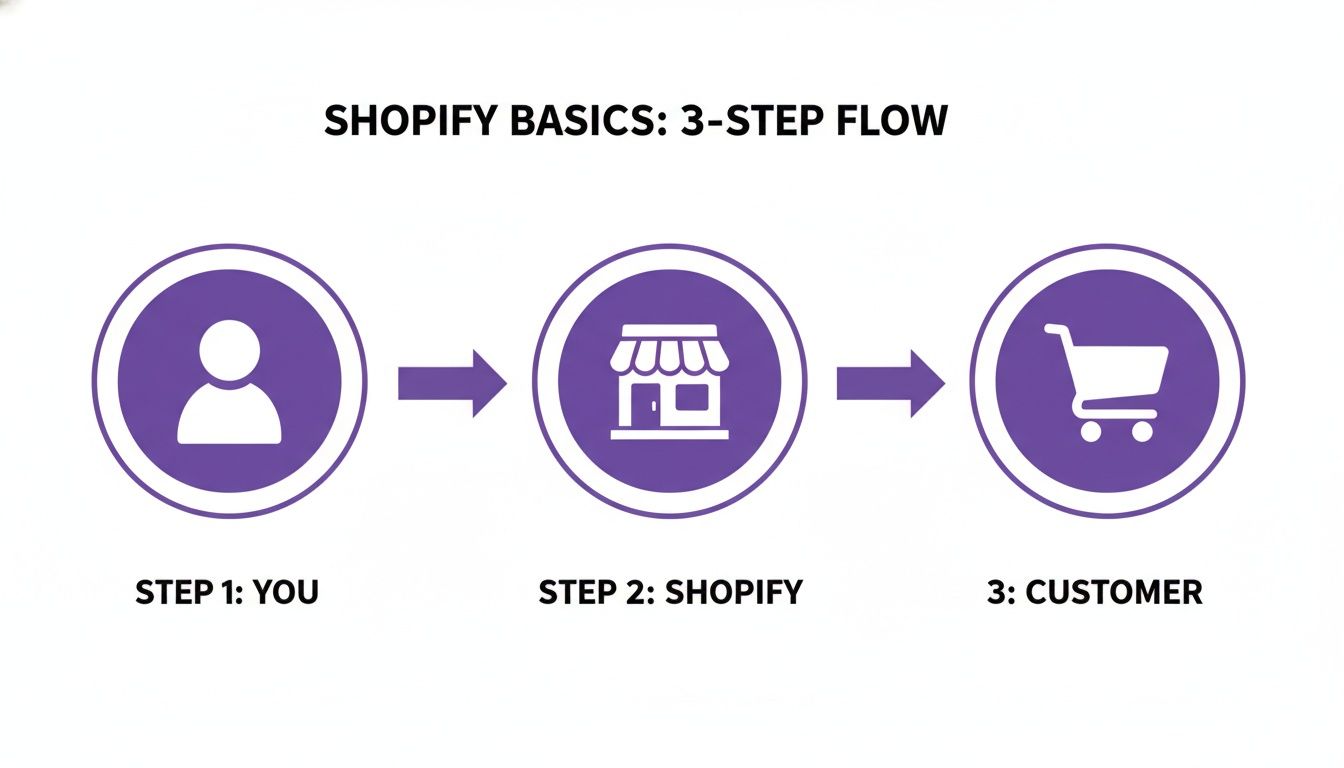
Shopify essentially acts as the bridge, providing all the technology and infrastructure needed to handle everything from the moment a customer lands on your site to the moment their order arrives at their door.
Creating Your Digital Storefront
First things first, you need to decide what your store will look like. This is where themes come in. A theme is just a pre-designed template for your website that controls its layout and style. Shopify has a theme store packed with free and paid options, and every single one can be customized to match your brand's unique vibe.
With your theme in place, it’s time to add your products. This is more than just uploading a photo; it’s about crafting a page that sells. For each item you list, you’ll add:
- Product Titles and Descriptions: Clear, compelling text that explains what the product is and why a customer should want it.
- High-Quality Images: Show off your products from every angle. Don't skimp here—great photos sell.
- Pricing: How much does it cost?
- Inventory: The number of units you have on hand. Shopify tracks this for you automatically as sales come in.
You'll also group your products into collections. Think of these as the different aisles in a retail store—like "Men's T-Shirts" or "Limited Edition Prints"—to make browsing a breeze for your customers.
Defining Product Variations
Let's be real: most products aren't one-size-fits-all. A t-shirt comes in different sizes and colors. A coffee blend might be available as whole bean or ground. Shopify handles this elegantly with variants.
Instead of creating a separate product page for a red shirt, a blue shirt, and a black shirt, you create one "Classic T-Shirt" product and add variants to it. For example:
- Size: Small, Medium, Large, X-Large
- Color: Red, Blue, Black
This keeps your store tidy and makes shopping much simpler for your customers. Each variant can have its own specific price, stock level, and SKU (Stock Keeping Unit), giving you granular control over your inventory.
Setting Up Payments and Shipping
Okay, your store looks great and your products are listed. Now you need to get paid and get your products to your customers. This is your digital "cash register" and "shipping department," and Shopify makes setting them up incredibly simple.
For payments, the easiest route is Shopify Payments, their built-in processor that lets you accept all major credit cards right out of the box. If you need more options, you can connect to over 100 third-party payment gateways for things like cryptocurrency or specific regional payment methods. As you're setting this up, it's worth taking the time for choosing the best payment gateway for your Shopify store to ensure it aligns with your business goals.
At its core, Shopify is designed to remove the technical headaches. You focus on building the front-end experience your customers love, while Shopify’s powerful back-end engine handles all the heavy lifting—processing orders, tracking inventory, and managing payments securely.
For shipping, you'll configure shipping zones (the countries or regions you deliver to) and set your rates. You can offer flat-rate shipping, free shipping on orders over a certain amount, or even real-time calculated rates from carriers like UPS or USPS. When an order rolls in, you can print shipping labels directly from your dashboard, keeping the entire fulfillment process under one roof.
Building Your Brand with Themes and Apps
A great online store is more than just a grid of products—it's an experience. This is where we move past the basic mechanics of Shopify and get into the fun part: building a brand that actually connects with people. The platform’s ecosystem of themes and apps is your toolbox for creating a storefront that’s both memorable and professional.
Think of your theme as the architecture of your digital shop. It sets the layout, the style, and the overall vibe customers feel the moment they land on your site. The Shopify Theme Store has a ton of options, both free and paid, built for just about every industry and aesthetic you can imagine. Whether you're going for a clean, minimalist look for a luxury brand or something bold and colorful for a kids' toy store, you’ll find a solid starting point.
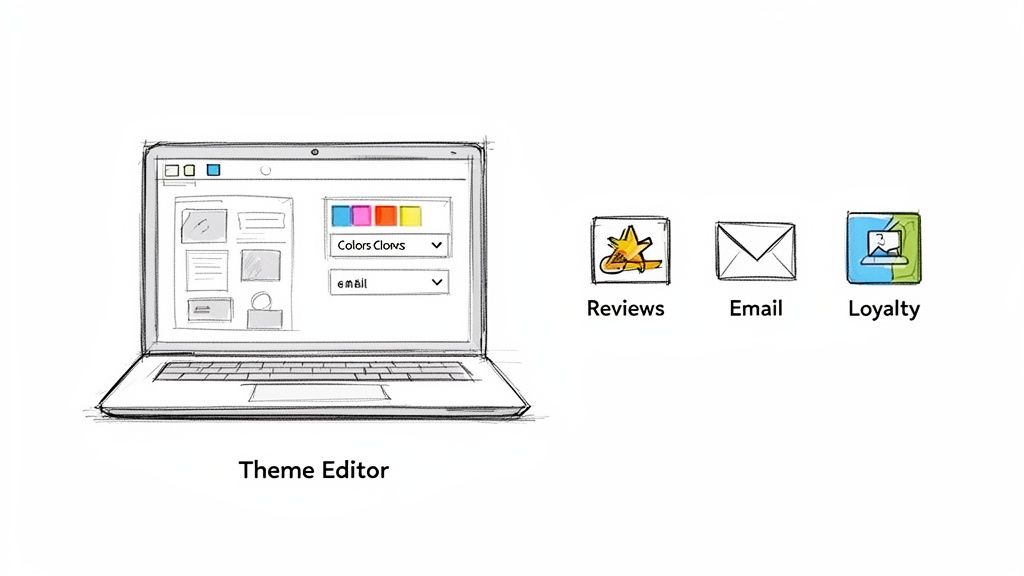
The best part? You don't need to be a web designer to make something beautiful. Every theme is powered by a drag-and-drop editor that lets you tweak fonts, colors, and layouts without touching a single line of code. This means you can get a polished, professional-looking store up and running in a fraction of the time it would take to build one from the ground up.
Customizing Your Storefront Experience
Picking a theme is just step one. The real magic happens when you start customizing it to reflect your brand's unique voice and vision. Shopify’s theme editor is designed to give you that creative control, letting you make the store truly your own.
It's a "what you see is what you get" kind of setup, so you can play around with different elements and see the changes happen in real time. Want to add a promotional banner to the top of your homepage? Easy. Need to showcase customer testimonials to build a little trust? Just drag that section into place. This flexibility is fundamental to how Shopify helps entrepreneurs create standout online experiences.
You can adjust nearly every visual part of your site:
- Color Palettes: Dial in your brand's exact colors for buttons, text, and backgrounds.
- Typography: Choose from a huge library of fonts to set the right tone.
- Homepage Sections: Add, remove, and shuffle around blocks for featured products, image galleries, or blog post snippets.
This level of control ensures your store's design is a perfect match for your brand identity, which is crucial for standing out in a crowded market.
A theme provides the structure, but your customizations give it personality. This combination is what transforms a generic template into a powerful brand asset that connects with your ideal customer.
Expanding Functionality with the Shopify App Store
If themes are the architecture, then apps are all the cool features and specialized tools inside. The Shopify App Store is a massive marketplace with thousands of add-ons designed to solve specific business problems and give your store new superpowers.
It works just like the app store on your phone. If you need your site to do something specific—whether it’s for marketing, customer service, or inventory management—there’s almost certainly an app for that. This is a core part of how Shopify works, making the platform incredibly versatile and able to adapt to pretty much any business model.
Integrating apps unlocks a whole new level of power. You can add sophisticated features that would normally cost a fortune in custom development, often in just a few clicks.
Here are a few real-world examples of what you can do:
- Build Social Proof: Install an app like Loox or Judge.me to automatically collect and display photo reviews from happy customers, which works wonders for building trust with new visitors.
- Launch Email Marketing Campaigns: Connect a service like Klaviyo to send automated emails for abandoned carts, welcome new subscribers, or run targeted sales promotions.
- Create a Customer Loyalty Program: Use an app like Smile.io or LoyaltyLion to reward repeat shoppers with points and discounts, keeping them coming back.
- Offer Advanced Product Options: Add apps that let customers personalize products with custom text, uploaded images, or different material choices.
And that's just scratching the surface. The ability to seamlessly bolt on these kinds of features is what allows a brand-new Shopify store to compete with established giants, offering a rich customer experience without a massive upfront investment.
Managing Your Store's Daily Operations
Once you've got your store looking sharp and filled with products, the real work begins. Your focus shifts from design to the day-to-day hustle: turning curious visitors into paying customers and getting those orders out the door. This is where Shopify really shines, giving you a suite of tools to handle the messy logistics of running an online business.
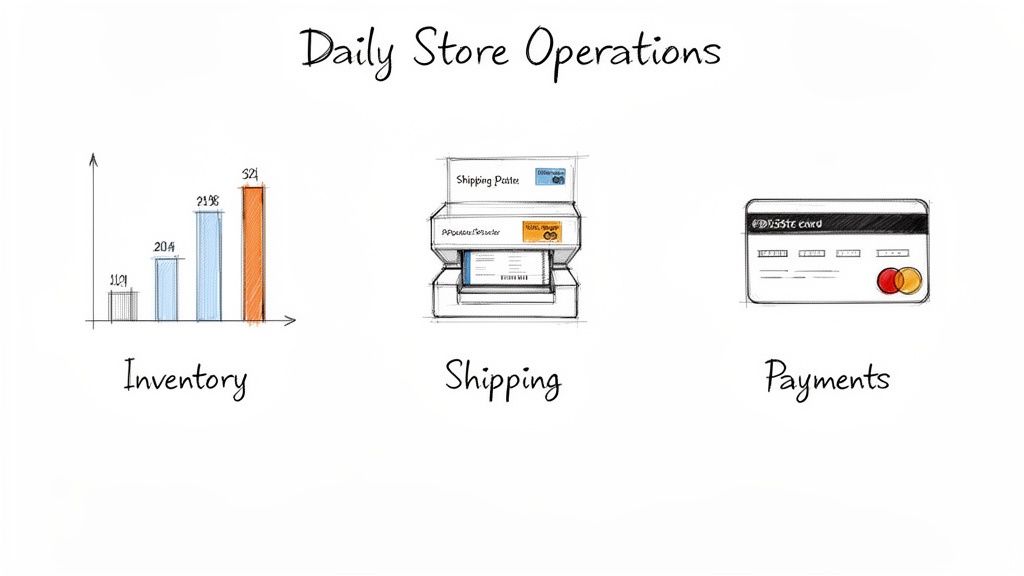
Shopify takes all those critical tasks—processing payments, managing inventory, shipping packages—and pulls them into one clean dashboard. It turns what could be a chaotic mess into a manageable workflow, so you can run your business without tearing your hair out. Let's dig into how it handles the big three: payments, shipping, and inventory.
Streamlining Payments with Shopify Payments
First things first: you need to get paid. Shopify makes this incredibly simple with its own processor, Shopify Payments.
For most people just starting out, this is the quickest way to accept all major credit cards. In most countries, it's turned on by default, so you don't have to waste time setting up a separate account with a third-party gateway. Just fill out your details and you're good to go.
Because it's built right in, every sale, fee, and payout is tracked in one place. This makes bookkeeping so much easier. As a nice bonus, Shopify often gives you better transaction rates for using its native processor compared to bringing in an outside one.
Mastering Your Shipping and Fulfillment
Getting products to your customers on time and without breaking the bank is a huge piece of the e-commerce puzzle. Shopify gives you a powerful set of shipping tools to tackle this head-on. You get to decide exactly where you'll ship and what you'll charge.
It all starts by setting up shipping zones, which are just groups of countries or regions you deliver to. From there, you can create specific shipping rates for each zone. You have a ton of flexibility here:
- Flat-Rate Shipping: The simple approach. Charge a single price per order, like a $5 flat fee for any shipment in the country.
- Price-Based Rates: Encourage bigger orders by offering better shipping deals. A classic example is offering free shipping on all orders over $75.
- Weight-Based Rates: A fair method where shipping costs are calculated based on how heavy the items in the cart are.
- Calculated Rates: Let the pros do the math. This option pulls real-time shipping costs directly from major carriers like USPS, UPS, and DHL.
When an order is placed, you can buy and print shipping labels straight from your Shopify admin, often at a discounted rate. This is a massive time-saver—no more copying and pasting addresses into another website. As you grow, finding a reliable shipping partner is crucial. To get a better handle on this, you can check out this guide on choosing the best courier service for e-commerce success in Australia.
Shopify's operational tools are built to work together seamlessly. By tying payments, shipping, and inventory into a single system, you can manage the entire journey of an order—from the customer's click to the package landing on their doorstep—all from one command center.
Automating Inventory Management
There's nothing worse than selling a product you don't actually have. It's a quick way to get an angry email and a bad review. Shopify's inventory management is designed to stop that from ever happening.
When you add a new product, you just tell Shopify how many you have on hand. From that moment on, the system takes over.
Every time someone buys that item online, the stock count automatically drops. If you also use Shopify POS to sell in-person, the inventory syncs across both channels in real time. This means you always have a single, accurate view of your stock levels, which virtually eliminates the risk of overselling and disappointing a customer. Your storefront always shows what you can actually deliver.
Choosing the Right Shopify Plan for Your Business
Picking the right Shopify plan is one of the first big decisions you'll make. Think of it like choosing the right-sized retail space for a physical shop. You don't want to pay for a massive warehouse when you're just starting, but you also need enough room to grow without having to move every six months.
Shopify has structured its plans to grow right alongside your business. You start where you are and move up only when it makes sense. The platform's three main monthly plans—Basic, Shopify, and Advanced—are each built for a different stage of a business's journey.
The biggest differences between them boil down to a few key things: transaction fees, the depth of your sales reports, and how much you save on shipping. As you go up in tiers, the monthly price goes up, but your per-transaction costs go down. That means as you sell more, a higher-tier plan can actually save you money.
Basic Plan: The Ideal Starting Point
If you're just getting your feet wet with e-commerce, the Basic plan is your best friend. It’s perfect for new entrepreneurs, people testing a dropshipping idea, or anyone launching a side hustle. It gives you everything you need to get a beautiful store online and start making sales without a huge upfront commitment.
Even on the Basic plan, you get:
- A complete, fully-functional online store
- The ability to add unlimited products
- Access to Shopify's 24/7 support team
Consider it your starter kit. It's built for businesses whose main focus is just getting off the ground. The reporting is straightforward, but it’s more than enough to show you what’s selling and who’s buying.
Shopify Plan: For Growing Businesses
Once you’ve got some momentum and sales are starting to roll in consistently, it's time to look at the Shopify plan. This is where things get serious. This tier is built for growing brands that need more powerful tools to run things smoothly as order volume picks up.
The biggest win here? Lower transaction fees. The monthly subscription is a bit higher, but the savings on credit card processing fees can quickly make up for it if you're doing solid numbers. This plan also unlocks professional reporting, which gives you much deeper insights into sales trends and customer habits—the kind of data you need to make smart decisions.
Shopify’s ability to scale is one of its core strengths. The plans let you grow seamlessly from a small startup to an enterprise-level brand with Shopify Plus, all on a solid platform that handles security and guarantees 99.99% uptime.
Advanced Plan: For Scaling and Automation
The Advanced plan is for established, high-volume businesses that are ready to optimize every part of their operation. This tier has the lowest transaction fees of the core plans, making it the most cost-effective choice for stores that are really pushing product.
Its killer feature is the advanced report builder. You can create completely custom reports to track the exact metrics that matter to your business. It also gives you access to third-party calculated shipping rates, which shows customers real-time shipping quotes from carriers right at checkout. This transparency can do wonders for building trust and boosting your conversion rate.
Shopify's power to support businesses from their very first sale all the way to global enterprise status is why it's a giant in the industry. It powers over 4.6 million websites and holds a whopping 23% market share among the world's top one million e-commerce sites. You can dive deeper into Shopify's market position on yaguara.co.
Shopify Plan Comparison
To make it even clearer, here’s a side-by-side look at what each Shopify plan offers. This should help you pinpoint the best fit for your current business needs and budget.
| Feature | Basic Shopify | Shopify | Advanced Shopify |
|---|---|---|---|
| Best For | New businesses, side hustles, testing ideas | Growing businesses with consistent sales | Established, high-volume businesses |
| Online Credit Card Rates | 2.9% + 30¢ | 2.6% + 30¢ | 2.4% + 30¢ |
| Staff Accounts | 2 | 5 | 15 |
| Reporting | Basic reports | Professional reports | Advanced report builder |
| Shipping Discount | Up to 77% | Up to 88% | Up to 88% |
| Calculated Shipping | ✖️ No | ✖️ No | ✔️ Yes |
Ultimately, the right plan is the one that gives you the tools you need now while offering the best value for your current sales volume. The good news is that you can always upgrade (or even downgrade) as your business evolves.
Who Is Shopify For? Real Business Examples
To really get a feel for what Shopify can do, it helps to look at who’s actually using it and winning. It’s not some one-size-fits-all magic bullet. Think of it more like a flexible foundation that can support all kinds of different businesses.
You’ll find everyone from side-hustlers testing a new idea to massive brands running global operations on the platform. Let's break down four common types of businesses that really make Shopify shine and see how specific features help them succeed.
The Savvy Dropshipper
Dropshippers are the classic e-commerce entrepreneurs who sell products without ever touching the inventory. A customer buys something, the order gets zapped over to a supplier, and that supplier ships it directly to the customer. It's a model that has exploded into a $476 billion industry because it makes getting started in e-commerce incredibly accessible.
For a dropshipper, Shopify is mission control for marketing and sales. They aren't worried about warehouse logistics; their entire game is about getting eyeballs on products and turning clicks into customers.
- Key Shopify Feature: The Shopify App Store is their best friend. Apps like DSers or CJdropshipping are non-negotiable, connecting their store directly to huge supplier networks like AliExpress. This automates everything from pulling products into their store to sending the order out for fulfillment.
- How It Works for Them: Someone can spin up a store with hundreds of products in a single afternoon without spending a penny on inventory. Their job is pure marketing—running Facebook ads, mastering SEO, and driving traffic back to their Shopify site while the apps handle the backend grunt work.
The Modern Direct-to-Consumer Brand
Direct-to-Consumer (DTC) brands play a totally different game. They make their own stuff and are obsessed with building a powerful brand and a community of loyal fans. Think of the companies selling unique clothing lines, artisanal coffee, or specialized skincare—they skip the big retailers to own the entire customer journey themselves.
For DTC brands, Shopify is more than a sales channel—it is their digital flagship store. It provides the canvas to tell their brand story, control the customer experience from start to finish, and build lasting relationships.
These founders need absolute control over their site's look and feel to get their brand's vibe across. Shopify’s customizable themes and drag-and-drop editor give them the tools to build a polished, on-brand experience that doesn't feel like a template. They also lean heavily on the built-in blog to share their origin story and use email marketing integrations to keep their audience engaged.
Creators and Artists
The creator economy is on fire, and Shopify has become the go-to platform for artists, YouTubers, musicians, and influencers who want to sell directly to their audience. They're selling everything from t-shirts and merch to digital goods like e-books, presets, and art prints.
Their entire business is built on their personal brand and the direct connection they have with their followers. Shopify gives them a central place to run all their commercial activities, keeping fans in their own ecosystem. This is a huge advantage over sending people to third-party marketplaces that take a bigger cut and keep all the valuable customer data for themselves.
Common Questions New Store Owners Ask
Even with a good grasp of the basics, a few questions always seem to come up when entrepreneurs are just getting started. Let's tackle the most common ones head-on so you can move forward with confidence.
Do I Need to Be a Designer or a Coder to Use Shopify?
Absolutely not. This is probably the biggest myth out there. Shopify was built from the ground up for people who are experts in their products, not in web development.
You can launch a beautiful, professional-looking store without ever writing a line of code. The platform’s drag-and-drop editor and massive library of themes give you all the creative control you need. Want to add something extra, like customer reviews or an email pop-up? The Shopify App Store has thousands of apps that you can install with just one click. It's really that simple.
What’s the Real Difference Between Shopify and WooCommerce?
This is the classic debate, and a simple analogy breaks it down perfectly.
- Shopify is like leasing a brand-new, fully-equipped retail space in a high-end shopping mall. Your monthly rent covers security, maintenance, utilities (hosting), and all the essential fittings. It’s an all-in-one package designed to get you selling immediately.
- WooCommerce is like buying a plot of land. The land itself (the WooCommerce plugin) is free, but you're responsible for everything else. You have to arrange your own hosting, handle all the security, manage technical updates, and build the entire store from scratch.
Ultimately, Shopify is built for simplicity and speed, letting you focus on your business, not the backend tech. WooCommerce offers endless technical freedom but requires you to manage the infrastructure yourself.
The core choice comes down to this: Do you want an all-in-one solution that manages the tech for you (Shopify), or a more hands-on, self-hosted platform that gives you total control (WooCommerce)?
Can I Use My Own Domain Name with Shopify?
Yes, and you absolutely should. When you first sign up, Shopify gives you a default URL like your-store-name.myshopify.com. But for building a real brand and earning customer trust, a custom domain like YourAwesomeBrand.com is non-negotiable.
Getting it set up is straightforward. You can buy a new domain directly through your Shopify admin panel. Or, if you already own one from a registrar like GoDaddy or Namecheap, you can connect it to your store in just a few minutes. Shopify has clear guides to walk you through the whole process.
Are There Any Hidden Fees I Should Worry About?
Shopify is refreshingly transparent with its pricing, so there aren't really any "hidden" fees. Your costs are predictable and fall into a few key buckets:
- Your Monthly Plan Fee: This is your subscription for the Basic, Shopify, or Advanced plan. It’s a fixed cost.
- Transaction Fees: These are for processing payments. If you use the built-in Shopify Payments, you'll just pay a standard credit card rate (for example, 2.9% + 30¢ on the Basic plan).
- Third-Party Gateway Fees: If you decide not to use Shopify Payments and go with an external gateway like PayPal instead, Shopify will charge an additional fee on each transaction. This fee ranges from 2.0% down to 0.5%, depending on your plan.
- Optional Apps and Themes: The only other costs come from your own choices. You might decide to buy a premium theme for a one-time fee or subscribe to paid apps from the app store to add specialized features to your store.
Ready to stop overpaying for essential e-commerce tools? With EcomEfficiency, you get bundled access to 50+ premium AI, SEO, and ad-spy tools like Semrush, Midjourney, and Pipiads for one low monthly price. Cut your software costs by up to 99% and get everything you need to find winning products, analyze competitors, and scale your brand. Join over 1,000 e-commerce operators who are building smarter, not spending more, at EcomEfficiency.