8 Essential TikTok Video Editing Tips for E-commerce Growth in 2025

In the fast-paced world of e-commerce, standing out on TikTok isn't just about having a great product; it's about telling a compelling story in under 60 seconds. The secret? Mastering the art of video editing. Great editing transforms a simple product showcase into a viral sensation, driving traffic, engagement, and sales for your Shopify store. But you don't need a Hollywood budget or years of experience. This guide breaks down essential TikTok video editing tips designed specifically for direct-to-consumer (DTC) brands.
The goal is to scale without dubious shortcuts and without hurting your credibility.
We'll move beyond the basics and dive straight into actionable techniques for framing shots, perfecting your pacing, leveraging sound, and creating a seamless workflow that converts viewers into customers. Whether you're using TikTok's native editor or a more powerful tool like CapCut, these strategies will help you create high-impact content that resonates with the TikTok audience and builds your brand. We will cover everything from jump cuts and text overlays to speed ramping and synchronizing with trending audio.
Each tip is crafted to be immediately applicable, helping you turn raw footage into polished, scroll-stopping videos that look professional and feel authentic. These methods are the building blocks of a successful content strategy, giving you the power to test different creative approaches and find what truly connects with your audience. To unlock the full potential of your TikTok strategy and master various platform functionalities beyond just editing, you might find value in exploring these comprehensive Tiktok How To guides. Ready to get started? Let’s dive into the techniques that will make your products pop and your sales soar.
1. Jump Cuts and Quick Transitions
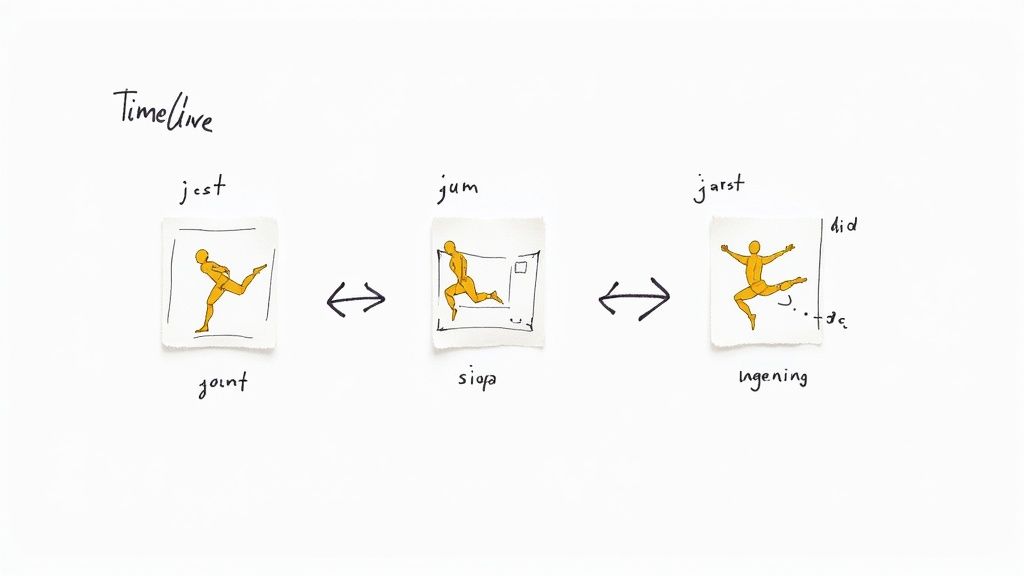
Jump cuts are the lifeblood of TikTok's fast-paced environment. This editing technique involves creating abrupt, often jarring, transitions between two clips of the same subject shot from a similar camera position. By cutting out small portions of a clip, you eliminate pauses, filler words, and dead air, creating a dynamic rhythm that keeps viewers hooked from the first second. This is one of the most fundamental TikTok video editing tips for maintaining high energy and viewer retention.
For e-commerce brands, this technique is essential for showcasing product features, demonstrating a "how-to" guide, or revealing a transformation without wasting precious seconds. Instead of a long, continuous shot of assembling a piece of furniture, a series of jump cuts can show the process from start to finish in a brisk, satisfying sequence.
Why This Technique Is So Effective
The primary benefit of the jump cut is its ability to compress time and maintain momentum. In an app where users can swipe away in an instant, holding their attention is paramount. Jump cuts ensure there's always something new happening on screen, preventing the viewer's focus from drifting. This creates a more polished and professional feel, even for content filmed on a smartphone.
Think of it this way: a video of someone unboxing a product can be slow. With jump cuts, you can instantly move from opening the box to revealing the item to showcasing its key feature, all within three seconds. This rapid-fire delivery makes the content feel more exciting and respects the viewer's time.
Actionable Tips for Implementation
To use jump cuts effectively, focus on precision and rhythm.
- Cut on the Action: Make your cuts just before or after a distinct action. For example, as a hand reaches for a product, cut to a close-up of the product itself. This makes the transition feel intentional rather than random.
- Sync to Audio: Align your cuts with the beat of a trending sound or the rhythm of your voiceover. A cut that lands perfectly on a snare drum hit or at the end of a sentence feels incredibly satisfying and professional.
- Add "Cushioning" Sounds: To make the abruptness less jarring, layer in subtle sound effects like a quick swoosh, click, or pop at the moment of the cut. This audio cue helps smooth the visual transition.
- Vary Your Shots: While classic jump cuts use the same camera angle, you can enhance the effect by slightly changing the framing or angle between clips. This adds visual interest and prevents the scene from feeling static.
2. Text Overlays and Captions
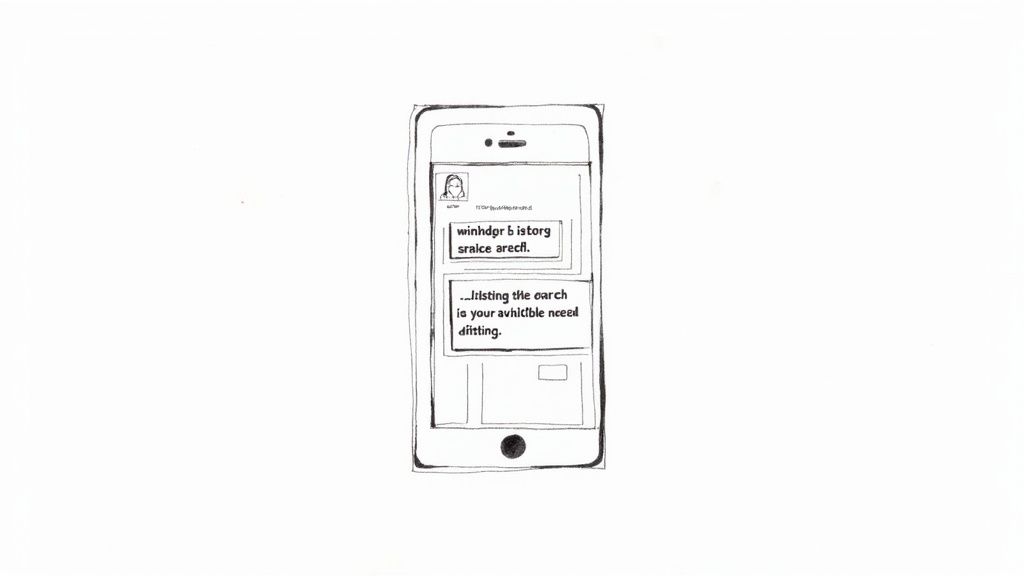
Text overlays are one of the most powerful and versatile tools in the TikTok editing arsenal. This feature allows you to place words, phrases, or full captions directly onto your video content to provide context, land a joke, ask a question, or guide the viewer’s attention. TikTok’s native text editor is surprisingly robust, offering control over font, color, size, background, and timing. Mastering text overlays is a critical TikTok video editing tip for boosting comprehension, accessibility, and engagement.
For e-commerce brands, text is invaluable for highlighting key product benefits, announcing a sale, or explaining a complex feature that visuals alone can't convey. A simple text overlay like “50% Off Today Only” or “Unbreakable Glass Screen” can immediately communicate your value proposition, even if the viewer is watching with the sound off.
Why This Technique Is So Effective
The core benefit of text overlays is their ability to reinforce your message and capture attention in a sound-off environment. A significant portion of users scroll through TikTok without audio, making visual text essential for communicating your narrative. Overlays can add layers of humor or information that transform a simple video into a compelling story, a common tactic in popular POV (Point of View) and educational content.
Furthermore, text acts as a visual anchor, directing the viewer's eyes to exactly where you want them to look. By timing text to appear at key moments, you can create suspense ("Wait for it..."), highlight a specific product feature as it appears on screen, or pose a question to drive comments and interaction. This layer of communication significantly increases the video's overall impact and clarity.
Actionable Tips for Implementation
To make your text overlays effective, focus on readability, timing, and strategic placement.
- Prioritize High Contrast: Ensure your text is easily readable. Use white text with a dark shadow or background over busy visuals, or black text on light-colored scenes. The goal is instant legibility.
- Keep It Brief and Punchy: Use short, scannable phrases (3-5 words) that deliver a quick punch. Avoid long sentences that require viewers to pause and read; instead, break up longer thoughts into a sequence of timed text overlays.
- Sync Text with Key Moments: Time your text to appear and disappear in sync with audio cues, beat drops, or important visual actions. This creates a cohesive and professional rhythm that enhances the viewing experience.
- Use Captions for Accessibility: Always add closed captions to your video. TikTok's auto-caption feature makes this easy. It not only makes your content accessible to hard-of-hearing users but also boosts retention for sound-off viewers.
- Avoid the "Safe Zones": Be mindful of the TikTok UI. Keep important text away from the very top and bottom and the right-hand side of the screen, where usernames, captions, and engagement icons can obscure it.
3. Green Screen and Background Effects
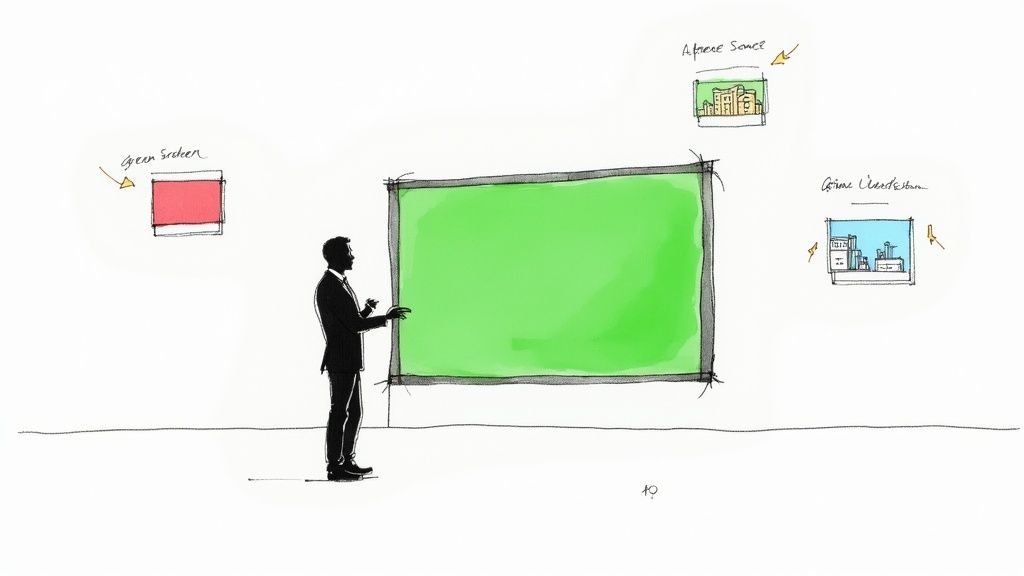
The green screen effect, also known as chroma key, is one of TikTok's most powerful and accessible creative tools. It allows you to digitally replace your background with any image or video from your camera roll, instantly transporting you to a new location or context. This technique opens up endless possibilities for storytelling, product demonstrations, and engaging educational content without ever leaving your room.
For e-commerce brands, the green screen is a game-changer. You can use it to place your product in its ideal environment, demonstrate its use case with a relevant background video, or even react to customer reviews by displaying screenshots behind you. It’s an incredibly versatile tool for creating visually compelling content on a budget.
Why This Technique Is So Effective
The main benefit of the green screen is its ability to provide context and visual variety without the need for expensive location shoots. It allows you to create high-concept videos that look polished and professional, which helps capture and hold viewer attention. This technique is a cornerstone of many viral TikTok video editing tips because it makes complex ideas simple to visualize.
Imagine trying to sell a portable camping stove. Instead of just showing it on a tabletop, use the green screen effect to place yourself in front of a video of a stunning mountain landscape. This immediately communicates the product's purpose and sells the aspirational lifestyle associated with it, making your marketing far more effective.
Actionable Tips for Implementation
To get the most out of TikTok's green screen feature, focus on creating a clean and believable effect.
- Ensure Good Lighting: Use bright, even lighting to minimize shadows on yourself and your background. A well-lit subject will separate more cleanly from the digital background, avoiding that fuzzy or pixelated outline.
- Contrast is Key: Wear clothing that contrasts with the primary colors of your chosen background image or video. If your background is a lush green forest, avoid wearing green.
- Choose High-Quality Backgrounds: Use high-resolution images and crisp, stable videos for your background. A blurry or shaky background will instantly make the effect look amateurish and distracting.
- Frame Your Shot Deliberately: Position yourself so that you don't block the most important parts of the background image. The background should complement your message, not compete with it.
4. Speed Ramping and Time Effects
Speed ramping is a powerful technique that involves dynamically changing the speed of a video clip, smoothly transitioning from slow-motion to fast-forward and back again. This manipulation of time adds a professional, cinematic flair, allowing you to control the video's pacing and emphasize key moments. On TikTok, where you can adjust clip speeds from 0.3x to 3x, this effect is one of the most effective tiktok video editing tips for creating visual drama and holding viewer attention.
For e-commerce brands, speed ramping can transform a simple product demonstration into a captivating visual story. Imagine a clip of a waterproof jacket: you can fast-forward through the setup, slow down dramatically as water beads off the fabric, and then speed back up to show the final dry result. This creates a more engaging and memorable product showcase than a standard, uniformly paced video.
Why This Technique Is So Effective
The core benefit of speed ramping is its ability to manipulate viewer focus and emotion. By slowing down a specific action, you signal its importance and give the audience a moment to appreciate the detail, whether it’s the intricate stitching on a handbag or the smooth pour of a beverage. Conversely, speeding up mundane or repetitive actions, like unboxing or assembly, cuts out the fluff and gets straight to the value proposition.
This control over pacing makes your content feel more intentional and high-production. When synced perfectly to a beat drop in a trending audio, a speed change can create a deeply satisfying moment that encourages viewers to re-watch and share. It’s a simple way to add rhythm and a professional touch that sets your content apart.
Actionable Tips for Implementation
To master speed ramping, think about the rhythm and purpose behind each speed change.
- Sync to the Beat: The most impactful speed ramps are synchronized with audio cues. Use a dramatic slow-motion effect that begins right on a major beat drop or a significant lyrical moment for maximum effect.
- Emphasize the "Money Shot": Identify the single most important moment in your clip-the product reveal, a satisfying texture, or a key feature in action. Use slow-motion (0.5x is a great starting point) to highlight this specific frame.
- Compress the Boring Parts: Use fast-forward (1.5x to 2x) to quickly move through less critical parts of your video, such as setting up a scene or transitioning between product uses. This respects the viewer’s time and keeps the energy high.
- Plan Your Shots: When filming content intended for slow-motion, ensure you have excellent lighting and shoot at a higher frame rate if possible. This prevents the slowed-down footage from looking blurry or choppy.
5. Color Grading and Filters
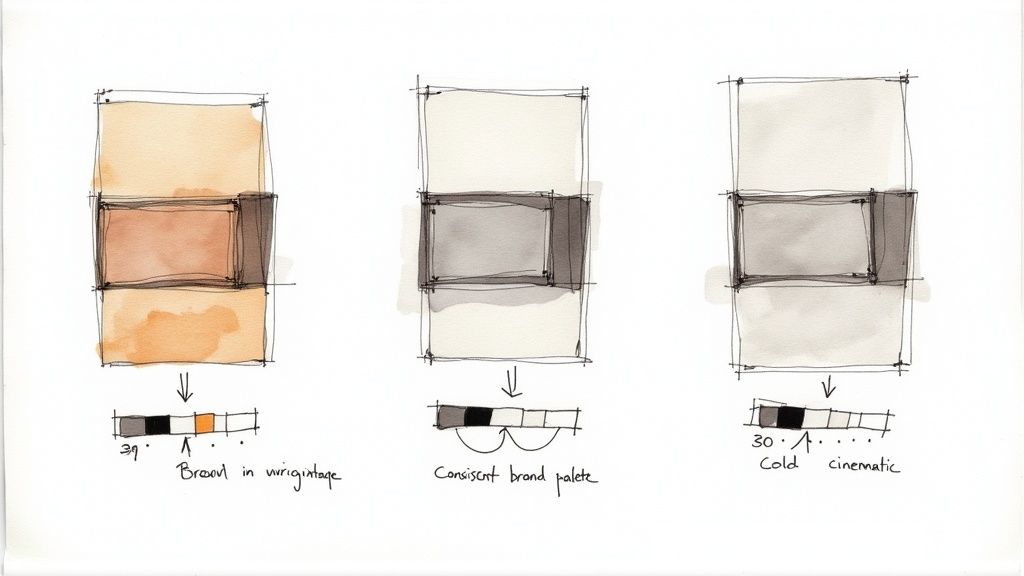
Color grading is the process of altering and enhancing the color of your video to create a specific mood, aesthetic, or visual identity. More than just a simple filter, it involves adjusting elements like contrast, saturation, and brightness to tell a story and make your content instantly recognizable. For e-commerce brands, consistent color grading is a powerful tool for building brand recall and making products look more appealing in the feed. This is a key TikTok video editing tip for establishing a professional and cohesive brand presence.
This technique is fundamental for creating a signature look. For example, a brand selling outdoor gear might use earthy, natural tones to evoke a sense of adventure, while a luxury skincare brand may opt for a clean, bright, and minimalist color palette. The goal is to make your content feel like it belongs to your brand, even before a logo appears on screen.
Why This Technique Is So Effective
The primary benefit of color grading is its ability to evoke emotion and establish brand identity. Color has a powerful psychological impact. Warm tones can make a product feel cozy and nostalgic, while cool tones can create a sleek, modern, or even futuristic vibe. By applying a consistent color grade across all your videos, you create a visual signature that helps your content stand out in a crowded "For You" page.
For Shopify store owners, this is crucial. When a potential customer sees one of your TikToks, they should subconsciously associate its unique look and feel with your brand. This consistency builds trust and makes your feed look more curated and professional, encouraging users to click through to your profile and, ultimately, your store.
Actionable Tips for Implementation
To use color grading and filters effectively, focus on consistency and subtlety.
- Choose a Signature Palette: Don't just pick a random filter for each video. Decide on a core color aesthetic that aligns with your brand. Is it warm and vintage? Cool and cinematic? Bright and vibrant? Stick with it.
- Use Warm vs. Cool Tones Strategically: Apply warm filters with orange and yellow undertones for lifestyle, food, or cozy home goods. Use cool filters with blue and purple undertones for tech, modern fashion, or minimalist products.
- Avoid Over-Saturation: Pushing colors too far can make your video look unnatural and cheapen the perception of your product. Aim for a look that enhances reality, not distorts it. A little goes a long way.
- Enhance Product Features: Use color adjustments to make your product the hero. For example, you can slightly increase the saturation on a brightly colored piece of apparel to make it pop against a more muted background.
6. Stickers, Emojis, and Visual Effects
TikTok's built-in library of stickers, animated emojis, and visual effects is a powerful toolkit for adding personality and context to your videos. These dynamic graphics can highlight key product features, punctuate comedic moments, or simply make your content more visually engaging and native to the platform. Using them effectively is a core TikTok video editing tip for creating content that feels current and interactive.
For e-commerce brands, this is an opportunity to guide the viewer's eye and add a layer of playful branding. A simple arrow sticker can point to a specific feature on a new gadget, while a "New Arrival" sticker can create excitement around a product launch. These visual cues add emphasis and clarity without needing a complex voiceover or text overlay, making the video more scannable and impactful.
Why This Technique Is So Effective
The main benefit of using stickers and effects is their ability to enhance storytelling and direct attention. They act as visual signposts that tell the viewer exactly what to look at or how to feel. A well-placed sparkle effect can make a product look more desirable, while a question sticker can prompt direct engagement from your audience in the comments section.
Furthermore, leveraging trending stickers and effects can improve your video's discoverability. The TikTok algorithm often prioritizes content that utilizes its native features, including popular new effects. This makes your content feel more relevant and can help it reach a wider audience beyond your existing followers, turning a simple product demo into a potential viral hit.
Actionable Tips for Implementation
To integrate stickers and effects like a pro, focus on strategy and subtlety.
- Highlight, Don't Obscure: Place stickers strategically to draw attention to important elements, like a unique fabric detail or a specific button on a device. Ensure they enhance the view rather than covering up the product itself.
- Sync Animations to Audio: Time the appearance of an animated sticker or a visual effect to land perfectly on a beat drop or a key word in your audio. This creates a satisfying, professional rhythm that captivates viewers.
- Use Effects for Emphasis: Reserve high-impact effects like confetti, sparkles, or glitches for big reveals or celebratory moments, such as an "unboxing" or a "before-and-after" transition. Overusing them can dilute their impact.
- Test on a Mobile Screen: Before publishing, always double-check how your stickers look within the TikTok UI. Ensure they aren't covered by the caption, username, or engagement icons on different phone screen sizes.
7. Trending Sounds and Audio Synchronization
Synchronizing your video's action with trending sounds is not just a tip; it's a fundamental rule of TikTok culture. Audio is the engine of virality on the platform, and videos that precisely match their visuals to beat drops, lyrical cues, and sound effects feel native and engaging. This technique involves timing every cut, transition, and movement to the rhythm of a popular sound, creating a satisfying and shareable viewing experience.
For e-commerce brands, this is a powerful way to tap into existing conversations and cultural moments. Imagine a product reveal perfectly timed to a dramatic beat drop, or a "get ready with me" video where each product application syncs with a new lyric. This transforms a simple product showcase into a piece of entertainment that feels less like an ad and more like part of the platform's natural flow.
Why This Technique Is So Effective
The power of audio synchronization lies in its ability to create emotional resonance and algorithmic synergy. When visuals and audio align perfectly, it creates a sense of completion and satisfaction for the viewer, making the content more memorable and likely to be watched repeatedly. The TikTok algorithm also heavily favors videos that use trending sounds, as it pushes this content to users who have already shown interest in that specific audio.
By using a trending sound, you're essentially piggybacking on its existing popularity. Your video is more likely to appear on the For You Page of users who have engaged with that sound before, drastically increasing your reach and discovery potential. Critical for effective storytelling and impact on TikTok, learning how to sync audio to video precisely is an essential editing skill that directly influences view count and engagement.
Actionable Tips for Implementation
To master audio sync, focus on precision and creative alignment.
- Find Trends Early: Regularly check the "Sounds" tab on the TikTok creation page to see what's trending. Using a sound within the first week of it gaining traction gives your video a higher chance of being boosted by the algorithm.
- Map Your Actions to the Audio: Before filming, listen to the sound several times and plan your key actions or cuts around its most prominent beats, lyrics, or effects. This pre-planning makes the editing process much smoother.
- Use the In-App Editor: TikTok's editor is designed for this. Use the "Sync" feature or manually drag your clips along the timeline to align visual moments exactly with the audio waveform's peaks and valleys.
- Don't Just Use the Sound, Add to It: The best videos interpret the sound creatively rather than just copying a trend. Think about how a sound about transformation could be used for a before-and-after of your product in action.
8. Transitions and Creative Connectors
Transitions are the creative glue that holds different scenes together, moving your narrative forward with style and flair. On TikTok, a well-executed transition can be the star of the show, captivating viewers and making them wonder, "How did they do that?" These techniques range from simple cuts on a beat to elaborate, in-camera tricks that create a seamless flow between different locations, outfits, or products. Mastering transitions is a powerful TikTok video editing tip that can elevate your content from a simple clip to a viral-worthy performance.
For e-commerce brands, creative transitions are perfect for showcasing product variety or demonstrating a before-and-after transformation. Imagine a fashion brand revealing a new collection where each outfit appears with a satisfying finger snap, or a skincare brand using a hand-wipe transition to reveal clear, glowing skin. These dynamic connectors make product reveals more engaging and memorable.
Why This Technique Is So Effective
The primary benefit of a clever transition is its ability to create a "wow" factor and maintain narrative flow. Instead of just cutting from one shot to the next, a creative transition builds anticipation and delivers a satisfying visual payoff. This keeps viewers locked in, eager to see what comes next. It signals a high level of effort and creativity, which can build brand affinity and encourage shares.
A smooth transition can make disparate clips feel thematically connected. For example, an object-throw transition, where a product is tossed off-screen and "caught" in a completely new setting, powerfully communicates versatility. It’s a storytelling shortcut that is both efficient and visually impressive, making your marketing message stick.
Actionable Tips for Implementation
To make your transitions seamless and impactful, focus on planning and precision.
- Sync to the Beat: The most effective TikTok transitions are synchronized perfectly with the audio. Plan your cuts and movements to land exactly on a strong beat drop, a lyrical cue, or a distinct sound effect for maximum impact.
- Maintain Consistency: When performing in-camera transitions like an outfit change spin or a hand wipe, ensure your camera position, lighting, and your own body positioning remain as consistent as possible between takes. This is the key to creating a seamless illusion.
- Practice Your Moves: Many popular transitions require physical coordination. Rehearse your hand movements, spins, or jumps multiple times to get the timing and execution right before you hit record. Smoothness is crucial.
- Use Matched Cuts: A matched cut involves ending one clip with a specific shape or object and starting the next clip with a visually similar one. For example, cutting from a round bottle cap to a full moon creates a clever and sophisticated connection.
8-Point TikTok Video Editing Tips Comparison
| Technique | 🔄 Complexity | ⚡ Resource requirements | 📊 Expected outcomes | Ideal use cases | ⭐ Key advantages / 💡 Tips |
|---|---|---|---|---|---|
| Jump Cuts and Quick Transitions | Low–Moderate — simple edits, timing-sensitive | Low — phone editor; more footage/shots needed | High retention and fast pacing 📊 | Short-form dance, comedy, quick tutorials | High engagement ⭐ — Cut on beats; avoid overuse 💡 |
| Text Overlays and Captions | Low — basic timing and placement | Very low — built-in tools; minimal extra assets | Better comprehension and accessibility 📊 | Educational, POV, comedy, caption-heavy content | Improves clarity & discoverability ⭐ — Use high contrast, 3–5 words per overlay 💡 |
| Green Screen and Background Effects | Moderate — lighting and keying skill needed 🔄 | Moderate — backdrop or controlled lighting; custom backgrounds | Increased visual variety and professional feel 📊 | Travel simulations, product demos, storytelling | Enables location flexibility ⭐ — Use even lighting and contrasting clothing 💡 |
| Speed Ramping and Time Effects | Moderate–High — planning and precise timing 🔄 | Low–Moderate — good lighting; multiple takes for best results | Dramatic emphasis and dynamic pacing 📊 | Dance highlights, sports, reactions, comedic timing | Emphasizes moments ⭐ — Sync speed changes to beats; test audio 💡 |
| Color Grading and Filters | Low–Moderate — simple presets to manual tweaks | Low — built-in filters; optional editing apps | Consistent mood/brand and higher shareability 📊 | Aesthetic lifestyle, beauty, travel, brand content | Establishes visual identity ⭐ — Use a consistent palette; avoid over-saturation 💡 |
| Stickers, Emojis, and Visual Effects | Low — drag-and-drop but placement matters | Very low — large built-in library | Boosts playfulness and engagement but can clutter 📊 | Comedy, gaming, fashion highlights, POVs | Adds emphasis & trendability ⭐ — Use strategically; sync with beats 💡 |
| Trending Sounds and Audio Synchronization | Low–Moderate — selection + precise sync 🔄 | Very low — platform audio library; possible licensing limits | High potential reach and virality 📊 | Dance challenges, transitions, lip-syncs, trends | Drives discoverability ⭐ — Join early, trim and sync audio precisely 💡 |
| Transitions and Creative Connectors | High — requires multiple takes and choreography 🔄 | Moderate — extra filming time and planning | Strong creative impact and smoother narratives 📊 | Outfit changes, montages, transition-driven trends | Showcases editing skill ⭐ — Practice, keep transitions short and beat-synced 💡 |
From Editor to E-commerce Pro: Your Next Move
You've just navigated a comprehensive toolkit of TikTok video editing tips, moving far beyond generic advice into the realm of strategic, sales-driven content creation. We’ve covered everything from the scroll-stopping power of rapid jump cuts and the clarity of dynamic text overlays to the immersive potential of the Green Screen effect and the professional polish of color grading. Each technique is a distinct tool, but their true power emerges when you combine them with purpose.
Think of your TikTok editing process not as a checklist, but as a creative laboratory. The goal isn't just to make a video; it's to craft a visual and auditory experience that guides a viewer from passive discovery to active interest, and ultimately, to a purchase. The difference between a video that gets a few likes and one that sells out a product often lies in these subtle yet powerful editing choices. A perfectly timed transition can hold attention for a crucial extra second, while synchronized audio can make a product demonstration feel undeniably satisfying and memorable.
Key Takeaways for E-commerce Growth
To truly transform your content, internalize these core principles:
- Pacing is Paramount: Quick cuts, speed ramping, and sharp transitions are the heartbeat of TikTok. Your editing should feel energetic and intentional, eliminating any moment that might cause a viewer to lose interest. For e-commerce, this means showing your product in action from multiple angles in a short, dynamic sequence.
- Clarity Drives Conversion: Use text overlays, automated captions, and clear on-screen instructions to your advantage. Your audience may be watching with the sound off, so your video must communicate its core message visually. Highlight key benefits, pricing, and your call-to-action with bold, easy-to-read text.
- Sound is Half the Story: Leveraging trending sounds isn't just about chasing virality; it's about tapping into the platform's native culture. Aligning your edits, transitions, and product reveals with the beat of a popular audio track makes your content feel organic and significantly boosts its reach through the algorithm.
- Consistency Builds Your Brand: While experimentation is vital, developing a recognizable editing style helps build brand identity. Whether it's a specific filter, a unique transition you always use, or a consistent text font, these elements make your content instantly identifiable in a crowded "For You" page.
Your Actionable Path Forward
Mastery comes from application. Don't let this knowledge remain theoretical. Your immediate next step is to put these TikTok video editing tips into practice. Choose one or two techniques from this guide that you haven't tried before and commit to using them in your next three videos.
Start by storyboarding a simple before-and-after concept for one of your products. Plan your shots with specific transitions in mind. Challenge yourself to tell a story using only quick cuts and a trending sound. A/B test two versions of the same video: one with a simple text CTA and another with an animated sticker CTA. The data you gather from these small, focused experiments will be invaluable, providing direct feedback on what resonates with your specific audience.
Ultimately, becoming proficient at TikTok video editing is one of the highest-leverage skills an e-commerce brand can develop today. It's the engine that powers authentic customer connection, drives organic traffic, and turns casual viewers into loyal customers. The more you edit, test, and refine, the closer you get to unlocking the full commercial potential of the world’s most powerful social platform.
Ready to streamline your entire content creation workflow? Instead of juggling multiple expensive subscriptions for editing, AI, and market research, consolidate your tools with EcomEfficiency. Get premium access to Capcut, Canva, Midjourney, Pipiads, and more, all for one low monthly price and start producing data-driven TikTok content more efficiently.