Your Guide to TikTok Shop Seller Requirements

Ready to start selling on TikTok Shop? Before you can get your products in front of millions, you need to get your house in order. Think of it like a pre-flight checklist for your e-commerce journey. Getting these foundational pieces right from the start is crucial for a smooth launch.
The goal is to scale without dubious shortcuts and without hurting your credibility.
TikTok is serious about creating a safe marketplace, which means they have clear rules for who can sell. At the most basic level, you'll need to be at least 18 years old, have a registered business, and provide a valid ID.
Eligibility Essentials for TikTok Shop Sellers
Navigating these requirements is your first big step. TikTok puts these rules in place to protect both buyers and sellers, ensuring a trustworthy environment for everyone.
Key Takeaway: Meeting all of TikTok's requirements isn't just about getting approved; it's about building trust and gaining visibility right from day one.
The Seller Center Dashboard
Your command center for this whole process is the TikTok Shop Seller Center. This is where you'll upload your documents and track your verification status. The dashboard lays out every step clearly, so you always know what’s next.
With nearly 15 million sellers globally and over 500,000 in the US alone, the platform is buzzing. You can dive deeper into the numbers with this research on TikTok Shop growth.
Key Seller Requirements at a Glance
To give you a clearer picture, here’s a quick breakdown of what to expect in a few key regions. Requirements can vary slightly, so always double-check the specifics for your location.
| Region | Minimum Followers | Business Registration | Tax ID | Allowed Categories |
|---|---|---|---|---|
| US | 10,000 | Required | Required | All physical goods |
| UK | 10,000 | Required | Required | All physical goods |
| Southeast Asia | 5,000–10,000 | Required | Required | Local-approved items |
As you can see, the core requirements are pretty consistent.
Your Document Checklist
You'll need a few key documents ready to go. Having these prepared in advance will make the application process much faster.
- Business Registration Certificate: This is the official proof of your legal business entity.
- Government-Issued ID: A valid ID that matches the name on your business documents is a must.
- Tax ID: Your tax identification number or VAT documentation is required for financial processing.
- Bank Account Info: You'll need to set up your payment details to receive your shop payouts.
Of course, getting your shop live is just the beginning. To really succeed, you need to stay on top of the latest e-commerce strategies. You can find more expert insights on the branditok blog.
Understanding and following TikTok’s product rules is non-negotiable. The platform has strict category restrictions to keep prohibited items like weapons, counterfeit goods, and other illegal products off the marketplace. This pre-launch check helps you start selling with confidence, knowing you're in full compliance.
Pro Tip: Make a habit of checking TikTok’s policy center at least once a month. Policies change, and staying ahead of updates will save you a lot of headaches.
Once you’ve cleared the eligibility and documentation hurdles, your focus should shift to maintaining great performance metrics and optimizing your store.
If all your documents are clear and accurate, verification typically takes just a few business days. The most common hiccups? Mismatched names between your ID and business registration, or blurry, unreadable document scans. These simple mistakes can cause significant delays.
Final Verification Tips
To avoid getting stuck in the approval queue, follow these simple tips:
- Double-check everything. Make absolutely sure the name on your ID is an exact match for the name on your business registration.
- Keep it clean. Crop your document images to remove any distracting background clutter. A clear, focused image is easier to verify.
- Be proactive. Start monitoring your seller feedback and performance metrics from day one.
Navigating Regional Eligibility Rules
Think of getting started on TikTok Shop like planning an international trip—the entry requirements change depending on where you're headed. The TikTok Shop seller requirements aren't one-size-fits-all. They’re specifically adapted to the laws, economies, and customer expectations of each country.
What gets a seller approved in the United States might not cut it for someone in the United Kingdom or Southeast Asia. For example, some regions are strict about follower counts, while others focus almost exclusively on local business documentation. This regional approach helps TikTok stay compliant with local laws and create a better shopping experience for everyone.
This decision tree gives you a great visual of the core questions you need to answer before you even start.
It boils the process down to three simple checks: confirm your location, figure out your business type, and then pull together the right documents for that specific combo.
United States and United Kingdom Requirements
In Western markets like the U.S. and the U.K., it's all about having a formal business structure. TikTok is pretty strict about requiring sellers to be registered businesses with valid tax IDs. This is a hard line in the sand meant to ensure everyone is operating above board from day one.
While individual creators can sometimes get in, they usually need a significant social media presence—the magic number is often cited as over 10,000 followers—and a solid track record of creating content. For registered businesses, though, the focus shifts from social proof to official paperwork.
Key Takeaway: For sellers in the U.S. and U.K., your business license and tax ID are your passport to TikTok Shop. Your application is a non-starter without them, no matter how many followers you have.
Southeast Asia Market Variations
Things look a bit different in Southeast Asian countries like Indonesia, Vietnam, and the Philippines. While having a registered business is still important, the platform is often more flexible and understands that local business structures vary.
The requirements here can be more detailed, sometimes changing based on your product category or seller type within the same country. For instance, you might find:
- Minimum Follower Counts: These can be anywhere from 1,000 to 10,000, depending on the country and if you're signing up as a creator or a business.
- Account Age: Some regions might require your TikTok account to be active for a certain amount of time, like 30 to 90 days, before you can apply.
- Proof of Residency: You'll absolutely have to prove you live in the country you want to sell in. This is a critical part of the verification process.
No matter where you are, your first step should always be to visit the official TikTok Shop Seller Center and check the specific guidelines for your region. This saves a ton of time and helps you get everything right from the start, avoiding the frustration of a rejected application.
Preparing Your Documents for Verification
Think of TikTok's verification process as the bouncer at an exclusive club. If your name's not on the list and your ID doesn't check out, you're not getting in. This step isn't about creating red tape; it's how TikTok ensures the marketplace is safe and full of legitimate businesses.
The single best thing you can do to get your shop approved quickly is to get all your paperwork in order before you even start the application. Knowing the specific TikTok Shop seller requirements for your region puts you way ahead of the game.
Your Core Document Checklist
For most sellers, the documents you'll need boil down to two things: proving who you are and proving your business is real.
- Personal Identification: You'll need a government-issued photo ID that's clear and valid. A passport, driver's license, or national ID card usually works. The most important part? The name on this ID must exactly match the name of the business owner or legal representative on your business documents.
- Business Registration: This is the official paper that proves your company is a legal entity. Depending on where you are and your business structure, this could be your business license, Articles of Incorporation, or a registration certificate.
- Tax Identification: You have to provide a valid Tax ID Number (TIN). In the US, this is typically your Employer Identification Number (EIN); in the UK, it would be your VAT number. This is non-negotiable for handling payments and staying compliant.
A tiny mismatch between the name on your ID and the one on your business registration is one of the top reasons for getting rejected. Something as simple as a missing middle initial can flag your application and bring the whole process to a screeching halt.
This screenshot from a seller's guide shows exactly where you'll upload these files within the TikTok Shop Seller Center.
As you can see, the platform makes it pretty straightforward, with separate sections for your personal and business verification, so you know exactly what goes where.
Regional Document Differences
While the core requirements are similar everywhere, the specific documents TikTok asks for can change depending on your country. A business license in the US isn't the same as one in the UK or Southeast Asia, so it's critical to know what your local market demands.
Here’s a quick breakdown of what you can generally expect in different regions.
Required Documents by Region
| Region | Business License | ID Proof | Tax Certificate | Additional Permits |
|---|---|---|---|---|
| United States | State Business License, Articles of Incorporation | Passport, Driver's License, or State ID | IRS-issued EIN Confirmation Letter (CP 575) | Varies by industry (e.g., FDA for cosmetics) |
| United Kingdom | Companies House Registration Number (CRN) | Passport or Driving Licence | VAT Registration Certificate (if applicable) | Varies by product (e.g., food hygiene certs) |
| Southeast Asia | Business Registration Certificate (e.g., ACRA in Singapore) | National ID Card or Passport | Taxpayer Identification Number (TIN) Certificate | Product-specific licenses (e.g., cosmetic notifications) |
This table is a great starting point, but always double-check the latest requirements in your local TikTok Shop Seller Center to be absolutely sure you have everything you need.
Common Submission Mistakes to Avoid
So many sellers get held up by small, easily avoidable mistakes when uploading their documents. Getting it right the first time is the fastest way to get approved and start selling.
- Blurry or Unreadable Images: Your phone pictures need to be sharp. Make sure your documents are in a well-lit area, with no glare or shadows. All four corners of the document should be visible. If you have a scanner, use it.
- Expired Documents: This one's a classic. Check the expiration dates on your ID and any business licenses before you upload. An expired document is an instant rejection.
- Incorrect File Formats: Stick to what TikTok asks for, which is usually standard formats like JPEG and PNG. Uploading a PDF or another unsupported file type will just cause an error.
By getting these documents ready and steering clear of these common slip-ups, you’ll breeze through verification and get your TikTok Shop up and running without any frustrating delays.
Understanding Product And Policy Restrictions
Meeting the core TikTok Shop seller requirements for eligibility and documentation is just half the challenge.
Even if you’ve got a hot-selling gadget or a bestselling beauty item, it doesn’t automatically qualify for TikTok Shop. The platform enforces its own rulebook to keep buyers safe and maintain trust.
Think of these guidelines as traffic signals on a busy highway: ignore them, and you risk a collision—your listings could vanish or your account might face suspension. Following the rules isn’t merely about avoiding penalties; it’s about earning a solid reputation over time.
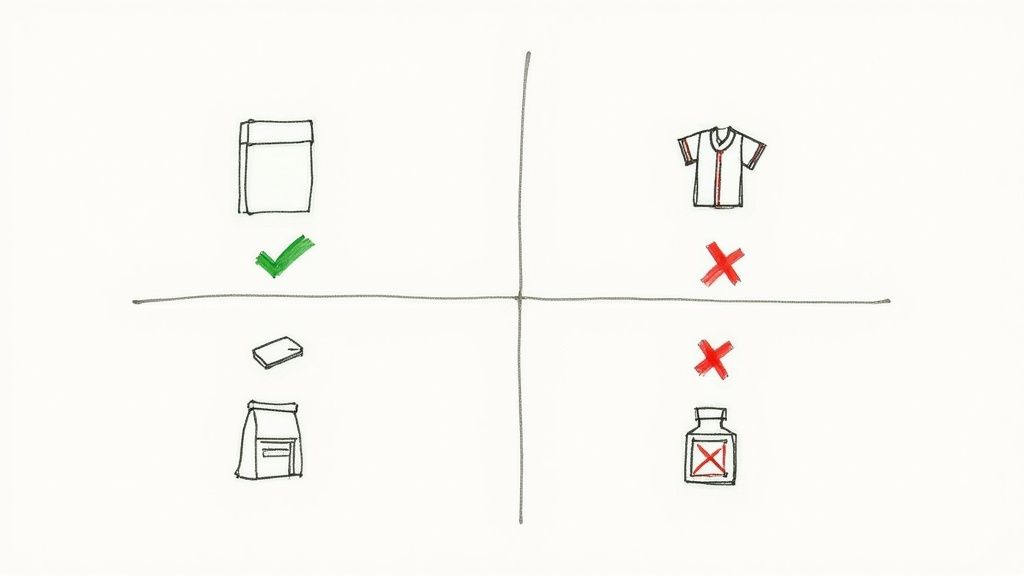
Before you hit Publish on any listing, take a moment to review TikTok’s Prohibited and Restricted Product Guidelines. This quick check can save you hours of troubleshooting down the line.
Prohibited Vs Restricted Categories
Let’s break down the difference: some items are completely off-limits, while others can appear on your shop if you jump through a few hoops.
Key Takeaway: Prohibited means never. Restricted means maybe—with approval. Mixing these up can trigger a compliance review.
Prohibited Products (Strictly Forbidden)
- Weapons and Ammunition: Firearms, explosives, and related gear.
- Illegal Drugs and Paraphernalia: Any item tied to illicit substances.
- Counterfeit Goods: Fake labels, knock-offs, or unauthorized replicas.
- Adult Products and Content: Explicit or sexual items off TikTok Shop.
- Tobacco and Vaping Products: All forms are banned.
Restricted Products (Require Approval)
- Beauty and Personal Care: Cosmetics must meet safety standards and labeling rules.
- Food and Beverages: Local food-safety compliance and licensing needed.
- Jewelry and Watches: High-value pieces often need authenticity certificates.
- Refurbished Electronics: Clear condition notes and quality guarantees are a must.
Branded Goods And Intellectual Property
Intellectual property is one of the trickiest areas—even experienced sellers slip up here. Trying to pass off a “designer-inspired” handbag as the real deal? That gets flagged fast. Always secure written permission before using brand names, logos, or copyrighted content. Keeping your authorization documents handy not only keeps your shop compliant but also builds trust with customers and TikTok alike.
Getting your TikTok Shop approved is really just the starting point. The real work begins now: keeping your shop in good standing by consistently meeting TikTok’s performance and service standards.
Think of it this way: TikTok is trusting you with its users. It needs to know you’re a reliable seller who provides a great experience. The platform uses a specific set of metrics to track your performance, and these numbers directly impact how visible your products are.
Your Seller Center dashboard is basically your shop's report card. It shows you exactly how you're doing, from shipping times to customer feedback. Staying on top of these metrics isn't just a suggestion—it's a core requirement for any seller who wants to grow and succeed.
Key Performance Metrics to Master
To stay on the right side of the algorithm, you need to keep a close watch on a few key benchmarks. TikTok rewards sellers who are dependable, so hitting these targets is non-negotiable.
- Order Fulfillment Rate: This is simple—what percentage of your orders are you actually shipping out? You need to keep this well above 95% to avoid any issues.
- Late Dispatch Rate: If you promise to ship in three days, you need to ship in three days. A low late dispatch rate tells TikTok you’re a pro.
- Seller-Fault Cancellation Rate: This tracks how often you cancel an order because of a problem on your end, like running out of stock. You want this number to be as close to zero as possible to maintain trust.
Your performance metrics are your reputation on TikTok Shop. Consistently high scores signal to the algorithm that your store is a trustworthy destination, leading to better visibility and more potential sales.
Meeting these standards is how you tap into the massive selling power of the platform. With TikTok Shop generating enormous gross merchandise value globally, the opportunity for sellers who play by the rules is immense.
The Impact of Customer Feedback
Logistics are one piece of the puzzle, but how you treat your customers is just as important. TikTok pays very close attention to your Customer Satisfaction Score (CSAT), which is pulled directly from buyer ratings and reviews.
A string of bad reviews or a high number of disputes can tank your shop's health score in a hurry. You need to be proactive. Responding quickly to questions and handling any issues professionally will not only keep your scores high but also help you build a base of loyal, repeat customers.
To really drive sales and maintain top-tier performance, you need great content. It's worth learning some strategies for turning shoppable UGC into conversions, as this is a powerful way to build trust and keep your shop growing.
Your Step-by-Step Onboarding Checklist
Feeling ready to jump in? Let's turn all those official TikTok Shop seller requirements into a simple, actionable game plan. Follow this checklist to make sure you've covered all your bases before hitting that "go live" button.
This isn't just about ticking boxes; it's about building a rock-solid foundation for your store from day one.
Think of it as the prep work that sets you up for long-term success, not just a quick approval.
Phase 1: Foundational Setup
First things first, let's get your paperwork in order. Nailing this phase is your best defense against the most common reasons for rejection. Getting this right from the start means a much smoother, faster approval process.
- Confirm Regional Eligibility: Is TikTok Shop actually open for business in your country? Double-check that and make sure you meet the age (18+) and residency rules.
- Establish a Legal Business Entity: Get your business officially registered. Whether you’re a sole proprietor, an LLC, or a corporation, make sure your legal structure is set up and recognized in your region.
- Gather Your Documents: Time for a paper chase. Get your government-issued ID, business registration certificate, and tax ID number (like an EIN in the U.S.) all in one place.
Pro Tip: Don't wait until you're filling out the application to find your documents. Scan everything into clear, high-resolution digital files (like a JPEG or PNG) right now. Blurry images are a surefire way to get delayed.
Phase 2: Account and Product Readiness
With your documents ready to go, it’s time to build out your digital storefront and get your products lined up. This is where you connect your business to the TikTok platform and prep your inventory for its big debut.
- Create or Convert to a TikTok Business Account: You can't run a shop from a personal account. Make sure you're using a Business Account to unlock all the critical seller tools and analytics.
- Review Product and Policy Guidelines: This is non-negotiable. Read through TikTok’s prohibited and restricted product lists carefully. Check every single item you plan to sell against these rules to avoid having your listings yanked down the road.
- Set Up Bank and Shipping Information: Head into the Seller Center and plug in your business bank account details so you can get paid. While you're there, configure all your shipping options.
Frequently Asked Questions
Got questions? You're not alone. Here are some quick, no-fluff answers to the most common things new sellers ask.
What are the absolute must-haves to get started?
First things first, you need to be at least 18 years old. You also have to be based in a country where TikTok Shop is live, like the US or UK. The biggest hurdle for most, though, is having a legally registered business with a tax ID. While some individual creators get in, they typically need a massive following and an invite.
Can I get away with selling on TikTok Shop without a business license?
Honestly, probably not. In almost every situation, having a registered business and a proper license is a deal-breaker. These documents are the core of TikTok's verification process—it's how they confirm you're a legitimate operation. Selling as a private individual just isn't a viable path in most places.
The #1 reason sellers get rejected is shockingly simple: mismatched names. Before you hit submit, triple-check that the name on your ID, your business license, and your bank account are an exact match.
My application got rejected. Now what?
Don't panic. The first step is to read the rejection email from TikTok very carefully—they'll usually tell you exactly what went wrong. It's often something small, like a blurry photo of your ID, a typo in your business details, or trying to list a product that isn't allowed. Fix the specific issue they pointed out, then head back to the Seller Center to resubmit your application.
Ready to master TikTok Shop and find winning products? EcomEfficiency gives you access to 50+ premium e-commerce tools like Kalodata, Pipiads, and Semrush for a fraction of the cost. Cut your software spending by up to 99% and get the data you need to scale. Learn more at https://ecomefficiency.com.