Shopify Profit Margin Calculator Guide

A Shopify profit margin calculator is one of the most vital tools you can have. It goes way beyond just looking at your daily sales numbers to show you what’s really happening with your store’s financial health. It forces you to look at every single cost—not just the obvious ones—to find the actual profit you're banking from each sale.
The goal is to scale without dubious shortcuts and without hurting your credibility.
Why High Revenue Is Not High Profit
It’s an easy trap to fall into, especially when you're starting out. Your phone buzzes with order notifications all day, and watching that revenue number climb feels like a huge win. But high revenue is a vanity metric. It doesn't pay the bills, it doesn't fund new inventory, and it certainly doesn't grow your business on its own. Profit does.
The confusion here is simple: revenue isn't profit. Revenue is the total cash your store brings in from sales. Profit is what’s left in your pocket after you’ve paid for everything it took to make those sales happen.
A T-Shirt Brand Example
Let's say you're launching a new t-shirt brand. You find a supplier for blank shirts at $8 a piece and pay a local printer $4 to add your design. That puts your Cost of Goods Sold (COGS) at $12. You price the shirt at $30. On paper, it looks like you’re making a tidy $18 profit on every shirt sold.
But that simple math is a dangerous oversimplification. That $18 is your gross profit, and it's a long way from your net profit. It completely ignores all the other little expenses that quietly eat away at your earnings.
The most common mistake I see new entrepreneurs make is underestimating their expenses. You only see true profitability when you track every single dollar that leaves your business, not just the cost of the product itself.
The Hidden Costs that Erode Margins
That seemingly healthy $18 profit starts shrinking fast when you tally up the real costs of running a Shopify store. Things like:
- Shopify Fees: Your monthly plan plus payment processing fees, which are typically around 2.9% + 30¢ per transaction.
- Shipping & Packaging: The actual cost of boxes, mailers, tape, labels, and the postage itself.
- Marketing Spend: Your daily ad budget on platforms like Facebook, Instagram, or Google.
- App Subscriptions: Those recurring fees for email marketing tools, review apps, and other add-ons.
- Discounts & Returns: The revenue you give up for promotions and the cost of handling returned items.
All of a sudden, that $18 profit might be closer to $5, or even less. This is precisely why a Shopify profit margin calculator isn't just a nice-to-have spreadsheet—it's a critical tool for building a sustainable business. For a deeper dive into this concept, understanding that cash is not profit is a fundamental lesson for any entrepreneur.
Even Shopify's own financial reports illustrate this. The company's gross profit margin has hovered around 48-49%, which shows the balance between its massive revenue and the equally massive costs of infrastructure and payment processing. You can see more details on Shopify's profitability metrics on ycharts.com. Internalizing this helps you focus on building a genuinely profitable store, not just one with impressive sales figures.
Uncovering Every Hidden Shopify Cost
Your true profit margin is hiding behind a dozen small expenses you might be overlooking. If you want to use a profit margin calculator correctly, you have to dig much deeper than just subtracting your product cost from the sale price. Let's pull back the curtain on every single expense that quietly eats into your bottom line.
Getting a precise handle on these costs is the only way to see a true picture of your store’s financial health. I like to group them into a few key buckets, which makes it easier to audit your own business and figure out where the money is really going.
Platform and Transaction Fees
These are the non-negotiable costs of doing business on Shopify. They might seem small order by order, but they pack a punch when you look at them monthly or annually.
First up is your Shopify subscription plan. Whether you're on Basic, Shopify, or Advanced, this is a fixed monthly cost you have to bake into your calculations. Simple enough.
Then you have the fees tied directly to sales. Shopify Payments transaction fees are skimmed off every single order processed through their gateway. In the U.S., you're typically looking at 2.9% + 30¢ for online sales on the Basic plan, with the rates getting a bit better as you move up the ladder.
Here's a classic mistake I see all the time: forgetting that transaction fees apply to the entire order value—including what the customer paid for shipping and taxes, not just the product price. That small detail can make a surprisingly big difference in your net profit.
And don't forget, if you use an external payment gateway like PayPal or Stripe, Shopify might charge you an additional transaction fee on top of what that processor takes. Always double-check your plan details.
Fulfillment and Shipping Costs
Getting your product from a shelf into your customer's hands is a journey filled with costs that go way beyond postage. This category is where profit margins often go to die if you're not paying close attention.
The most obvious expense is the carrier rate—what you actually pay USPS, UPS, FedEx, or another courier. This is a variable cost that bounces around based on package weight, size, and where it's headed.
But there's so much more to it:
- Packaging Supplies: This is everything from your branded boxes and mailers to the filler paper, tape, and shipping labels. These "consumables" can easily add $0.50 to $2.00 or more to every single order.
- Warehouse & Storage Fees: If you're using a third-party logistics (3PL) partner, you've got costs for storage, pick-and-pack services, and other handling fees to account for.
- Returns Processing: The cost of returns is a double-whammy. You have the direct cost of the return shipping label, plus the labor involved in inspecting, restocking, and processing the item once it's back in your hands.
Marketing and Advertising Spend
Let's be real: getting customers in the door is one of the biggest expenses for any ecommerce brand. Your marketing budget has a direct line to your profitability, and every dollar needs to be tracked.
Your ad spend on platforms like Meta (Facebook & Instagram), Google Ads, and TikTok Ads is usually the biggest piece of this pie. This is your Customer Acquisition Cost (CAC) in its rawest form.
Beyond the big ad platforms, this bucket also holds:
- Influencer Marketing: Any fees you pay creators for sponsored posts or collaborations.
- Affiliate Commissions: The payouts you give to partners who send sales your way.
- Content Creation: The cost of photoshoots, video production, or graphic design work for your marketing assets.
Software and App Subscriptions
A modern Shopify store is really a collection of powerful third-party apps, and nearly all of them come with their own recurring subscription fee. These small monthly charges can snowball into a surprisingly large fixed overhead.
Make it a habit to audit your app subscriptions regularly. You’re probably paying for:
- Email Marketing Platforms: Tools like Klaviyo or Omnisend.
- Review & UGC Apps: Services such as Judge.me or Loox.
- Subscription Management Tools: Apps that manage your recurring orders.
- SEO & Analytics Tools: Software for keyword research or site optimization.
For any Shopify merchant, an accurate profit margin calculation must include these operational and indirect costs. Just look at Shopify itself—its own reported EBITDA margin was around 12.5% for the 2024 fiscal year, showing that even the platform's profitability is determined after subtracting all its operational costs. During peak events like Black Friday-Cyber Monday 2024, Shopify merchants generated a staggering $11.5 billion in sales, a 24% jump from the previous year. That highlights how both massive revenue and its associated costs impact the final profit picture. You can dig into more details on Shopify's financial performance and merchant sales data on stockstory.org. This just reinforces why a detailed calculator is so essential for you to accurately project your own earnings.
How to Build Your Own Profit Calculator
It's time to get your hands dirty. While dozens of apps can track your numbers for you, there's a powerful clarity that comes from building your own Shopify profit margin calculator in a simple tool like Google Sheets. When you do it yourself, you gain a granular understanding of your business's financial engine. You'll see exactly how each cost—from ad spend to packaging—eats into your revenue, turning abstract numbers into a real story about your store's health.
This isn't just about plugging figures into a pre-made template. It’s about building the machine yourself so you know exactly how it works. Creating your own calculator forces you to confront every single expense, leaving no stone unturned.
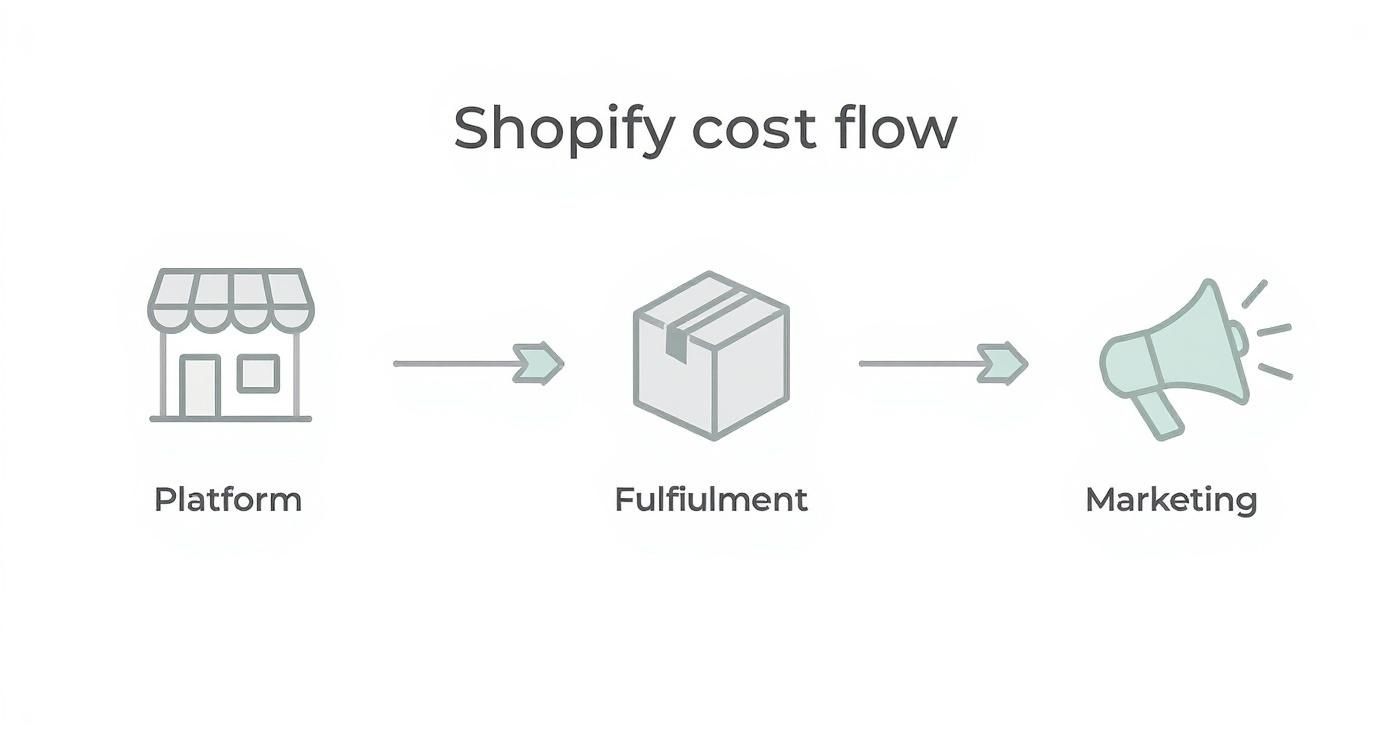
As you can see, a store's financial journey involves distinct cost stages. Each one chips away at your revenue before you arrive at your final net profit. Let's build a tool to map that journey.
Setting Up Your Spreadsheet
First things first, open a new Google Sheet or Excel file. The goal here is to create a clean, logical layout with dedicated sections for your inputs (all your costs) and your outputs (the profit calculations). Think of it as a financial dashboard for a single product or a typical order.
Start by listing every possible cost you can think of down a single column. This will become your master list of expenses, so be meticulous.
Here are the essential inputs you’ll need:
- Retail Price: What the customer actually pays you.
- Cost of Goods Sold (COGS): The direct cost of acquiring the product.
- Shopify Plan Fee (pro-rated): Your monthly plan fee divided by your average number of monthly orders.
- Payment Processing Fee: A formula that calculates 2.9% + $0.30 of the retail price (or your specific rate).
- Shipping & Handling Cost: The actual postage plus the cost of your boxes, mailers, and tape.
- Ad Spend (per order): Your total monthly ad spend divided by your total monthly orders.
- App Fees (pro-rated): The total monthly cost of your Shopify apps, divided by your average monthly orders.
Don't just guess at your pro-rated costs. Calculating them on a per-order basis is the only way to see the true cost of each sale. An app that costs $20/month might seem cheap, but if you only have 50 orders, that's an extra $0.40 baked into every single transaction.
The Essential Formulas for Profit Calculation
With your inputs listed, it's time for the magic. In the adjacent columns, you'll use a few simple formulas to bring your calculator to life. These calculations will transform that raw cost data into actionable insights.
Net Profit Formula:
This is the heart of your calculator. It shows you the actual cash left in your pocket after every single expense has been paid.Net Profit = Retail Price - (Sum of All Costs)
Profit Margin Formula:
This is arguably the most important metric for understanding your store's health. It expresses your net profit as a percentage of revenue, showing how efficiently you turn sales into actual profit.Profit Margin = (Net Profit / Retail Price) * 100
I recommend organizing your sheet so these two outputs are displayed prominently right at the top. They are your North Star metrics. While a full profit calculator is essential, you can also drill down into specific metrics. For example, a Contribution Margin Calculation can offer deeper insights into per-product profitability without factoring in fixed overhead.
Business Scenarios in Action
A calculator is just a tool; its real value comes from the stories it tells. To show you what I mean, let's plug in some numbers for three very different Shopify business models. This will highlight how unique cost structures completely change the profitability game.
Sample Shopify Profit Calculation Scenarios
| Metric | Scenario A: Dropshipping Store | Scenario B: Private Label Brand | Scenario C: Handmade Goods |
|---|---|---|---|
| Retail Price | $49.99 | $35.00 | $42.00 |
| COGS | $15.00 | $5.50 | $12.00 (Materials) |
| Shipping & Fulfillment | $0 (Included in COGS) | $4.50 | $9.50 (Fragile Item) |
| Packaging | $0 | $1.20 | Included Above |
| Labor Cost | $0 | $0 | $10.00 (Time) |
| Ad Spend (per order) | $22.50 (High CPA) | $8.00 | $4.00 (Organic Focus) |
| Payment Processing Fee | $1.75 | $1.32 | $1.52 |
| Total Costs | $39.25 | $20.52 | $37.02 |
| Net Profit | $10.74 | $14.48 | $4.98 |
| Profit Margin | 21.5% | 41.4% | 11.9% |
These scenarios paint three very different pictures.
The Dropshipping Store has a decent markup, but almost half its revenue is immediately wiped out by sky-high ad costs. The calculator instantly reveals that their primary focus must be on improving ad efficiency or finding cheaper customer acquisition channels.
The Private Label Brand is in a much stronger position with a robust 41.4% margin. For them, the calculator shows that the main levers for improvement are in optimizing shipping contracts or finding ways to reduce packaging costs, as their marketing is already quite efficient.
Finally, the Handmade Goods Store faces a stark reality. The high material and labor costs, combined with expensive shipping for fragile items, squeeze the margin down to just 11.9%. This calculator tells the owner they need to source materials more cheaply, streamline production to cut labor time, or find a better shipping deal.
Building this simple tool illuminates these specific pain points far better than a basic revenue report ever could.
Alright, you’ve put in the work, crunched the numbers, and now your profit margin calculator is spitting out a percentage. So... what now? What does that number actually tell you about your business?
A profit margin isn't just a number to stick in a report. Think of it as a vital sign—a quick, honest snapshot of your store's health. It shows you exactly how good you are at turning your revenue into actual profit.
https://www.youtube.com/embed/uYM2YnwO-20
A low number isn't a sign of failure. It's a signal. It’s your business telling you, "Hey, look over here! Something needs a tune-up." Your goal is to turn that calculator from a simple math tool into your command center for making smarter, more profitable decisions.
What Is a Good Profit Margin Anyway?
This is the question every store owner asks, and the real answer is always "it depends." What's considered "good" can vary wildly depending on your niche, your business model, and how long you've been in the game. A dropshipper working on razor-thin margins has a completely different reality than a brand selling high-end, handmade goods.
That said, it helps to have some general benchmarks to see where you land in the ecommerce world:
- 10% or Below: This is pretty tight. If you're doing massive volume, you might be able to make it work, but there's almost no wiggle room. A sudden jump in shipping costs or a bad ad campaign could easily erase all your profit.
- 10% to 20%: This is a much healthier place to be and where many successful ecommerce stores operate. It means you’ve got a solid buffer for unexpected expenses and can comfortably reinvest in growing your business.
- 20% and Above: If you're in this range, congratulations. This is generally considered a strong margin. It's a great sign that you have a handle on your costs, your pricing is on point, and customers love what you're selling.
Here's a pro tip: Stop obsessing over industry averages and start obsessing over your own numbers. Is your margin this quarter better than last quarter? Tracking your own trend over time is way more powerful than comparing yourself to a competitor you know nothing about. It helps you spot trouble long before it becomes a crisis.
Diagnosing a Low Profit Margin
If your calculator is showing a number that makes you wince, it's time to put on your detective hat. The good news is that all the clues you need are right there in the calculator you just built. The problem almost always comes down to one of three things.
1. Your Pricing Strategy Is Off
Are you actually charging enough? It sounds simple, but so many store owners set prices based on a gut feeling or what their competitors are doing, without truly accounting for all the costs. If your product costs are high but your retail price is low, there’s just no room left for profit.
2. Your Variable Costs Are Out of Control
This is a huge one. These are the costs that go up with every single order you ship. Pull up your calculator and take a hard, honest look at these line items:
- Shipping & Fulfillment: Are you getting the best rates from your carriers? Is your packaging efficient, or are you paying for oversized boxes and extra weight?
- Ad Spend (CAC): Your customer acquisition cost can be a silent killer. If you’re spending $25 on ads to sell a product that only has a $15 profit, you’re losing money on every sale. Inefficient ads can bleed you dry.
- Transaction Fees: Are you on the Shopify plan that makes the most sense for your sales volume? Sometimes, upgrading your plan can actually save you money on processing fees.
3. Your Fixed Costs Are Bloated
These are the bills you pay every month, whether you make one sale or a thousand. The most common culprit I see is "app bloat." You sign up for a cool Shopify app for $19.99/month, then another, and another. Suddenly, you're paying for a dozen subscriptions that aren't adding much to your bottom line. That overhead quietly eats into the margin on every single product you sell.
Just look at the trajectory of Shopify itself for inspiration. The platform's revenue grew from $205 million in 2015 to nearly $8.88 billion in 2024 because they mastered this exact game of managing growth and profitability. As more merchants joined and sold more products, Shopify's ability to generate profit from its platform fees grew exponentially—but only because they kept their own costs in check. You can see the full story in these Shopify revenue and merchant statistics on uptek.com.
The same principle applies directly to your store. As you grow, you get more leverage to negotiate better rates, streamline operations, and improve your margins. It all starts with understanding the numbers you're looking at right now.
Practical Ways to Increase Your Profit Margin

Okay, you've run the numbers through the calculator and you have a clear picture of your store’s financial health. Now for the fun part: making those numbers better.
The good news is that you don't need to reinvent the wheel. Small, consistent tweaks to the costs you've already identified can have a massive impact on your profitability. Let's walk through some of the most effective strategies I've seen work time and time again.
Lower Your Cost of Goods Sold
Your Cost of Goods Sold (COGS) is almost always the heaviest line item on your balance sheet. Because of this, even tiny reductions here pay huge dividends, boosting your margin on every single product sold.
A lot of new store owners make the mistake of accepting a supplier's first quote as the final price. It rarely is. Once you have an established relationship and consistent order history, you have leverage. Don't be shy about asking for better pricing, especially as your order volume grows.
Another powerful move is to place larger, less frequent orders. Buying in bulk is your best friend for unlocking tiered discounts. For instance, a supplier might give you a 5% discount for ordering 500 units at a time, but that could jump to a 10% discount for 1,000 units. Use your sales data to forecast your needs so you can make these bigger buys with confidence.
My best advice? Never stop sourcing. Even if you love your current supplier, set aside time every quarter to see who else is out there. It keeps you sharp on market rates and gives you a much stronger hand in any negotiation.
Optimize Your Shipping and Fulfillment Costs
For any e-commerce business, shipping is a notorious profit-eater. The costs can feel like a moving target, but with a bit of strategy, you can get them locked down.
Your first stop should be Shopify Shipping. It gives you instant access to pre-negotiated, discounted rates from major players like USPS, UPS, and DHL, all from your admin dashboard. For most stores, these rates are far better than what you could get by walking into a post office.
Next, get smarter with your shipping rules. Ditch the one-size-fits-all flat rate. Instead, set up tiered rates based on order weight, total cart value, or even the customer's location. This stops you from losing money when you have to ship a heavy, low-cost item across the country for a flat $5.
Consider these other shipping game-changers:
- Audit Your Packaging: Are you using the lightest, smallest mailer or box possible? Carriers charge based on "dimensional weight," so oversized packaging can quietly drain your profits.
- Offer Local Pickup: If you have a brick-and-mortar presence or a local warehouse, offering free pickup is a no-brainer. It completely eliminates shipping costs for your local customer base.
- Negotiate Directly: Once your volume is consistent—say, 50 or more packages a week—it’s time to talk directly to your carrier reps. You can often negotiate custom rates that beat the standard discounts.
Increase Your Average Order Value
Instead of only focusing on cutting costs, you can grow your margin by getting each customer to spend more. This is all about increasing your Average Order Value (AOV). A higher AOV means your fixed costs, like transaction fees and ad spend, are spread across more revenue, making each individual order more profitable.
One of the easiest wins here is strategic product bundling. Group complementary items together—like a cleanser, serum, and moisturizer—and offer the package at a slight discount. Customers love a good deal, and you move more products per transaction.
Upselling and cross-selling are also proven winners. Use a good Shopify app to suggest a premium version of a product (an upsell) or add-on accessories (a cross-sell) on the product page or in the cart. It's as simple as showing someone buying a new camera that they might also need a memory card.
Control Your Advertising Spend
Your marketing budget can either fuel your growth or become a massive black hole for your profits. The goal isn't just to make sales; it's to make profitable sales.
Get in the habit of auditing your ad campaigns regularly. Pinpoint exactly what's working and what's falling flat. If your Facebook ads are delivering a much higher Return on Ad Spend (ROAS) than your Google Ads, it's time to shift your budget. Double down on what works and cut the dead weight.
Finally, focus on your conversion rate. A tiny 1% increase in your store's conversion rate means you get more sales from the exact same ad traffic. This directly lowers your Customer Acquisition Cost (CAC) and gives your profit margin an immediate, healthy boost.
Common Shopify Profit Questions, Answered
When you're in the weeds of running your store, it's easy to get hung up on a few big financial questions. Let's tackle some of the most common ones I hear from store owners. Getting these sorted will help you move forward with a much clearer picture of your business's health.
What's a "Good" Profit Margin, Anyway?
This is probably the number one question I get. While it varies wildly by industry, a solid goal for a new store is a net profit margin between 10% and 20%.
Hitting that sweet spot means you've got enough of a cushion to handle surprises and still have cash left over to plow back into growing the business. If you're dipping below 10%, things are a bit precarious. On the flip side, if you're clearing 20%, you're absolutely crushing it.
Are My Shopify Apps Actually Making Me Money?
It’s so easy to let those monthly app subscriptions pile up. You need to periodically ask yourself: are these tools actually paying for themselves? The best way to figure this out is with a quick return on investment (ROI) check for each one.
For every app, ask a few direct questions:
- Does it directly boost sales? Think of an upsell or cross-sell app. If it costs you $30/month but brings in an extra $300 in sales, the value is crystal clear.
- Does it save me a ton of time? An automation app might not have a direct sales number tied to it, but if it saves you five hours of tedious manual work every month, that's time you can spend on marketing or product development. What's that worth to you?
- Does it improve a key metric? A good reviews app might not seem like a sales driver, but it builds social proof, which directly lifts your conversion rate. That has a real, tangible impact on your bottom line.
If an app isn't doing one of these three things, it might just be dead weight dragging down your profits.
Should I Be Paying Myself a Salary?
Let's get straight to it: yes, absolutely. And you must factor it into your expenses when you use a Shopify profit margin calculator.
Not paying yourself a salary gives you a dangerously false sense of profitability. This isn't a hobby. You're building a business that needs to sustain you.
Think of your salary as another fixed operational cost, right alongside your Shopify plan or your marketing budget. This forces you to price your products realistically, ensuring the business can cover not just its own costs, but your living expenses too. It's a critical step in building a truly sustainable company.
Ready to slash your software costs and boost your profit margins? EcomEfficiency bundles over 50 premium e-commerce tools for SEO, ad-spy, and AI content creation into one affordable subscription. Stop paying thousands and start saving at EcomEfficiency.