Your Guide to Free Amazon Keyword Research Tools

You absolutely can find powerful Amazon keywords without spending a dime. In fact, learning how to do it for free is more than just a smart budget move—it’s a core skill that will sharpen your market instincts and give you a much deeper understanding of how your customers actually shop.
The goal is to scale without dubious shortcuts and without hurting your credibility.
Why Mastering Free Keyword Research is a Game-Changer
Look, let's be real: the premium Amazon tool suites are expensive. If you're just starting out or running a lean operation, sinking a big chunk of your capital into software can feel daunting. But thinking of free tools as just a second-best option is a huge mistake. It's actually a strategic advantage that forces you to get your hands dirty and build a foundational skill set from the ground up.
This hands-on approach directly connects you to how real shoppers are searching, which is the key to boosting your product's visibility and, ultimately, your sales. When you aren't just relying on a dashboard to spit numbers at you, you start to see the little nuances in Amazon's search bar. You learn how to tear apart a competitor's listing with a critical eye and truly get inside a shopper's head.
The Financial Reality of Selling on Amazon
The high cost of premium software is what sends most sellers looking for free alternatives in the first place. Industry surveys consistently show that over half of new Amazon sellers are working with monthly budgets under $1,000, which means software costs have to be kept to a minimum. A single dedicated Amazon suite can run you $50–$200 a month. Stack just a few of those together, and you're easily looking at $300–$500 monthly, or over $3,600 a year. And that’s before you've spent a single dollar on advertising. If you want to dig deeper, you can discover more insights about these startup costs and seller trends from industry research.
This kind of financial pressure makes learning to use free resources an essential skill for survival and growth.
It's About More Than Just Saving Money
Beyond the obvious cost savings, mastering free keyword research gives you some serious advantages that even sellers with deep pockets can appreciate. It’s all about building market intuition that software simply can't replicate.
- You'll Understand Customers on a Deeper Level: When you manually type into the search bar and see the autocomplete suggestions, you're getting a raw, unfiltered look into the customer's mind. You see the exact long-tail phrases they’re using, which often reveals their biggest pain points and priorities.
- You'll Sharpen Your Analytical Skills: Without a tool giving you an automated "opportunity score," you have to learn to critically assess keyword relevance, competition, and buying intent yourself. This hones your ability to spot golden opportunities that others, blinded by their dashboards, might miss.
- You'll Minimize Your Financial Risk: Using free tools to validate a product idea before you invest thousands in inventory or PPC is one of the smartest things you can do. It's how you confirm there's real, genuine demand before you commit your hard-earned capital.
Success on Amazon isn’t about who has the most expensive software; it's about who has the smartest strategy. Learning to effectively use free Amazon keyword research tools builds a solid foundation that will serve you well, even if you eventually decide to upgrade. It’s the difference between renting data and truly owning your market knowledge.
Finding Your First Keywords Directly on Amazon
Your entire keyword research process kicks off right where your customers are shopping: on Amazon.com itself. The platform is an incredibly powerful—and completely free—tool for figuring out what shoppers are actually looking for. You just need to know where to look.
It all begins with a simple "seed" keyword. This is the most basic, common-sense term for your product. Selling a yoga mat? Your seed keyword is yoga mat. This is your starting point, the root from which your entire keyword strategy will grow.
Tapping into the Customer's Mind with Autocomplete
Once you have your seed keyword, head straight to the Amazon search bar. Type it in slowly, but don't hit enter. That list of suggestions that automatically pops up? That’s Amazon Autocomplete, and it's pure gold.
These aren't random guesses. They are the most frequent long-tail searches that real customers are typing in. This is a direct line into their specific needs, wants, and problems.
For our yoga mat example, you’ll likely see phrases like:
yoga mat for hot yoga non slip: This immediately reveals a major pain point—slipping during sweaty workouts.yoga mat with carrying strap: This highlights a desired feature for convenience and portability.yoga mat thick for bad knees: Here, we see a specific user need tied to comfort and support.yoga mat eco friendly: This points to a values-driven purchasing decision.
Each of these is a valuable long-tail keyword. Someone searching for yoga mat is just browsing. But a shopper looking for a yoga mat thick for bad knees knows exactly what they need and is much closer to making a purchase.
Pro Tip: Play around with this. Try typing your seed keyword followed by different letters of the alphabet (e.g.,
yoga mat a,yoga mat b). You'll trigger even more autocomplete suggestions and uncover terms you might have missed.
This simple exercise gives you a solid starting list of keywords straight from the source. It’s the foundation for building a truly customer-focused product listing.
This process flow illustrates the core steps: Find relevant terms, Understand the customer intent behind them, and then use that knowledge to Boost your product's visibility.
As you can see, finding keywords is just the first step. The real magic happens when you understand the why behind a search and apply it strategically.
Reverse-Engineering Your Competitors' Success
Your next move? A little bit of competitive espionage. Search for your main seed keyword and see who’s ranking at the top. These listings are on page one for a reason—Amazon's A9 algorithm sees them as highly relevant and, more importantly, they convert well. Your job is to figure out why.
Open the listings for the top 3-5 organic results (you can ignore the sponsored ads for now). Scrutinize every bit of text on their product detail page:
- Title: What are the first few keywords they use? What modifiers for color, size, or material do they cram in there?
- Bullet Points: Look for secondary keywords and benefit-driven phrases. How are they framing the product's features as solutions to customer problems?
- Product Description & A+ Content: Scan for longer, more conversational keywords and phrases that wouldn't fit in the tighter spaces of the title or bullets.
This manual deep-dive exposes the keyword patterns that are already winning. By dissecting what your most successful competitors are doing, you can reverse-engineer their strategy and spot opportunities for your own listing. Honestly, it's one of the most effective free research tactics you have.
So, you’ve pulled together a solid list of keywords directly from Amazon’s ecosystem. That's a great start, but now comes the real test: validation. Just because a keyword exists doesn’t mean it has enough search traffic to actually move the needle for your product. This is where a few smart, free external tools can help you figure out what’s worth targeting without spending a dime.
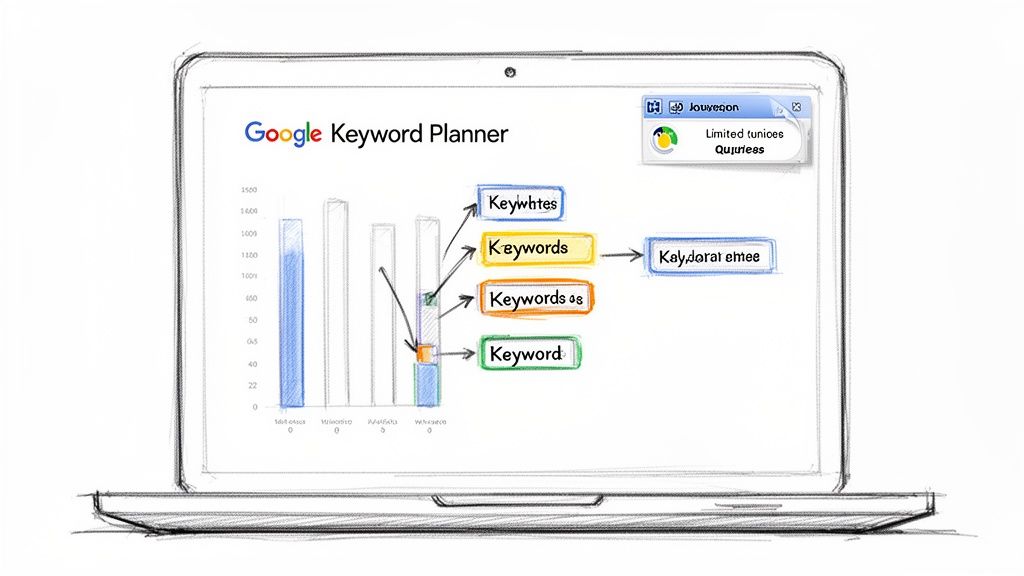
Amazon guards its official search volume data like a fortress, but we can get pretty close by using reliable proxies. The best place to start is often with Google's own powerhouse tools.
Using Google Keyword Planner for Directional Data
Even though you're selling on Amazon, the Google Keyword Planner is an invaluable resource. Yes, the data is for Google searches, but there's a surprisingly strong overlap. A keyword with high search interest on Google almost always signals similar demand on Amazon.
To tap into it, you'll need a Google Ads account (it's free to set up). Once you're in, you can drop your keyword list in and see relative search volume ranges.
Let's say you're comparing "eco friendly yoga mat" and "non slip yoga mat." The planner won't spit out precise Amazon numbers, but it will clearly show you that "non slip yoga mat" gets a ton more traffic—maybe in the 10K-100K monthly search range—while "eco friendly yoga mat" is closer to the 1K-10K range. Right away, you know which term has broader market appeal.
Think of Google Keyword Planner as a compass, not a GPS. It points you in the right direction by showing relative demand, helping you prioritize keywords that have a proven audience.
Leveraging Freemium Browser Extensions
For data that's a bit closer to home, you can turn to the 'freemium' versions of popular Amazon seller tools. Extensions from companies like Helium 10 and Jungle Scout offer a limited—but still incredibly useful—peek at estimated Amazon search volumes. These are some of the best free amazon keyword research tools you can get for on-platform estimates.
Install one of these extensions, search for a keyword on Amazon, and you’ll often see estimated monthly search volumes pop up right on the results page.
Here’s the catch: the free plans are designed to give you just a taste. They might cap you at a few searches per day or only show you a small fraction of the data. In reality, a solo seller might only be able to validate 10–20 core keywords per day, which can really drag out the process. Amazon also provides its own high-level guidance, and you can learn more about keyword research strategies directly from Amazon's seller resources.
To make the most of these limitations, you have to be clever:
- Focus on Your Top 10-15 Keywords: Don't waste your limited daily queries on long shots. Use them on the most promising terms you found during your initial research.
- Rotate Tools: Burn through one tool's free daily limit, then switch to another the next day. This helps you cover more ground without paying.
- Prioritize Long-Tail Keywords: Use your lookups to check if those super-specific, high-intent phrases have enough search volume to be worth targeting.
By blending the broad, directional insights from Google with the specific (though limited) estimates from these extensions, you can build a surprisingly solid picture of your keyword landscape. This validated list is what you'll use to build everything that comes next—from your listing optimization to your PPC campaigns.
A Comparison of Top Free Keyword Resources
To help you decide where to start, here’s a quick head-to-head look at the best free tools. This table breaks down what they're used for, their main benefits, and the key limitations to keep in mind.
| Tool/Resource | Best For | Primary Benefit | Key Limitation |
|---|---|---|---|
| Amazon Search Bar | Finding seed keywords & long-tail variations | Shows what real customers are actively searching for, right now. | No search volume data; purely for idea generation. |
| Competitor Listings | Identifying proven, high-converting keywords | Reverse-engineers what's already working for top sellers. | Time-consuming to analyze manually; requires careful interpretation. |
| Google Keyword Planner | Gauging relative search demand and seasonality | Provides broad search volume ranges to compare keyword popularity. | Data is for Google, not Amazon; only shows directional trends. |
| Freemium Extensions | Getting estimated Amazon-specific search volumes | Overlays data directly on Amazon, offering platform-specific insights. | Severely limited daily searches; may not show exact numbers. |
Ultimately, no single free tool gives you the complete picture. The real magic happens when you combine the customer-focused ideas from Amazon with the data-driven validation from external resources. This layered approach ensures you're not just guessing—you're making informed decisions backed by evidence.
Alright, you've done the digging. You've mined Amazon's suggestions, peeked at what your competitors are doing, and used some free tools to get a sense of what's what. Now you're staring at a spreadsheet full of keywords.
This is the point where a lot of sellers get stuck. A raw list of keywords isn't a strategy; it's just data. To make it work for you, you need to bring some order to the chaos. This is about creating a clear blueprint for your product listing, one that tells you exactly which keywords go where for the biggest impact.
Think of it like this: you wouldn't build a house without a plan. The same goes for your Amazon listing. We need to categorize these terms based on their importance and a customer's intent when they type them in.
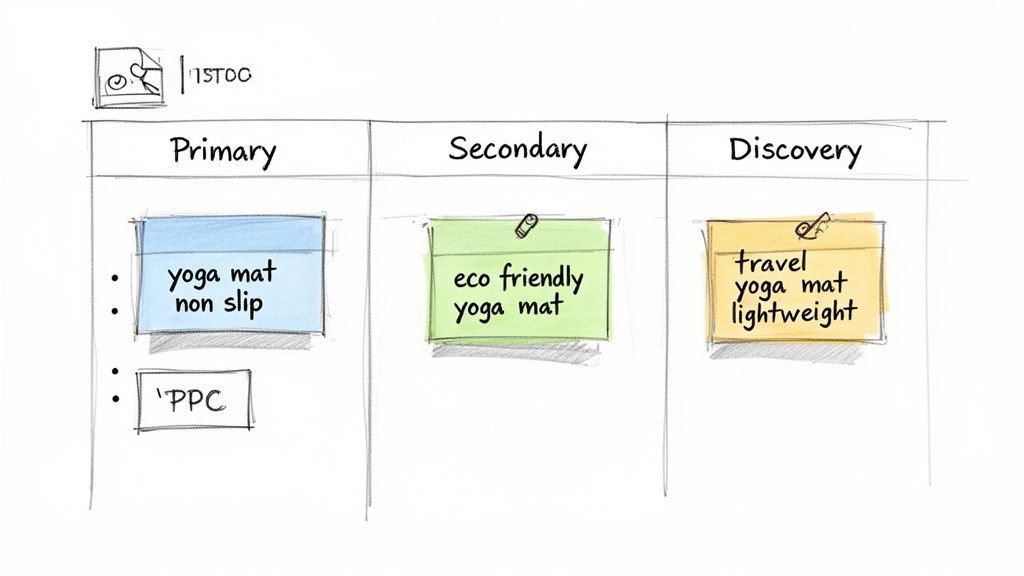
When you structure your keywords this way, you're not just guessing. You’re building a listing that’s strategically designed to appeal to both shoppers and Amazon’s A9 algorithm.
Sorting Your Keywords Into Strategic Buckets
I’ve found the most practical way to do this is by creating three distinct groups. Each one plays a different role in getting your product found and sold.
Primary Keywords: These are your heavy hitters. Think of the top 1-3 phrases that perfectly describe your product and have clear buying intent. For our yoga mat example, a killer primary keyword would be "thick non slip yoga mat." These are non-negotiable and must go in your product title, which is the single most important place for keywords.
Secondary Keywords: This is where you add color and detail. These phrases describe features, benefits, and use cases. Think "eco friendly TPE yoga mat" or "mat with carrying strap." These are gold for your bullet points (the five key features) and the product description. They help you flesh out the story and answer questions a shopper might have.
Discovery Keywords: This is your widest net. It’s filled with long-tail variations, synonyms, related searches, and even common misspellings. Terms like "exercise mat for pilates," "at home workout floor mat," or even "yogamat" (one word) belong here. These are fantastic for your backend search terms field and for fueling your initial PPC ad campaigns.
This simple act of sorting ensures your most valuable keywords get the VIP treatment, while the rest work behind the scenes to pull in traffic from all corners of Amazon.
Once you have your keywords neatly organized, the next step is knowing exactly where to plug them in. For a deep dive into that process, check out this guide on how to optimize your Amazon product listings for maximum sales. It’s a great resource for putting this all into practice.
A quick pro tip: Don't underestimate the power of a specific, long-tail keyword. A term like "eco friendly non slip yoga mat" might have less traffic than the giant "yoga mat," but the shoppers searching for it are far more likely to buy. Winning these smaller, high-intent battles is how you build sales momentum to start ranking for the bigger, more competitive terms.
Taking a few minutes to organize your list transforms it from a jumbled mess into a clear roadmap. This structured list, built entirely with free Amazon keyword research tools, becomes the solid foundation for a product listing that doesn’t just get seen—it sells.
How to Get Your Hands on Premium Tool Data (Without Breaking the Bank)
While this guide is all about what you can accomplish for free, let's be realistic. At some point, the manual grind of using free amazon keyword research tools becomes a major time-suck. You’ll hit a wall where your own time is worth more than the monthly fee for a professional tool.
If you're curious about what the next level looks like, a detailed Jungle Scout review can give you a peek into the advanced features that serious sellers use.
The truth is, sophisticated tool suites like Helium 10 or Jungle Scout offer a depth of data and speed that free methods just can't touch. We're talking about precise search volume numbers, deep dives into competitor sales data, and workflows that turn hours of frustrating research into a few quick clicks. For anyone serious about scaling their Amazon business, these tools aren't a luxury—they're a necessity.
The Shocking Cost of a Pro Seller's Toolbox
Here’s where things get tricky. You might find you love one tool for its keyword research, another for its reverse ASIN lookup, and a third for its PPC management. Before you know it, you're juggling multiple subscriptions, and the costs start to spiral.
For a growing team licensing just 5–10 different platforms, the monthly bill can easily shoot past $300–$400. For more advanced sellers, that number can climb to $3,000–$4,000 per year or more. This sticker shock is exactly why sellers are now looking for smarter ways to get access, like all-in-one bundled services that package dozens of tools into one subscription.
A More Sensible Way to Access Professional-Grade Data
Instead of paying full price for every single tool, a much more budget-friendly route is to use a bundled service. Think of it as a "master key" that unlocks a whole library of premium software, giving you access to the exact same powerful tools for a tiny fraction of the retail cost.
The concept is simple: why buy a whole new toolbox when you just need to borrow a wrench and a screwdriver? Bundled services make top-tier data accessible to everyone, not just sellers with massive budgets.
This approach is a total game-changer. It's the perfect middle ground for sellers who have outgrown free tools but aren't quite ready to commit to thousands of dollars in annual software fees. It’s the logical next step for growing your business.
By going with a bundled service, you can put the power of the best software to work for you:
- Find Hidden Gem Keywords: Get your hands on accurate search volume data to uncover high-demand, low-competition phrases.
- Spy on Your Competition: See exactly which keywords are making your rivals money, along with their sales numbers and pricing tactics.
- Scale Your Business Faster: Automate the tedious parts of research so you can focus your energy on bigger things, like sourcing your next winning product.
- Supercharge Your PPC: Pinpoint profitable keywords for your ad campaigns and stop wasting money on terms that don't convert.
This model bridges the gap between free and premium, making professional-level Amazon keyword research something any seller can afford. It's the smart way to level up your strategy without emptying your wallet.
Free Keyword Research: Your Questions Answered
When you're starting out, leaning on free tools for Amazon keyword research is a savvy move. But it's totally normal to wonder about their limits and what you can realistically achieve. Let's tackle some of the most common questions I hear from sellers.
How Reliable Is Google Keyword Planner for Amazon Searches?
Think of Google Keyword Planner as a compass, not a GPS. It shows you what people are searching for on Google, and often, that interest spills over directly into Amazon. A lot of product journeys start with a Google search before the customer clicks over to Amazon to make a purchase.
The real gold is in using it to gauge the relative popularity of your keyword ideas. For example, it can quickly tell you if "stainless steel garlic press" gets more eyeballs than "garlic mincer tool." You can't trust the exact search volume numbers for Amazon, but you can trust the general trend.
This is your go-to for a high-level sanity check. It helps you validate that there's a real audience for your keyword ideas before you invest too much time, and it costs you nothing.
Can I Actually Hit Page One Using Only Free Tools?
Yes, you absolutely can. Ranking on Amazon isn’t just about having the most expensive data—it's about nailing relevance and driving sales. Free tools are more than enough to help you build a listing that’s laser-focused on the long-tail keywords your specific customers are typing into the search bar.
Imagine you're selling a yoga mat. Instead of trying to rank for "yoga mat" right out of the gate, you could use free methods to find a less competitive phrase like "eco-friendly non-slip yoga mat." When you make sales on that specific term, you're signaling to Amazon's A9 algorithm that your product is a fantastic match for what people want.
Those initial sales build the history and reviews you need to start climbing the ranks for the bigger, more competitive keywords. It's a classic "foot-in-the-door" strategy, and it works.
When Is It Time to Switch from Free to Paid Tools?
This one’s pretty straightforward. You should upgrade the moment your time becomes more valuable than the subscription fee.
Are you spending hours every week piecing together data from different sources? Do you feel like you're guessing when it comes to analyzing your competitors? Are you planning to launch several new products? If you answered yes to any of these, it's probably time to look at a paid tool.
Premium services like Helium 10 automate all the grunt work, give you much more accurate search volume data, and unlock competitor insights you simply can't get for free. Once your business has a steady cash flow, investing in a tool that buys back your time is one of the smartest moves you can make to scale faster. It lets you focus on big-picture strategy instead of being buried in spreadsheets.
Ready to see what premium tools can do without the hefty price tag? EcomEfficiency gives you access to over 50+ top e-commerce and marketing tools, including Helium10, all under one affordable subscription. Ditch the manual work and start scaling your business at https://ecomefficiency.com.