The 12 Best Marketing Tools for Small Business in 2026

Choosing the right marketing software can feel overwhelming for a small business. With countless options for everything from SEO and social media to email and analytics, it's easy to get lost in subscription fees, complex features, and a tech stack that doesn't quite fit together. This guide is designed to cut through that noise and provide a clear, actionable roadmap.
The goal is to scale without dubious shortcuts and without hurting your credibility.
We've compiled a definitive list of the best marketing tools for small business owners who need powerful results without the enterprise price tag. This isn't just a surface-level list; we dive deep into each platform, providing a thorough analysis for e-commerce brands, performance marketers, and content creators. We will explore platforms like Semrush for SEO, Klaviyo for email automation, and Canva for creative assets, breaking down exactly what each tool does best.
Inside, you will find:
- Detailed breakdowns of each tool's core function and ideal user.
- Practical use cases for DTC brands and online sellers.
- Honest pros and cons to help you make informed decisions.
- Screenshots and direct links to see the tools in action.
Our goal is to help you build a cost-effective marketing toolkit that drives real growth. To truly navigate the maze of small business software and build an effective toolkit, explore the latest trends and discover the 12 best marketing analytics tools for growth in 2025. By the end of this comprehensive guide, you'll have a clear strategy for selecting and implementing the software you need, letting you focus on what you do best: running your business.
1. EcomEfficiency
EcomEfficiency offers a paradigm shift for small e-commerce businesses struggling with exorbitant software costs. Instead of paying for dozens of individual subscriptions, it bundles over 50 premium marketing and creative tools into one low-cost monthly plan. This platform is a powerful choice for businesses that need access to enterprise-level capabilities without the enterprise-level budget, making it one of the best marketing tools for small business operators focused on growth and efficiency.
The platform provides curated, one-click access to a massive suite of tools covering the entire e-commerce marketing workflow. This includes SEO and keyword research with platforms like Semrush, competitor ad spying with Pipiads, and product research using Helium10. The value proposition is centered on radical cost reduction, with EcomEfficiency claiming to consolidate a toolset valued at over $4,000 per month into a simple subscription.
Why It Stands Out
What truly sets EcomEfficiency apart is its laser focus on e-commerce applications and its community-driven model. The tool selection is specifically curated for Shopify, Amazon, and TikTok Shop sellers. Members can vote on which new tools are added, ensuring the platform evolves with user needs. Support is handled actively through a Discord community and email, fostering a collaborative environment for troubleshooting and sharing strategies.
Implementation & Use Cases
- Product Research & Validation: Use Helium10 to analyze Amazon product demand, then use Semrush to identify low-competition keywords for your Shopify store.
- Ad Creative & Launch: Spy on winning TikTok ads with Pipiads, generate video concepts with ChatGPT, create visuals using Midjourney, and produce the final ad with Runway, all within the same subscription.
- SEO & Content Marketing: Conduct in-depth competitor analysis and backlink audits with Semrush to build a content strategy that drives organic traffic to your store.
Website: https://ecomefficiency.com
| Key Details | Information |
|---|---|
| Pricing | Starter Plan: $19.99/mo for ~40 tools. Pro Plan: $29.99/mo for 50+ tools. |
| Primary Use Cases | Ad spying, SEO research, AI content & image generation, product research, funnel optimization. |
| Strengths | Massive Cost Savings: Consolidates thousands of dollars in subscriptions into a single, affordable plan. E-commerce Focused: Tools are specifically chosen for DTC, Amazon, and TikTok sellers. |
| Limitations | Access Model: The shared/curated login system can sometimes lead to intermittent availability or session limitations. Potential ToS Issues: The model may conflict with the terms of service of the individual tool providers. |
2. Shopify App Store
The Shopify App Store is an essential resource for any direct-to-consumer (DTC) brand running on the Shopify platform. Rather than a single tool, it’s a marketplace of thousands of vetted applications designed to natively extend your store’s marketing capabilities. This makes it a powerful hub for finding some of the best marketing tools for small business owners in e-commerce, as every app is built specifically to integrate with your Shopify admin.
The primary advantage is the deep, seamless integration. Unlike standalone software that requires complex API connections or data syncing, these apps install directly into your store, often with a single click. This reduces setup friction and ensures your marketing efforts, from email automation to loyalty programs, are powered by real-time customer and order data.

Key Features & Use Cases
- Native Integrations: Apps for email/SMS (Klaviyo, Postscript), reviews (Judge.me, Loox), and upsells (ReConvert) pull data directly from your Shopify store, enabling powerful segmentation and automation. For example, you can trigger a post-purchase review request email the moment an order is fulfilled.
- Unified Billing & Admin: Subscriptions are managed through your main Shopify bill, simplifying accounting. The apps also operate within your familiar Shopify dashboard, creating a cohesive user experience.
- Vetted and Reviewed: Shopify vets apps for quality and security. The robust merchant review system, with thousands of user-generated ratings, is invaluable for comparing similar tools and making an informed choice.
- "Built for Shopify" Signal: This designation highlights apps that meet the highest standards for performance, security, and user experience, making them a safe bet.
Pros and Cons
- Pros: Seamless, one-click installation and deep data integration. A massive catalog covering every conceivable marketing need. The unified billing simplifies subscription management.
- Cons: Only available to Shopify store owners. App discovery can be overwhelming, and the filtering options have been criticized. The cost of multiple app subscriptions can add up quickly.
Website: https://apps.shopify.com
3. AppSumo
AppSumo is a daily deals marketplace that offers steeply discounted lifetime licenses for up-and-coming software. For budget-conscious small businesses, it's an invaluable resource for acquiring powerful marketing tools without committing to expensive monthly subscriptions. This platform allows you to build a robust software stack, from SEO analyzers to social media schedulers, for a fraction of the typical cost.
The core value proposition is the Lifetime Deal (LTD), where a one-time payment grants you permanent access to a tool that would normally require a recurring fee. This makes it one of the best marketing tools for small business owners who need to keep overheads low while experimenting with different solutions. It’s a fantastic way to test new software with minimal financial risk, as most deals come with a 60-day money-back guarantee.
Key Features & Use Cases
- Lifetime Deals (LTDs): Secure permanent access to software for a single payment. This is ideal for core business functions like a CRM, a content AI writer, or an email marketing platform, eliminating recurring monthly costs.
- Wide Software Variety: Discover tools across all marketing categories, including SEO, social media management, lead generation, video editing, and project management. This enables you to find niche solutions you might not otherwise encounter.
- Community Reviews & Questions: Each product listing features a detailed Q&A and review section. This allows you to see how other entrepreneurs are using the tool and get direct answers from the software founder before you buy.
- 60-Day Refund Policy: Test a tool thoroughly to ensure it fits your workflow. If it doesn't meet your needs within two months, you can request a full refund, making purchases relatively risk-free.
Pros and Cons
- Pros: Incredible cost savings with one-time payments instead of recurring SaaS fees. A great way to discover and test emerging marketing tools. Generous 60-day money-back guarantee.
- Cons: Product quality can be inconsistent; many tools are from early-stage startups and may have bugs or lack features. The best deals are time-sensitive and can sell out quickly.
Website: https://appsumo.com
4. G2
G2 is an essential first stop when you’re evaluating new software. It serves as a comprehensive peer-review marketplace where you can compare thousands of business tools based on verified user ratings and detailed feedback. For anyone hunting for the best marketing tools for small business, G2’s filtering system is invaluable, allowing you to segment reviews and rankings specifically by company size to eliminate noise from enterprise-level solutions.
The platform’s core strength is its crowd-sourced data. Instead of relying on a vendor’s marketing copy, you get direct insights from actual users about a tool's performance, ease of use, and quality of support. This is particularly useful for comparing similar products side-by-side using its "Grid" reports, which map out market leaders and niche players across categories like SEO, email marketing, and social media management.
Key Features & Use Cases
- Small-Business Filters: G2’s category and Grid reports can be segmented to show only reviews from small-business users, providing a more relevant and realistic perspective on how a tool performs in a similar environment.
- Verified User Reviews: The platform requires proof of use (like a screenshot or business email) to verify reviews, which adds a layer of authenticity that is often missing from other review sites.
- Side-by-Side Comparisons: You can select multiple tools and directly compare them on features, pricing, and user satisfaction scores, which dramatically speeds up the vendor shortlisting process.
- Buyer Guides and Reports: G2 produces extensive content and reports that help guide the selection process, explaining key features to look for and outlining the top vendors in specific marketing categories.
Pros and Cons
- Pros: Huge volume of verified user reviews with a strong focus on SMB perspectives. Powerful comparison tools help accelerate vendor evaluation. Free to access and use for research.
- Cons: Not a direct seller, so you must click out to vendor sites to purchase. Sponsored placements can sometimes influence visibility in search results. The sheer volume of information can be overwhelming.
Website: https://www.g2.com
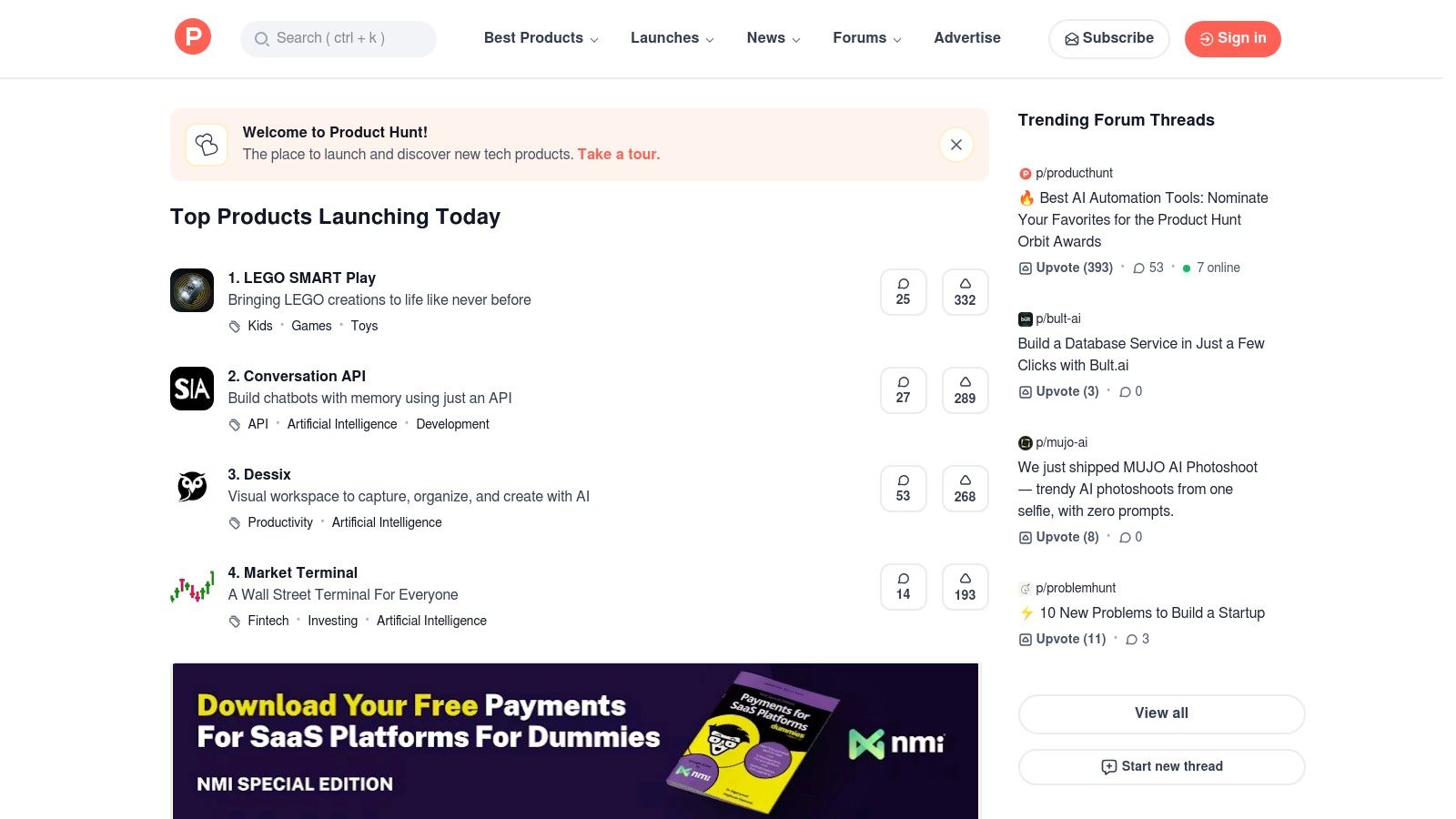
5. Product Hunt
Product Hunt is a unique resource for discovering the next wave of innovation in digital marketing. It's a community-driven platform where makers launch their new tools, plugins, and AI utilities daily. For a small business owner, this is an invaluable place to find cutting-edge software before it becomes mainstream, often gaining early adopter advantages or special launch-day pricing. It's less of a single tool and more of a discovery engine for the best marketing tools for small business teams looking for a competitive edge.
The core value comes from the community's curation. Products are upvoted and discussed by tech-savvy users, providing instant social proof and real-world feedback. This allows you to quickly gauge whether a new tool is genuinely useful or just hype, saving you time and effort in your search for effective marketing solutions.
Key Features & Use Cases
- Daily Discoveries: Every day features a new leaderboard of launched products. This is perfect for finding hyper-specific solutions, like an AI-powered headline generator or a new social media scheduling app, as soon as they are released.
- Community Feedback & Vetting: The comments section is a goldmine for unfiltered opinions, bug reports, and feature requests. You can see how makers respond to criticism and get a feel for a tool’s potential before committing.
- Curated Collections: Users and the Product Hunt team create collections around specific needs, such as "Marketing Automation Tools" or "AI for Content Creators," making it easier to find relevant software without browsing daily launches.
- Early Adopter Perks: Many founders offer exclusive discounts or lifetime deals to the Product Hunt community on launch day, providing a cost-effective way to build your marketing stack.
Pros and Cons
- Pros: Get early access to innovative and emerging tools. The community voting and feedback system helps validate product quality and potential. It's completely free to browse and discover.
- Cons: The quality of launched products can vary significantly. There is limited enterprise-grade vetting compared to established app marketplaces. You often have to navigate to external vendor sites for purchase and setup.
Website: https://www.producthunt.com
6. Semrush
Semrush is an all-in-one digital marketing suite that provides a comprehensive toolkit for SEO, content marketing, advertising, and social media. For small businesses looking to improve their online visibility, Semrush consolidates multiple functions into a single platform, making it one of the best marketing tools for small business owners who want a unified solution. It excels at delivering deep competitive intelligence, allowing you to see exactly what your rivals are doing to succeed online.
The primary benefit is its ability to reduce the need for multiple specialized tools. Instead of subscribing to separate services for keyword research, site audits, rank tracking, and competitor analysis, Semrush provides an integrated environment where data from one tool informs your strategy in another. This holistic view helps you build a more cohesive and effective digital marketing plan, from identifying valuable keywords to tracking your search engine performance against competitors.
Key Features & Use Cases
- Comprehensive SEO Toolkit: Conduct in-depth keyword research with the Keyword Magic Tool, run technical site audits to find and fix website issues, and track your daily keyword rankings locally or nationally.
- Competitive Intelligence: Analyze any competitor’s website to uncover their top organic keywords, backlink profile, and paid advertising strategies. This is invaluable for identifying market gaps and opportunities.
- Content Marketing Platform: Generate topic ideas, get SEO-driven content recommendations with the SEO Writing Assistant, and audit your existing content for optimization potential.
- Advertising Research: See the ad copy and keywords your competitors are using in their Google Ads campaigns, helping you refine your own PPC strategy and budget allocation.
Pros and Cons
- Pros: Extremely broad tool coverage reduces the need for multiple subscriptions. Its robust competitive and keyword databases are among the best in the industry.
- Cons: The platform has a significant learning curve for beginners or non-marketers. Pricing can become expensive as you add more users or purchase specialized add-ons.
Website: https://www.semrush.com
7. Ahrefs
Ahrefs is a comprehensive SEO toolkit that is highly regarded for its powerful data and intuitive user interface, making it a favorite among lean teams and agencies. It excels at core SEO functions like backlink analysis, keyword research, and competitive intelligence, offering actionable insights that are crucial for growing organic traffic. For small businesses looking to punch above their weight in search results, Ahrefs provides some of the best marketing tools for small business growth by demystifying complex SEO data.
What sets Ahrefs apart is the quality and speed of its data, particularly its backlink index, which is one of the most robust in the industry. The platform also offers Ahrefs Webmaster Tools, a free version for site owners to monitor their own website's SEO health, identify technical issues, and track keyword rankings, providing immense value before committing to a paid plan.

Key Features & Use Cases
- Site Explorer & Backlink Analysis: Uncover a competitor's entire organic search and backlink strategy. Small businesses can use this to find high-authority link-building opportunities and content gaps to exploit.
- Keywords Explorer: Generate thousands of keyword ideas, analyze their traffic potential, and understand ranking difficulty. This is essential for creating content that attracts the right audience.
- Site Audit: Run a comprehensive technical SEO audit to find and fix on-page issues like broken links, slow pages, or improper tags that could be hurting your search performance.
- Rank Tracker: Monitor your keyword rankings across different locations and devices, with historical data to visualize progress over time.
Pros and Cons
- Pros: Industry-leading backlink data and a fast, user-friendly interface. Ahrefs Webmaster Tools offers significant free value. The platform is well-suited for small teams that need powerful, all-in-one SEO capabilities.
- Cons: Paid plans can be expensive, and the pricing model with user seats and export credits can increase costs unexpectedly. Some advanced features are sold as separate add-ons.
Website: https://ahrefs.com
8. Klaviyo
Klaviyo is an intelligent marketing automation platform designed specifically for e-commerce growth. It excels at unifying customer data from multiple channels like your online store, POS system, and marketing apps into a single view. This allows for hyper-targeted email and SMS campaigns that feel personal and drive sales, making it one of the best marketing tools for small business owners focused on building direct customer relationships.
The platform's core strength lies in its deep, event-based data model. Instead of just knowing who your customers are, Klaviyo understands what they do: what they’ve viewed, added to their cart, and purchased. This powers sophisticated automation flows like abandoned cart reminders, browse abandonment follow-ups, and post-purchase upsells that are difficult to replicate with more generic email service providers.

Key Features & Use Cases
- Advanced Segmentation: Create dynamic segments based on real-time behavior. For instance, you can target customers who bought a specific product more than 90 days ago with a replenishment campaign.
- Powerful Automation Flows: Build multi-step, multi-channel (email and SMS) journeys triggered by customer actions. A classic use case is a welcome series that nurtures new subscribers with educational content before presenting an offer.
- E-commerce Analytics: Go beyond open and click rates with metrics tied directly to revenue. The platform reports on how much revenue each campaign and automation flow generates, providing clear ROI.
- Native SMS & WhatsApp: Engage customers on their preferred messaging apps directly within the platform. Pricing for SMS is transparent and credit-based, allowing you to manage costs effectively.
Pros and Cons
- Pros: Ecommerce-centric data model enables powerful segmentation and personalization. Strong native integrations with platforms like Shopify, BigCommerce, and over 350 other apps.
- Cons: The pricing model, based on active profiles and SMS sends, can become expensive as your business scales. Advanced features and add-ons can increase both cost and complexity.
Website: https://www.klaviyo.com
9. Mailchimp
Mailchimp is one of the most recognized names in email marketing, serving as a reliable entry point for small businesses venturing into audience building and automation. Now part of Intuit, it offers a user-friendly platform with a gentle learning curve, making it ideal for service-based businesses, bloggers, or e-commerce stores that don't require deep, native data integrations. Its core strength lies in its simplicity and broad familiarity.
While other platforms offer more advanced e-commerce functionality, Mailchimp excels as a general-purpose tool. If your primary need is to send well-designed newsletters, create simple landing pages, and set up basic welcome emails, its streamlined interface allows you to get started in minutes. This makes it one of the best marketing tools for small business owners who prioritize ease of use and brand recognition over complex, data-heavy automation.

Key Features & Use Cases
- Drag-and-Drop Editor & Template Library: Quickly create professional-looking emails without any coding knowledge. The pre-built templates provide a great starting point for campaigns like newsletters, promotions, or announcements.
- Landing Pages & Simple Automations: Paid plans unlock the ability to build simple, single-page sites to capture leads and trigger basic "Customer Journey" automations, such as a welcome series for new subscribers.
- Basic CRM & Audience Tools: Segment your audience using tags and basic demographic data. The platform also offers integrations to run social media ads directly to your Mailchimp contacts.
Pros and Cons
- Pros: Extremely easy to get started with an intuitive interface. A vast ecosystem of third-party integrations and tutorials makes it easy to connect with other tools and find support.
- Cons: The free plan is highly restrictive, with low contact and send limits and no access to automations. Pricing scales aggressively as your contact list grows, often becoming more expensive than more powerful competitors.
Website: https://mailchimp.com
10. Canva
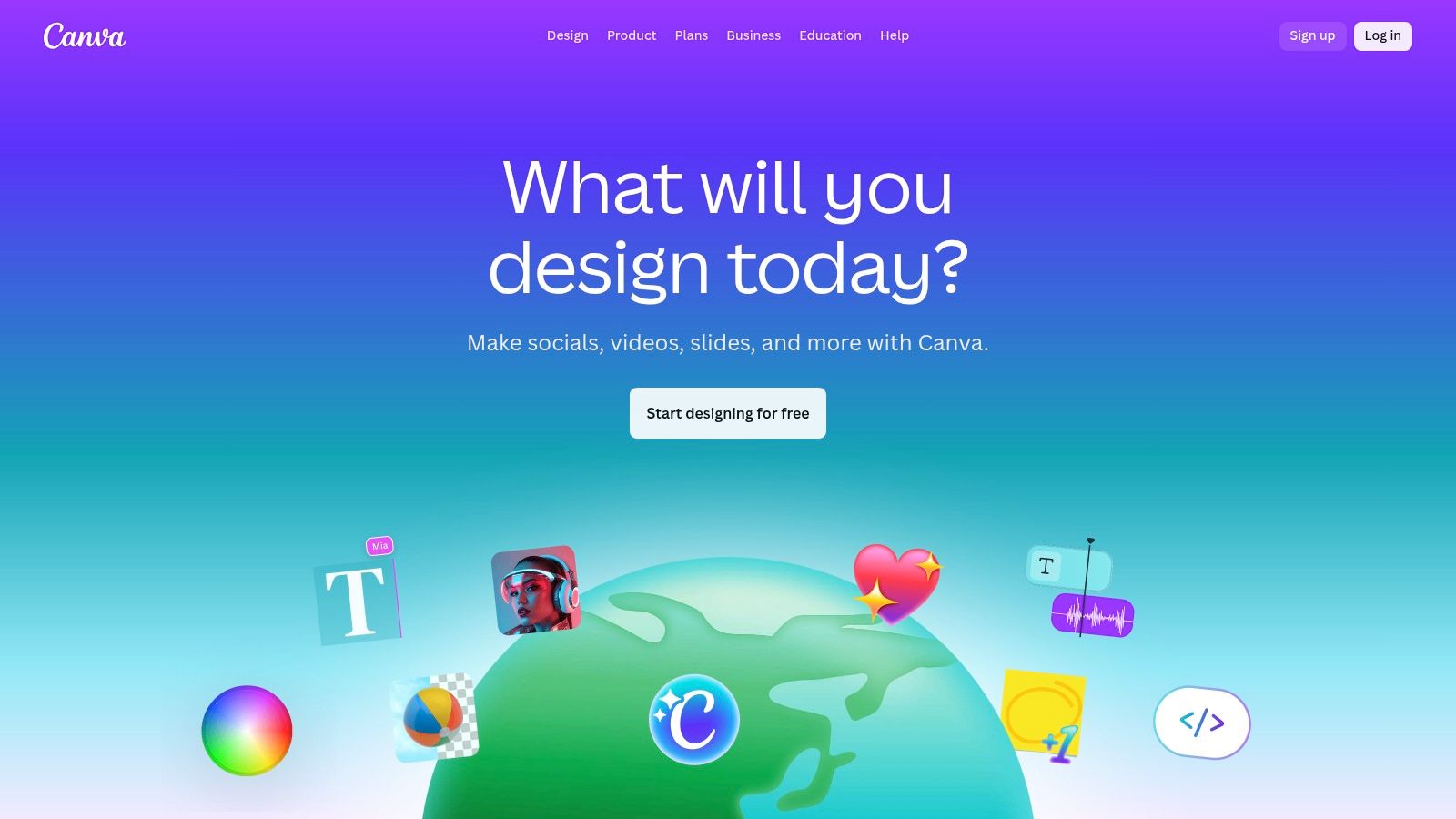
Canva is the go-to graphic design platform for non-designers, empowering small businesses to create professional-quality marketing assets in minutes, not hours. It replaces the need for complex software like Adobe Photoshop for everyday tasks like social media posts, ad creatives, and email banners. For time-strapped entrepreneurs, Canva is one of the best marketing tools for small business because it dramatically lowers the barrier to producing visually compelling content.
Its core strength lies in an enormous library of customizable templates and a simple drag-and-drop interface. You can start with a proven layout for an Instagram Story or a Facebook ad, swap in your brand colors and logo, and have a finished creative ready for deployment. This speed and accessibility make it indispensable for maintaining an active and polished presence across all marketing channels without hiring a full-time designer.
Key Features & Use Cases
- Massive Template Library: Find professionally designed, ready-to-use templates for virtually any marketing need, from social media graphics and video ads to presentations and print materials.
- Brand Kit: Store your brand’s logos, color palettes, and fonts in one place to ensure every asset you create is consistent and on-brand, even with multiple team members.
- AI-Powered Magic Studio: Use AI tools to generate images, write copy, or instantly resize a single design for various platforms (e.g., turn a Facebook post into a Twitter graphic and an email header with one click).
- Team Collaboration: Invite team members to collaborate on designs in real-time, leave comments, and set up approval workflows to streamline the creative process.
Pros and Cons
- Pros: Extremely intuitive and easy to use for non-designers. The vast ecosystem of templates and stock assets accelerates creative production. The Brand Kit feature is excellent for maintaining brand consistency.
- Cons: Power users and professional designers may find its capabilities limited compared to Adobe Creative Suite. The pricing for teams can change, so it's important to verify current per-user rates.
Website: https://www.canva.com
11. Buffer
Buffer is a highly accessible and affordable social media management platform, ideal for small businesses and solopreneurs looking to streamline their presence across multiple channels. It stands out by offering a clean, intuitive interface that simplifies content planning, scheduling, and analysis without an overwhelming number of features. For small teams, Buffer is one of the best marketing tools for small business owners who need to maintain a consistent social media calendar without a steep learning curve or high cost.
The platform's primary advantage is its simplicity and focus on core scheduling functionalities. Unlike complex enterprise-level tools, Buffer makes it incredibly easy to load a content queue, visualize your schedule on a calendar, and let the tool publish automatically at optimal times. This straightforward approach saves significant time and helps teams post consistently across platforms like Instagram, TikTok, LinkedIn, and Facebook from a single dashboard.
Key Features & Use Cases
- Multi-Channel Scheduling: Plan and publish content to Instagram, TikTok, Facebook, X (formerly Twitter), LinkedIn, and Pinterest from one central calendar. You can schedule first comments on Instagram and manage hashtag lists.
- AI Assistant: Generate post ideas, rewrite copy in different tones, or repurpose content for various social platforms directly within the composer, speeding up the content creation process.
- Start Page: Create a simple, mobile-friendly landing page for your social media bio link. It can showcase your latest products, content, and important links, acting as a mini-website.
- Simple Analytics: Track key metrics like reach, engagement, and follower growth for each platform. The reports are clear and easy to understand, focusing on the data that matters most to small businesses.
Pros and Cons
- Pros: Extremely user-friendly interface and supportive customer service. Generous free plan and transparent, affordable per-channel pricing. The AI Assistant and Start Page add significant value.
- Cons: Lacks advanced social listening and deep engagement features found in more expensive tools. The most robust team collaboration and workflow tools are reserved for higher-priced plans.
Website: https://buffer.com
12. Google Ads
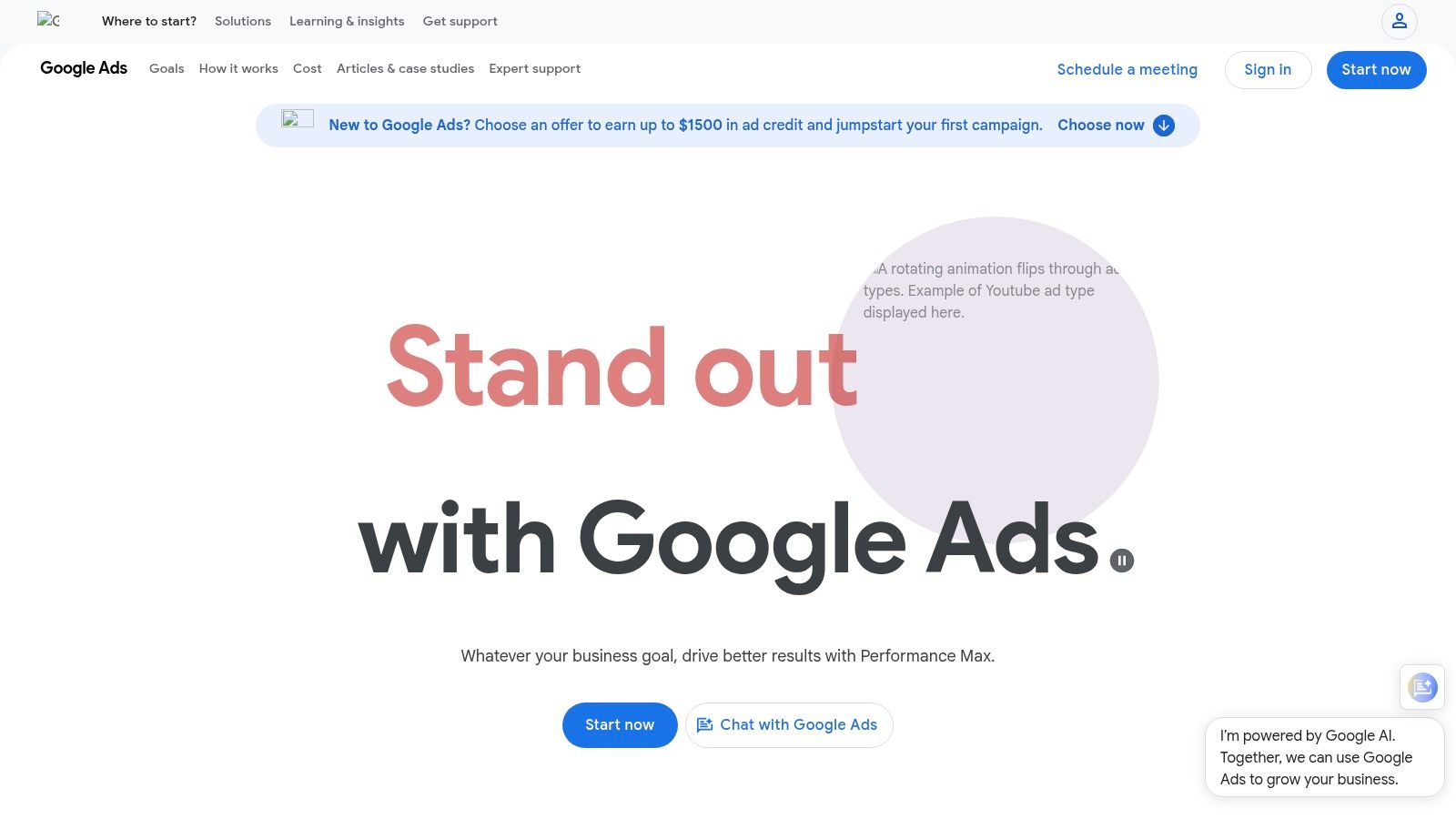
Google Ads is the undisputed leader in pay-per-click (PPC) advertising, providing direct access to Google's massive search and display network. For small businesses, it's the most powerful platform for capturing high-intent customers at the exact moment they are searching for a product or solution. This makes it one of the best marketing tools for small business owners looking to drive immediate, measurable traffic and sales.
The core strength of Google Ads lies in its intent-based targeting. Unlike social media ads that interrupt users, search ads appear when a potential customer is actively looking for what you offer. This results in higher conversion rates and a more efficient ad spend, provided campaigns are managed effectively. The pay-as-you-go model gives businesses full control over their budget, allowing them to start small and scale as they see results.
Key Features & Use Cases
- Search & Shopping Ads: Capture users actively searching for your products or services on Google. Shopping ads are particularly effective for e-commerce, displaying product images and prices directly in search results.
- YouTube & Display Ads: Build brand awareness and retarget past website visitors across a vast network of websites and on YouTube. This is ideal for top-of-funnel marketing and staying top-of-mind.
- Pay-as-you-go Budgeting: Set daily or monthly budget caps to ensure you never overspend. You only pay when a user clicks your ad, offering precise control over your marketing costs.
- Performance Max Campaigns: Utilize Google's machine learning to run ads across all of its channels (Search, Display, YouTube, Gmail, etc.) from a single, automated campaign, simplifying management for small teams.
Pros and Cons
- Pros: Unparalleled reach and access to high-intent traffic. Granular control over daily budgets, bidding, and targeting. A wide variety of ad formats to suit different marketing goals.
- Cons: The platform has a steep learning curve and can be complex to manage effectively. Campaign performance is highly dependent on keyword strategy, ad creative, and landing page quality.
Website: https://ads.google.com
Top 12 Small-Biz Marketing Tools Comparison
| Product | Core features ✨ | Quality / UX ★ | Value / Price 💰 | Target audience 👥 | Unique selling points |
|---|---|---|---|---|---|
| EcomEfficiency 🏆 | 50+ AI, SEO, ad‑spy & creative tools; one‑click curated logins | ★★★★☆ — fast access; Discord/email support (shared‑login caveats) | 💰 $19.99–$29.99/mo — claimed ≈$4k retail value consolidated; up to 99% savings | 👥 Shopify/DTC teams, dropshippers, performance marketers | ✨ All‑in‑one e‑commerce focus; community‑voted tool additions; massive cost consolidation |
| Shopify App Store | Native apps for email/SMS, upsells, SEO, ads, automations | ★★★★☆ — vetted apps; deep Shopify integration | 💰 App pricing varies; unified billing via Shopify | 👥 Shopify merchants & agencies | ✨ Official marketplace with native installs and vetted apps |
| AppSumo | Time‑boxed promos, lifetime deals, refunds | ★★★☆☆ — deal quality varies; review due diligence needed | 💰 Often steep one‑time discounts; good for tight budgets | 👥 Small teams, bootstrappers, testers | ✨ Lifetime licenses and heavy discounts on SMB tools |
| G2 | Verified user reviews, category grids, buyer guides | ★★★★☆ — large review volume; SMB filters | 💰 Free research resource (no direct sales) | 👥 Buyers shortlisting marketing/analytics vendors | ✨ Side‑by‑side comparisons and Grid reports |
| Product Hunt | Daily launches, voting, community feedback | ★★★☆☆ — great discovery; quality varies | 💰 Free discovery; leads to vendor sites | 👥 Makers, early adopters, scouts | ✨ Early access to indie and emerging tools |
| Semrush | SEO, content, social, ads, audits, rank tracking | ★★★★☆ — comprehensive toolset; learning curve | 💰 Premium pricing; broad coverage may reduce tool sprawl | 👥 SEO/PPC teams, agencies, marketers | ✨ Extensive competitive databases and multifunction toolkits |
| Ahrefs | Backlink index, site audits, rank tracking | ★★★★☆ — reliable link/data accuracy | 💰 Mid‑to‑high pricing; focused SEO value | 👥 Lean SEO teams, content strategists | ✨ Strong backlink metrics and crawler performance |
| Klaviyo | Email & SMS, segmentation, ecommerce analytics | ★★★★☆ — ecommerce‑first UX | 💰 Scales with active profiles & SMS credits | 👥 Ecommerce brands (Shopify, Amazon, TikTok Shop) | ✨ Order/product‑tied segmentation and deep commerce integrations |
| Mailchimp | Email templates, journeys, landing pages | ★★★☆☆ — easy start for general use | 💰 Freemium with tight limits; pricing rises with contacts | 👥 General SMBs & beginners | ✨ Quick setup and broad tutorial/integration ecosystem |
| Canva | Templates, team tools, Magic Studio AI, stock assets | ★★★★☆ — fast for non‑designers | 💰 Freemium; paid teams plans per user | 👥 Marketers, social creators, non‑designers | ✨ Rapid creative production and vast asset library |
| Buffer | Social scheduling, calendar, analytics, AI copy | ★★★★☆ — simple UI and support | 💰 Affordable tiers; generous free tier | 👥 Small social teams & solopreneurs | ✨ Easy scheduling, helpful support, Canva integrations |
| Google Ads | Search, Shopping, Display, YouTube ad inventory | ★★★★☆ — powerful but steeper learning curve | 💰 Pay‑as‑you‑go; cost depends on bids & competition | 👥 Performance advertisers seeking intent traffic | ✨ Massive reach and direct bid/budget control |
Building Your Perfect Stack: Putting It All Together
Navigating the crowded landscape of marketing software can feel overwhelming, but building an effective tech stack doesn't have to be complicated or expensive. The goal is not to subscribe to every tool on the market, but to strategically select a few powerful solutions that work together to automate tasks, provide crucial data, and drive measurable growth. As we've explored, the best marketing tools for small business are the ones that directly address your most significant challenges, whether that's understanding your competitors with Semrush, nurturing customer relationships via Klaviyo, or creating stunning visuals with Canva.
The key takeaway is this: start with a strong, multi-functional foundation and build from there. For most e-commerce brands and small businesses, this core foundation should cover competitive intelligence, SEO, and content creation. These are the non-negotiable pillars that inform every other marketing activity. Once that base is established, you can thoughtfully layer on specialized tools for email marketing, social media scheduling, or paid advertising as your needs evolve and your budget allows.
Your Action Plan: From Reading to Doing
Feeling motivated? Great. Now, let’s channel that energy into action. Don't let this list become just another bookmarked article. Use the following steps to build your ideal marketing toolkit methodically and confidently.
- Audit Your Current Stack and Spending: What are you already using? What are you paying for? Identify any overlapping functionalities or underutilized subscriptions. This is often the easiest place to find immediate cost savings.
- Identify Your Biggest Marketing Bottleneck: What is the single biggest obstacle holding you back right now? Is it a lack of organic traffic (focus on SEO tools), poor customer retention (focus on email/CRM tools), or an inefficient content workflow (focus on creative and scheduling tools)? Prioritize solving this one problem first.
- Start with an All-in-One Solution: Before you commit to four or five separate, costly subscriptions, explore a bundled alternative. A platform like EcomEfficiency, which combines SEO, ad-spy, and AI content tools, can cover your foundational needs for a fraction of the cost. This approach simplifies your workflow and provides a comprehensive view of your marketing landscape from day one.
- Utilize Free Trials and Freemium Plans: Nearly every tool we've discussed, from Mailchimp to Buffer, offers a free trial or a limited free plan. Use these to your advantage. Test the user interface, connect your accounts, and see if the tool genuinely makes your life easier before you enter any credit card information. A tool is only valuable if you and your team will actually use it.
Final Considerations for a Future-Proof Stack
As you implement new software, remember that a tool is only as good as the strategy behind it. Technology is an enabler, not a silver bullet. Ensure you have clear goals for what you want to achieve with each new addition. Are you aiming to increase your domain authority, boost your email open rates by 15%, or reduce the time spent on social media content creation by five hours per week? Set specific, measurable targets.
Furthermore, consider integration capabilities. The most powerful tech stacks are interconnected ecosystems where data flows seamlessly between platforms. When choosing between two similar tools, check their native integrations. Can your email platform easily connect with your e-commerce store? Does your analytics tool sync with your ad platform? A well-integrated stack prevents data silos and provides a more holistic understanding of your customer journey.
Ultimately, the journey to finding the best marketing tools for small business is an ongoing process of evaluation and refinement. Your needs will change as you scale, and the software landscape will continue to evolve. Stay curious, test new solutions, and remain focused on building a lean, powerful, and cost-effective toolkit that empowers you to achieve your ambitious business goals.
Ready to build your foundational marketing stack without breaking the bank? EcomEfficiency combines the power of SEO, competitive research, and AI content creation into one affordable platform, giving you the essential tools you need to grow. Start your free trial today and see how a unified toolkit can transform your marketing workflow at EcomEfficiency.