Your Guide to an Amazon FBA Profit Margin Calculator

Figuring out your actual profit on Amazon isn't as simple as subtracting your product cost from your selling price. If only it were that easy! That basic math is a trap many new sellers fall into, and it gives you a dangerously incomplete view of your business's health.
The goal is to scale without dubious shortcuts and without hurting your credibility.
To truly understand if you're making money, you have to dig much deeper.
Why Your Real Profit Is More Than Sales Minus Costs
Relying on "back-of-the-napkin" math is a surefire way to run into cash flow problems. You might think a product is a home run because the initial markup looks fantastic, but you're flying blind. What you don't see are all the little fees chipping away at that margin.
Soon enough, you realize that high storage costs for a slow-moving item or a spike in customer returns have completely wiped out your expected profit. This is where so many sellers get stuck, wondering why their bank account isn't growing even though sales look good.
The True Cost of Selling on Amazon
The reality of selling on the platform is that a dozen different expenses are constantly nibbling away at your revenue. This is why a dedicated Amazon FBA profit margin calculator is a non-negotiable tool for anyone serious about building a real business.
It forces you to confront every single cost, including the ones that are easy to forget:
- Fulfillment Fees: What Amazon charges to pick, pack, and ship every order.
- Storage Fees: The monthly rent for your inventory sitting in a fulfillment center. This gets expensive, fast.
- Referral Fees: Amazon’s commission for every single sale, which differs by category.
- Advertising Spend: Your PPC budget for getting your products in front of customers.
- Return Processing Fees: The costs tied to managing and restocking customer returns.
Getting a handle on your margins is probably the most critical skill you can develop. It’s what turns an Amazon side-hustle into a predictable, scalable business.
Knowing your numbers isn't just about accounting; it's about strategy. Accurate profit data tells you which products to double down on, which to discontinue, and where to optimize your operations for maximum efficiency and growth.
Understanding Realistic Profit Expectations
So, what should you actually expect to make? Well, it's all over the map and depends heavily on your niche, competition, and how well you run your operations.
Recent data shows that about 46% of sellers land somewhere in the 11% to 25% profit margin range, and a promising 64% become profitable within their first year. While a solid 15% of sellers hit that sweet spot of 21-25% margins, a small, elite group can even push past 50% through smart branding and tight control over their logistics. You can dive deeper into these kinds of seller stats over at TrueProfit.io.
This is exactly why a precise calculation is so important—it shows you where you really stand and what you need to fix to move into those higher-margin tiers.
Breaking Down the Real FBA Profit Formula
If you think calculating your FBA profit is as simple as Sales Price - Product Cost, you're leaving a lot of money on the table without even realizing it. The reality is far more complex. To get a true picture of your profitability, you have to dissect every single cost that stands between your initial investment and the money that actually hits your bank account.
Getting this right is the difference between a thriving business and one that's secretly bleeding cash. This is the only way to use any FBA profit calculator effectively—by understanding the 'why' behind each number you plug in.
This chart shows the evolution from that overly simplistic math to a real, hard-nosed profit analysis.
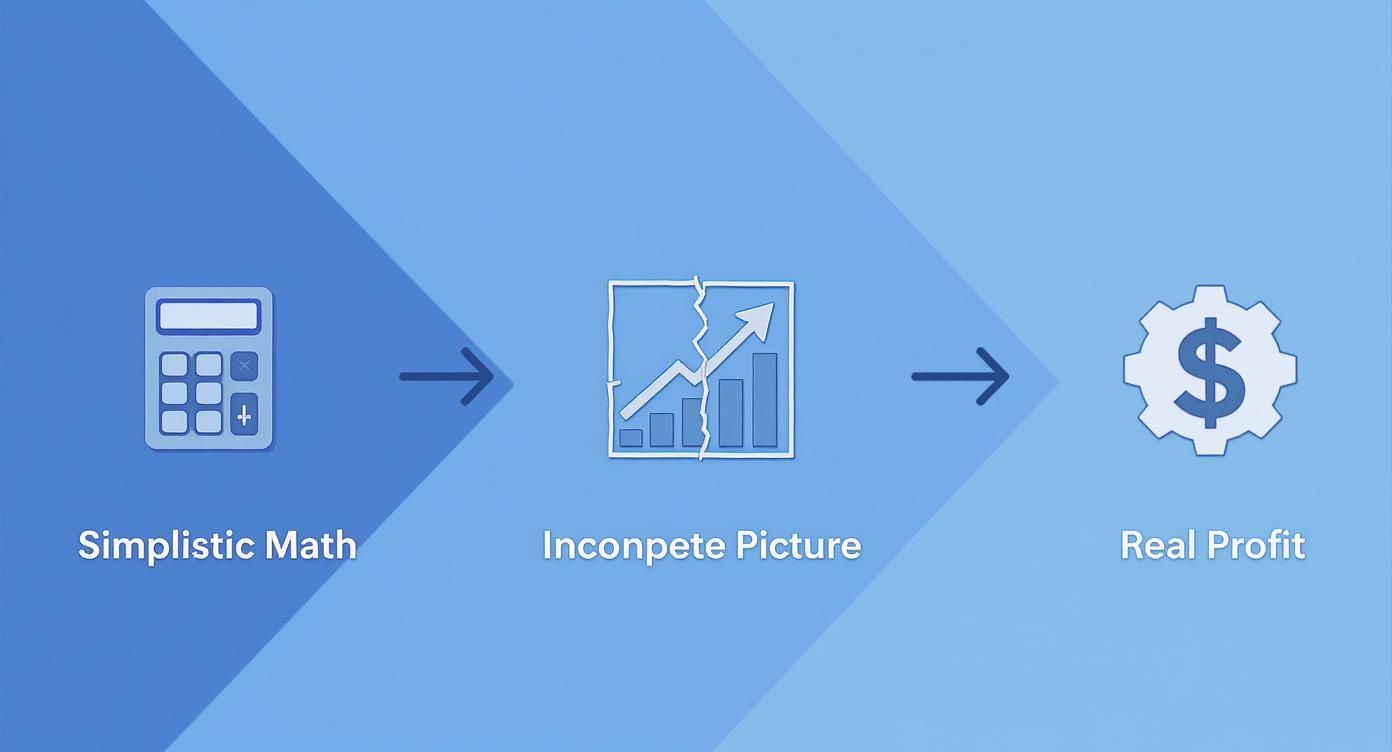
As you can see, relying on the basic numbers gives you a dangerously incomplete picture. Only by factoring in every single variable can you get a profit figure you can actually use to make smart business decisions.
Your True Starting Point: The Landed Cost
Let's start at the beginning. The first number you need isn't just the per-unit price from your supplier. You need your landed cost—the grand total it costs to get one single unit from the factory floor into an Amazon fulfillment center, ready to sell.
For example, maybe you paid your supplier $5 per unit. But if you also spent $2 per unit on ocean freight, customs, and prep, your actual starting cost is $7. This is the real foundation for all your profit calculations.
Your landed cost is a bundle of several expenses:
- Manufacturing Cost: What you pay your supplier for the product itself.
- Shipping & Freight: The cost to get your inventory from the factory to Amazon's door.
- Customs & Duties: Those lovely import taxes and fees.
- Prep Costs: Any fees for FNSKU labeling, poly bagging, or bundling to meet Amazon's strict requirements.
If you miss any of these, you're starting with a falsely inflated sense of profitability. Track these expenses meticulously for each shipment and divide the total by your unit count to nail down your per-unit landed cost.
The Big Two: Amazon's Main Fees
Once your inventory is safe and sound at Amazon, a new set of fees kicks in the moment you make a sale. These are the two biggest deductions you'll see, and they are completely non-negotiable.
Amazon Referral Fee
Think of this as Amazon's commission for giving you access to their massive customer base. It's a percentage of your item's total sales price (including any shipping or gift wrap charges). For most categories, this fee hovers between 8% and 15%. So, on a $30 product in a 15% category, Amazon immediately takes $4.50 right off the top.
FBA Fulfillment Fees
This fee covers the entire pick, pack, and ship process, plus handling customer service for that order. It's not a flat rate. Instead, it’s calculated based on your product’s size and weight. A small, light item might only cost a few bucks to fulfill, but a large, heavy one can easily run you $10, $20, or more.
Pro Tip: Your packaging choices have a direct impact on FBA fees. I’ve seen sellers save a fortune by making small tweaks. Shaving off even half an inch can sometimes bump your product down into a cheaper size tier, which adds up to massive savings over thousands of units. Always check your final packaged dimensions against Amazon's official size tiers.
Don't Forget the "Slow Burn" Expenses
Beyond the fees on each sale, you have ongoing costs that nibble away at your margins over time. An accurate profit calculation has to account for these, even though they can change from month to month.
Monthly Inventory Storage Fees
You're basically renting shelf space in Amazon's warehouses, and they charge you for it. The cost is based on the daily average volume (in cubic feet) that your inventory takes up. Heads up: these fees get significantly higher during the Q4 holiday rush from October to December.
Other Variable Costs
This is the catch-all bucket for everything else it takes to run your business. These costs need to be averaged out across your sales. This includes:
- PPC Advertising: Your Amazon Ads budget.
- Return Costs: The fees and lost value from customer returns.
- Software Subscriptions: All those essential tools for keyword research, inventory management, and analytics.
To truly master your FBA numbers, it helps to understand the universal business principles behind the profit margin calculation formula. While Amazon has its own unique fee structure, the core concepts are timeless. By rigorously tracking every component—from landed cost to the last software fee—you turn a vague guess into a powerful financial tool that can guide your entire business.
The Hidden Fees That Silently Erode Your Margins
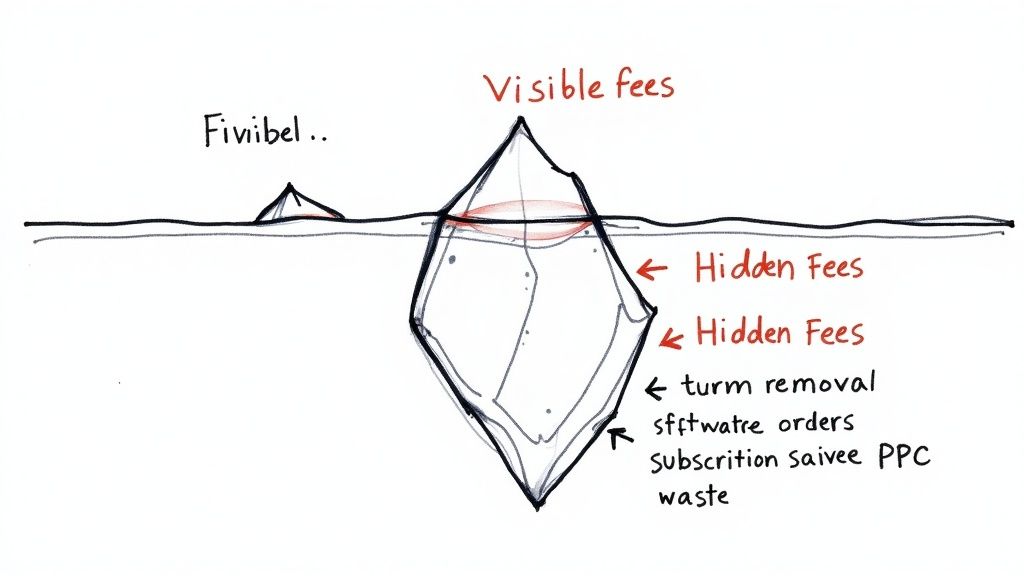
If you only focus on the standard FBA fulfillment and referral fees, you're just seeing the tip of the iceberg. The real test for an Amazon seller—what separates those who thrive from those who barely survive—is mastering the costs lurking just below the surface. So many sellers accidentally lose money because a whole host of other expenses can sneak up and completely wreck their profits.
These "profit killers" don't pop up on every single transaction, which makes them dangerously easy to ignore until it's too late. But when you ignore them, you're making decisions based on bad data. A product you think is a winner can quickly become a money pit. The only way to get a true picture of your business's financial health is to use a detailed Amazon FBA profit margin calculator that accounts for every single one of these variables.
The Slow Bleed of Storage and Removal Costs
Inventory management is often where hidden costs do the most damage. Your goal is to move products fast, because every day an item sits in an Amazon warehouse, it's costing you money.
A perfect example is Long-Term Storage Fees. Let your inventory sit in a fulfillment center for more than 180 days, and Amazon will start tacking on extra charges on top of your regular monthly storage bill. It's their not-so-subtle way of telling you to either sell the stuff or get it out of their warehouse.
Think about it: you have 100 units of a seasonal item that didn't quite sell out. After six months, those fees kick in, slowly chipping away at whatever profit you had hoped to make. If that inventory is still sitting there after a year, the costs can become absolutely brutal.
And what about when inventory is unsellable, or you just need to clear out stock that isn't moving? That's when you'll get hit with Removal and Disposal Order Fees. You actually have to pay Amazon to either ship the items back to you or to destroy them. It's a cost that many sellers don't think about when sourcing products, but it's a critical part of keeping your inventory healthy.
The True Cost of Advertising and Returns
Getting a customer to your listing is one battle; keeping the profit from that sale is another entirely. Two of the biggest silent margin killers are your advertising spend and the unavoidable reality of customer returns.
Your PPC (Pay-Per-Click) advertising budget is a direct cut from your bottom line. It's not enough to just look at your Advertising Cost of Sale (ACoS). You have to understand your Total Advertising Cost of Sale (TACoS), which measures your ad spend against your total sales, not just the sales generated from ads. This gives you a much better feel for whether your ads are actually growing your business or just buying you sales at a loss.
Then you have Customer Return Processing Fees. When a customer sends something back, you don't just lose the sale. For certain product categories, Amazon charges a fee just to handle the return. Worse, if the product comes back opened or damaged, it might be marked "unsellable." Now you're paying a removal fee to get it back, losing the product cost and the sale itself.
I once had a product with a 20% return rate. On paper, the profit margin looked great at 35%. But after factoring in the return fees, the cost of unsellable units, and the extra shipping, the real margin was closer to 8%. It turned a "winner" into a barely break-even product.
Overlooked Business Overhead
Finally, your Amazon business doesn't exist in a vacuum. The costs of simply running the company have to be accounted for and spread across your sales. This is something many sellers forget to factor into their per-unit profitability.
These operational expenses include things like:
- Software Subscriptions: Tools for keyword research like Helium10, analytics platforms, and inventory management software all come with monthly fees.
- Professional Services: This can be anything from hiring a photographer for your product listings to paying an accountant or a virtual assistant.
- Business Licenses and Insurance: These are necessary costs of doing business that keep you compliant and protected.
Accurate calculation of Amazon FBA profit margins requires integrating multiple cost factors beyond just the selling price, including shipping fees, FBA fulfillment costs, referral fees, storage fees, returns, subscription fees, and taxes. For instance, a product that seems to be making a $10 profit per unit on the surface might only yield a $2 net profit once you factor in all these other expenses. You can learn more about how these costs add up over at SellerAssistant.app.
Trying to run your business without accounting for these hidden costs is like trying to navigate a ship while only looking at the sky. You might be pointed in the right direction, but you have no idea about the dangerous rocks waiting just beneath the surface. A comprehensive profit analysis is your sonar, showing you what's really going on with your finances.
Putting a Profit Calculator to the Test with Real Products
Theory is one thing, but running the numbers on actual products is where the rubber really meets the road. To truly get a feel for how an Amazon FBA profit margin calculator works, let's walk through two very different product scenarios. You'll see firsthand how things like size, weight, and seasonality can completely change the profitability of an item.
This isn't just an academic exercise. This is exactly the kind of side-by-side comparison that helps you decide which products are worth your time and money, and which are just a drain on your resources.
Let's dig in and see what the numbers tell us.
Scenario A: The Lightweight, High-Velocity Product
First up, let's imagine you're selling a set of silicone baking mats. They're small, light, and sell pretty consistently all year round. With this kind of product, you're playing a volume game, meaning every tiny fee gets magnified over thousands of sales.
Here's how the math breaks down:
- Selling Price: $19.99
- Landed Cost (COGS + Shipping): $4.50 per set
- Amazon Referral Fee (15%): $3.00
- FBA Fulfillment Fee (Small Standard): $3.77
- Monthly Storage Fee (per unit): $0.08
- Estimated PPC Ad Spend (per unit): $2.50
Tallying all that up, our total cost to sell one unit comes to $13.85. When you subtract that from the $19.99 sale price, you're left with a net profit of $6.14.
That gives us a net profit margin of 30.7%. For a high-volume product, that's fantastic. The ridiculously low storage fee is a massive advantage here, letting you stock up without getting hammered by costs. The whole game with an item like this is keeping that sales velocity high so storage costs stay negligible.
Scenario B: The Oversize, Seasonal Product
Now for something completely different: a premium, oversized beach blanket. It’s bulky, heavy, and sales will absolutely skyrocket from May to August... and then fall off a cliff. The price tag is higher, but so are the fees and the risk of getting stuck with dead inventory.
Let's run the numbers for our beach blanket:
- Selling Price: $49.99
- Landed Cost (COGS + Shipping): $15.00 per blanket
- Amazon Referral Fee (15%): $7.50
- FBA Fulfillment Fee (Large Standard): $7.25
- Monthly Storage Fee (per unit): $1.10 (and it gets worse in Q4)
- Estimated PPC Ad Spend (per unit): $6.00
The total cost per unit is a hefty $36.85. After subtracting that from the $49.99 price, we end up with a net profit of $13.14.
Sure, the raw profit in dollars is more than double our baking mats. But look at the margin: it's only 26.3%. It's still a decent number, but it really shows you how much faster bigger FBA fees can chew through a higher retail price.
The real killer here is the storage cost. At $1.10 a month, if you have just 100 of these blankets left unsold after summer, that’s $110 bleeding from your account every single month. That's why razor-sharp inventory planning is non-negotiable for seasonal items.
Comparing the Scenarios Side-by-Side
Seeing these two products next to each other really crystallizes the different strategies they require. Neither one is inherently "better"—they just demand completely different playbooks for managing costs and inventory.
Let's put them in a table to make it crystal clear.
Profit Calculation Scenario Small vs. Large Product
| Metric | Scenario A: Lightweight Item | Scenario B: Oversize Item |
|---|---|---|
| Selling Price | $19.99 | $49.99 |
| Total Costs per Unit | $13.85 | $36.85 |
| Net Profit per Unit | $6.14 | $13.14 |
| Net Profit Margin | 30.7% | 26.3% |
| Primary Risk Factor | Maintaining High Sales Velocity | High Storage & Seasonal Demand |
These examples prove you can't just bank on a high sale price or a low sourcing cost. Every single fee, every variable, matters.
If you want to model out even more complex scenarios across different marketplaces, using a dedicated Marketplace Calculator can be a huge help. At the end of the day, running these numbers before you ever place a purchase order is the most critical step you can take to protect your capital and build an FBA business that lasts.
Actionable Strategies to Increase Your FBA Profit
https://www.youtube.com/embed/UCKycDxCZIo
Knowing your numbers is one thing. Actually improving them is how you build a real, scalable business on Amazon. While tons of things can chip away at your bottom line, focusing on a few key areas can give you the biggest bang for your buck.
The goal here is to get past just plugging numbers into an Amazon FBA profit margin calculator and start making smart moves that directly pad your bank account. Success on Amazon isn’t just about a "winning product"—it's about fine-tuning every single part of your operation, from sourcing to advertising.
Let's dive into some field-tested tactics that target the biggest profit drains.
Relentlessly Attack Your Cost of Goods Sold
For almost every seller, the single biggest line item is the product itself. Shaving even a tiny percentage off your Cost of Goods Sold (COGS) can have a massive impact on your net profit margin, even if your sale price never changes.
Your first move should be negotiating with your supplier. Once you've established a good relationship and your order volume starts to grow, you gain leverage. Don't ever be shy about asking for better pricing, especially on reorders. Many suppliers will happily offer discounts of 3-5% to keep a consistent, long-term partner. It might not sound like much, but over thousands of units, that's a huge win.
Beyond just the unit price, take a hard look at your packaging. Can you make it smaller? Lighter? A simple change in box dimensions could bump your product into a cheaper FBA fee tier, saving you cash on every single sale. It's a one-time fix that pays off forever.
I once worked with a seller whose product was just a quarter of an inch too big, pushing it into the "Large Standard" size tier. By redesigning the box, they saved $1.18 in FBA fees per unit. On 5,000 units a year, that single change added nearly $6,000 directly to their bottom line.
Master FBA Fees and Inventory Health
FBA fees are a fact of life, but you have more control over them than you might think. Your best weapon against these costs is a deep understanding of the fee structure.
- Size and Weight Tiers: Like I mentioned, you should always design your product and packaging with Amazon's size tiers in mind. Use Amazon's own FBA Revenue Calculator to see exactly how small tweaks to dimensions can affect your fulfillment costs.
- Small and Light Program: If your product is eligible (based on its price, size, and weight), enrolling in the Small and Light program can drastically cut your FBA fees. This can make lower-priced items much more profitable.
- Avoid Long-Term Storage Fees: This one is critical. You need a disciplined inventory management plan. I recommend a "First-In, First-Out" (FIFO) approach and keeping a close eye on your Inventory Age report in Seller Central. If you see stock creeping up to the 180-day mark, it's time to act. Run a sale or a targeted ad campaign to clear it out before those punishing fees kick in.
Optimize Your Advertising Spend for Profitability
Throwing money at Amazon PPC without a clear strategy is one of the fastest ways to burn through your margins. The goal isn't just to make sales; it's to make profitable sales.
This means you need to look beyond your Advertising Cost of Sale (ACoS). A low ACoS is nice, but what really matters is your Total Advertising Cost of Sale (TACoS), which measures your ad spend against your total revenue. TACoS tells you if your ads are actually driving overall growth or just stealing sales that would have happened organically anyway.
A great place to start is by aggressively targeting long-tail keywords. These are longer, more specific search terms that usually have less competition and much higher conversion rates. Instead of bidding on a crazy expensive term like "yoga mat," go after something more specific like "extra thick non-slip yoga mat for women." Your cost-per-click will be lower, and the person searching is much closer to buying.
Don't get discouraged. A healthy profit margin is completely doable, even as costs go up. In fact, 55% of SMB Amazon businesses maintained profit margins over 15% from 2023-2024, which proves that smart, strategic management really does pay off. You can see more insights about these seller statistics on SalesDuo.com.
A Few Lingering Questions About FBA Profit Margins
Even after you've run the numbers, a few questions always seem to pop up. It's completely normal. Calculating your real FBA profitability has a lot of moving parts, and some common uncertainties trip up sellers at every level, from beginners to seven-figure pros.
Think of this as a quick FAQ to clear up those last "what-if" scenarios. We'll tackle the questions I hear most often about FBA profit margins and what the numbers actually mean for your business on the ground.
What Is a Good Profit Margin for an FBA Business?
This is the million-dollar question, isn't it? The honest, and slightly frustrating, answer is: it really depends. What’s “good” can vary wildly based on your product category, how fierce the competition is, and your overall business model. That said, there are definitely some solid benchmarks to aim for.
Most experienced sellers I know shoot for a net profit margin of 15-20%. This range generally gives you enough cushion to handle unexpected costs (and they will happen) while still having enough left over to reinvest in more inventory and grow the business.
Here's a quick way to think about it:
- Below 10%: You're in the danger zone. Margins this thin can be completely wiped out by a small jump in ad costs or a bad batch of customer returns. It's stressful and not sustainable.
- 15-20%: This is a healthy, solid target for most products. It's a sign of a well-run operation.
- Above 25%: Now you're talking. This is an excellent margin, usually the result of a unique product, a strong brand, or just being incredibly dialed-in on your operations.
If you find yourself consistently landing below 15%, take it as a flashing red light. It's time to go back to the drawing board and seriously re-evaluate your pricing, supplier costs, and every single fee.
ROI vs. Profit Margin: What's the Difference?
It’s incredibly easy to mix these two up, but they tell you completely different stories about your business's health. Getting the distinction right is key to making smart decisions about where to put your money.
Profit Margin is all about the profitability of a single sale. You calculate it as (Net Profit / Revenue) * 100. It tells you, "For every dollar of revenue, what percentage is pure profit?" It's a direct measure of your operational efficiency on a per-unit basis.
Return on Investment (ROI), on the other hand, tells you how hard your capital is working for you. The formula is (Net Profit / Total Investment Cost) * 100. This metric answers the question, "For every dollar I invested in this inventory, how much profit did I get back?"
A product could have an amazing 50% profit margin, but if it takes a full year to sell, your ROI is terrible. On the flip side, a product with a lower 15% margin that sells out every single week could have a phenomenal ROI. You absolutely need to track both to see the full picture.
How Often Should I Recalculate My Profit Margins?
Your profit margin is not a "set it and forget it" number. Not even close. The costs of selling on Amazon are constantly shifting, and if you're not keeping up, you're flying blind.
As a general rule, you should be doing a full profit analysis at least once a month.
However, certain events should trigger an immediate recalculation. Don't wait until the end of the month for these:
- Amazon Fee Changes: Amazon loves to adjust FBA and storage fees, usually once a year. Be ready.
- Supplier Price Increases: The second your supplier tells you the cost of goods is going up, you need to update your numbers.
- New Shipping Rates: A jump in ocean freight or domestic shipping costs hits your bottom line directly.
- Shifts in Ad Spend: If you ramp up (or pull back) your PPC budget, you need to see how that impacts your per-unit profit right away.
Staying on top of your numbers isn't just boring accounting—it's what allows you to react quickly when a winning product starts to lose its profitability.
Stop juggling dozens of expensive software subscriptions. With EcomEfficiency, you get access to 50+ premium e-commerce tools like Helium10, Semrush, and Midjourney, all for one low monthly price. Cut your software bill by up to 99% and get all the tools you need to research, market, and scale your business. Find out more at https://ecomefficiency.com.